
Managing manuscript, navigation, and cover together does not mean placing three buttons on one screen. A chapter addition must reach manifest, spine, nav, and NCX, while a cover replacement must remove obsolete package references. One asset ledger makes those paths inspectable.
This is not a pre-purchase three-element comparison or a metadata-input priority test. It is an operating method after software selection.
Build the asset ledger
Give each row an asset ID, role, source path, generated destinations, referring assets, state, and last verification date. For manuscript, record chapter ID and source file. For navigation, record the authoritative order and label. For cover, record the original image and setting location.
Generated destinations may include body XHTML, manifest items, spine itemrefs, nav and NCX links, cover image, cover page, and OPF references. Inventory only structures that exist in the actual package.
Use active, replacement pending, quarantined, and deletion candidate states. Do not delete until unwanted references reach zero.
Add one chapter
Add Chapter 3 to a two-chapter fixture. The change ticket includes chapter ID, source, heading, neighbors, navigation label, export inclusion, and rollback.
Update the authoritative order and generate a separately named EPUB. Inspect body XHTML, manifest, spine, nav, and NCX. A file can be packaged without entering reading order, or appear in navigation with a broken target.
In a reader, move from Chapter 2 to Chapter 3 and follow its navigation link. Keep package inspection and reader movement as separate results.
Change one navigation label
Change only the Chapter 3 display label while keeping its source filename. If policy requires label and body heading to match, update both sources; if they intentionally differ, record the reason.
Search nav and NCX for the old label and confirm the expected new count. Verify that spine order did not change. Use another ticket for an order change, because combining label and order hides causality.
Also follow the new label in a reader. A correct string with an old fragment target still sends the reader to the wrong place.
Replace one cover
Move image A to replacement-pending and set image B as the cover source. Record filename, format, dimensions, rights check, and setting location. Retailer-specific requirements remain a separate review.
Generate another EPUB. Confirm that B is packaged and referenced by the intended OPF or cover-page structures. Search the new package for obsolete A references. Do not search the old comparison EPUB, where A should remain.
Open the cover in a reader. A packaged image is not automatically recognized as the publication cover. Return problems to the source setting rather than directly repairing the finished package.
Close each ticket with five conditions
Confirm zero unwanted old references, expected new references, preservation of unrelated assets, reader reachability, and documented rollback.
Expected references may legitimately appear in several structures. “Unique” means that the ledger predicts each reference and explains duplication, not that only one link may exist.
Do not start the cover ticket while chapter addition remains unresolved. Mixed changes prevent the team from identifying which action caused a missing asset.
For every ticket, save a short evidence bundle beside the ledger: the source-state note, generated EPUB name, package-inspection result, reader-check result, and rollback instruction. Name the bundle with the ticket ID rather than the asset filename, because a single ticket may touch several generated structures. When a check fails, keep the failed bundle and open a correction ticket instead of overwriting the evidence. This preserves the sequence from request to correction and prevents a later successful export from hiding an earlier broken reference. A reviewer can then reproduce the decision without relying on the operator's memory.
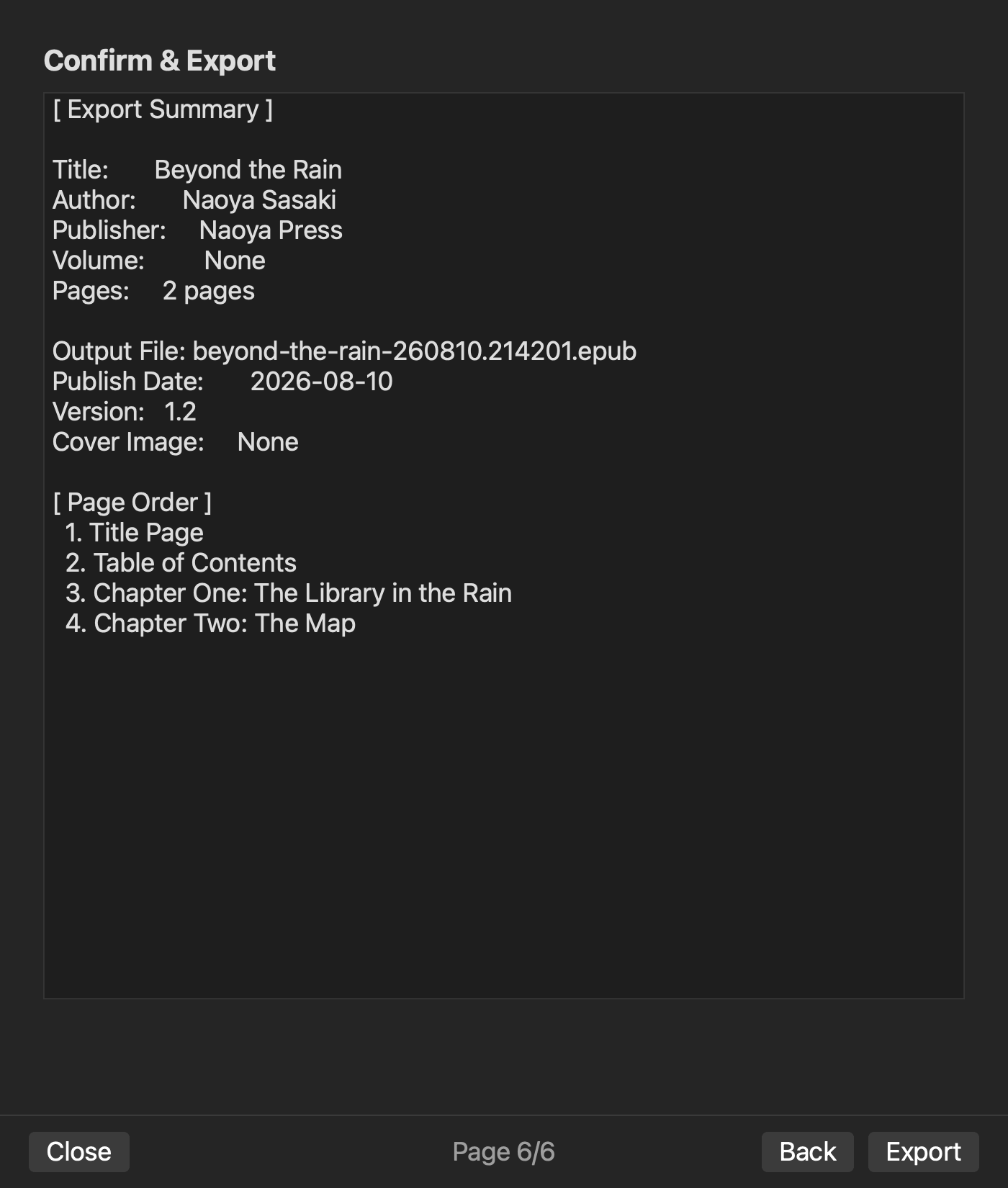
In an existing rune Studio level-4 operation, a two-chapter order generated a 5,444-byte EPUB with nav and NCX present and zero issues. An existing pre-generation Review screen visibly shows both chapters in page order, the output filename, and Cover Image set to None. Cover selection exists in feature material. That does not verify a cover-bearing export or the three tickets in this article.
Reverse-check the generated package
Begin from the latest EPUB and map body XHTML, spine, nav, NCX, cover image, and cover references back to the ledger. Find packaged assets without ledger rows, active sources that were not generated, and bundled files with no expected reference.
Add a necessary generated asset to the ledger or reclassify a source that should not be exported. Neither package nor ledger is automatically right; the story policy and closed ticket decide.
After close/open, repeat the reverse check on one randomly selected asset. The workflow should not depend on temporary state visible only during the generation session.
Manage together by changing separately
Place manuscript, navigation, and cover in one asset ledger, then process chapter addition, label change, and cover replacement as separate tickets. Trace source, manifest, spine, nav, NCX, and cover references.
The management cycle closes when obsolete references are gone, new references match expectations, unrelated assets remain, the reader can reach the element, and rollback is documented.


