
Before scoring recommended Mac text editors for novel writing, define seven conditions whose absence disqualifies a candidate. Mark only pass or fail. If a product misses one condition that is truly required for your book, do not move it into a detailed comparison.
A highly rated editor is not useful when you cannot identify the authoritative manuscript, search the whole novel, or return the text to the publishing process. A smaller tool can remain a valid candidate when it satisfies every non-negotiable step.
This is not a weighted comparison of several products. It is the screening stage that should happen before recommendation lists and preference scores.
Write observable pass statements
“Has saving” is too vague because nearly every candidate will appear to pass. Rewrite it as an observable statement: “After changing one sentence, I can save, close the application, reopen the file, and confirm the change.”
Separate requirements from preferences. A requirement disqualifies the candidate. A preference helps rank candidates after screening. If every attractive feature becomes mandatory, no product may survive, so reserve fail gates for conditions that genuinely block completion.
1. Identify the authoritative source
Determine whether the manuscript lives in a Finder-visible file, an application database, or a cloud document. A useful pass statement is: “I can identify the authoritative first-chapter source and explain what must be backed up.”
This is separate from the convenience of automatic saving. Without a known source of truth, recovery and handoff decisions become uncertain.
2. Verify the saved result after closing
Change a sentence, save, close, reopen, and confirm the result. When saving is automatic, you still need to understand when and where the change becomes persistent.
If the workflow needs Save As or duplication, include that operation. Do not treat the presence of a backup label as proof that restoration works; restoration deserves a separate test.
3. Find a known term across the novel
When chapters are separate files, search the entire project for a character name or unresolved marker. The pass statement can be: “I can find a known term across all chapters and identify the matching files and result count.”
Writers who use replacement should also confirm that targets can be reviewed before a limited test change. Fine-grained speed comparisons belong after screening.
4. Distinguish chapters from reference material
Long projects contain body chapters, character sheets, timelines, and discarded drafts. The editor needs a clear signal—filename, folder, sidebar, or another indicator—that identifies the active document.
Use this pass statement: “I can switch between a chapter and a reference file and return without saving into the wrong document.” Split panes are mandatory only for writers whose process actually requires simultaneous reference.
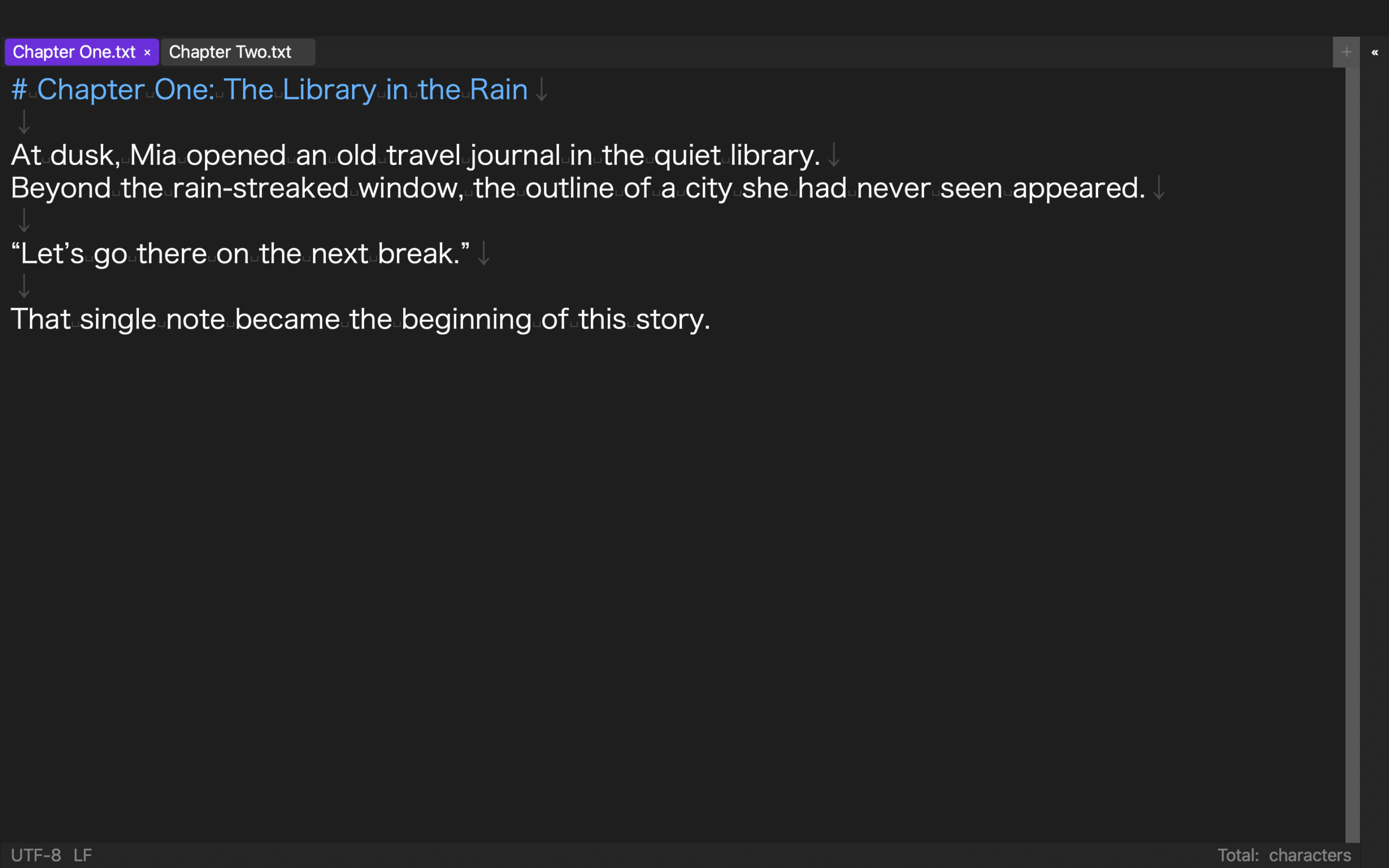
5. Inspect common Japanese-text errors
Test the characters you commonly mistype: full-width and half-width spaces, line breaks, tabs, and similar punctuation. Invisible-character marks or a reliable search can satisfy the gate.
Vertical preview can be a requirement for authors who proofread vertically, but it is only a preference for a horizontal-only project. Requirements should reflect the book, not a universal feature list.
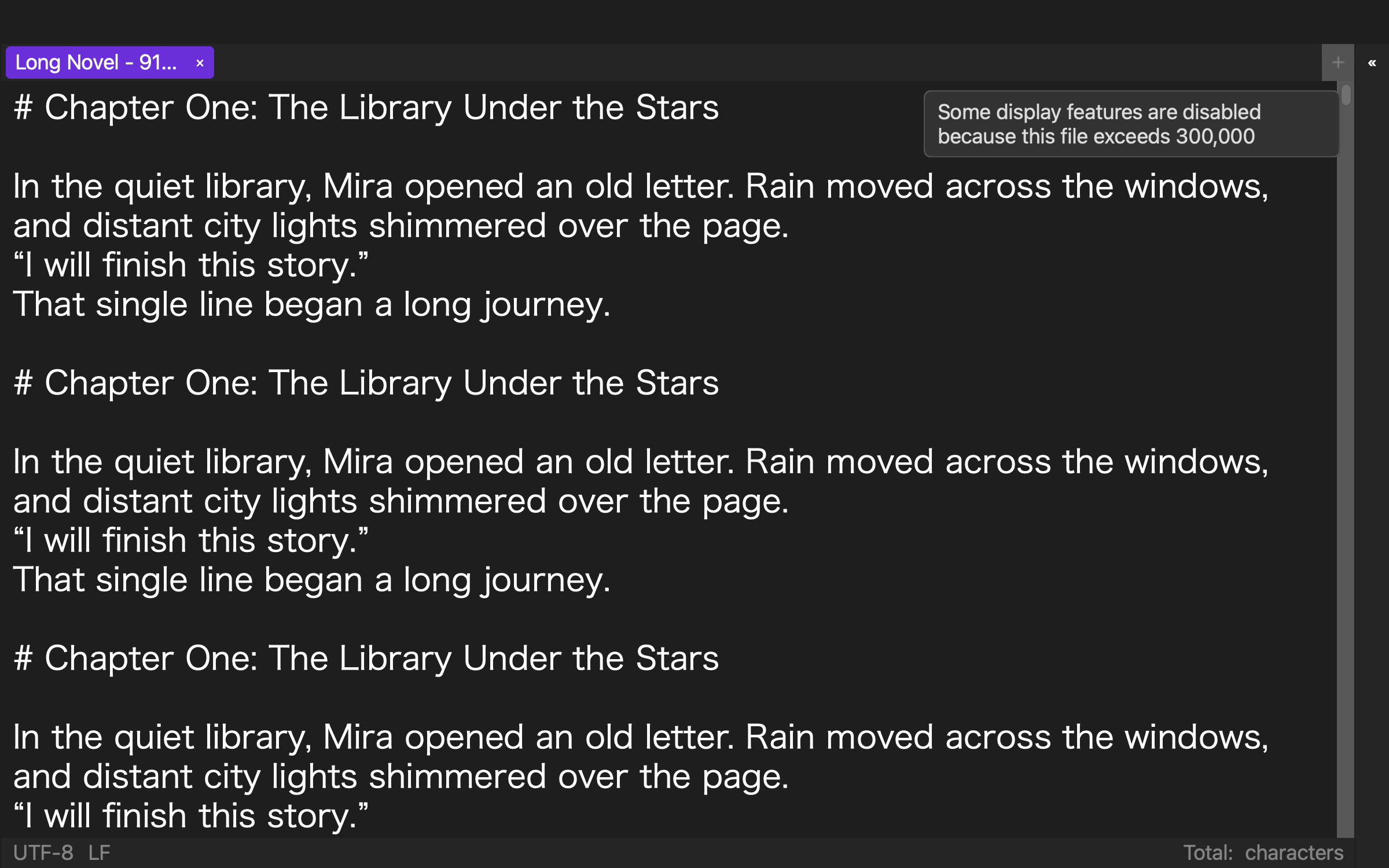
6. Keep core editing available at project scale
Use a chapter count and text length that resemble the real work. The gate does not need every visual enhancement to remain enabled. It does need core editing, search, and saving to complete.
Write: “I can open a representative long manuscript and complete an edit, a search, and a save.” If heavy decorations must be disabled, record whether that limitation is acceptable.
7. Return to the publishing route
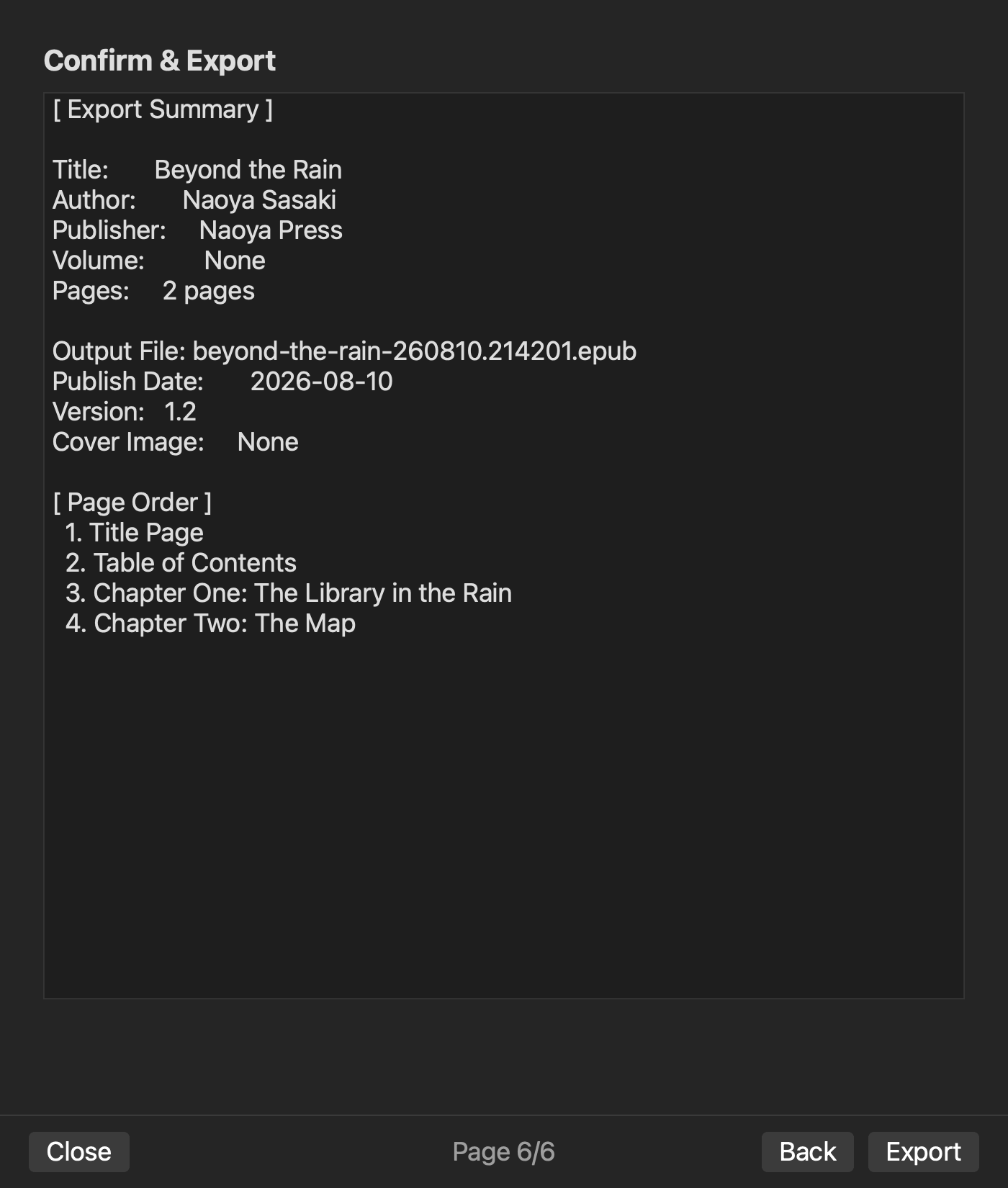
Define the manuscript’s required exit: generate EPUB, hand off to a layout tool, or deliver plain text. Test the actual format the next stage needs.
For EPUB, separate successful generation from checking chapter order, navigation, and images. Store validation and tests in real reading systems come later; they should not be silently assumed from the existence of an export button.
Applying the gates to rune Studio
The current Mac version of rune Studio treats a folder as a workspace and can expose manuscript locations in Finder. Command-line verification covered listing source files, project-wide search, manual save, and closing and reopening the workspace. The feature documentation also covers automatic saving, Save As, split views, invisible characters, and vertical preview.
For the publishing exit, multiple manuscript files were generated into an EPUB and inspected for chapters, navigation, missing images, leaked notation, and empty pages. This does not verify automatic-backup restoration, migration from proprietary third-party formats, or compatibility with every reading system.
Translate only the features you actually need into your own pass statements and verify them with representative material.
Compare only the candidates that pass
Screen Mac novel editors with seven gates: authoritative source, saved-state verification, project search, chapter/reference distinction, Japanese-text inspection, project-scale core editing, and the publishing exit.
Write each gate as an observable pass statement. Eliminate any candidate that misses a required gate. Only then compare speed, appearance, price, and interaction comfort. This order prevents an attractive convenience from hiding a broken path to a finished book.