A saved layout passes when its recorded values return after reopening, not when the window merely looks familiar. For this Mac text editor workflow, write one card containing a three-column pattern, sidebar width 320, body font 18 pt, system font 14 pt, line numbers, split ratios, and three tab identities. Compare those same fields after closing and reopening the project.
Draft-versus-revision role design, naming rules, and restart notes are separate manuscript-management questions. This article has a narrower exit: determine which layout values were restored. Unsaved-text recovery, pane dragging, linked scrolling, layout-count limits, and 13-inch usability remain outside the result.
Decision: Compare the same value card before and after reopening
Record these six result fields independently:
- layout name and split pattern;
- sidebar width;
- body and system font sizes;
- display settings such as line numbers;
- split ratios;
- tab IDs and paths.
Use matched, mismatched, or not verified for every field. A matching tab list cannot fill an unmeasured sidebar row, and a matching font value cannot prove that unsaved content survived.
Freeze the layout name and expected values
Name the test layout LAYOUT-C04. Set the expected pattern to three columns, sidebar width 320, body font 18 pt, system font 14 pt, line numbers on, and written split ratios.
Use identifiable tabs such as draft-c04.txt, revision-c04.txt, and note-c04.txt. Their editorial roles are not scored here. The question is whether the same IDs and paths can be identified after reopening.
Record the saved state as values and IDs
Before closing, retrieve all six fields and write them as text. A screenshot alone is weak evidence for a width or ratio because small differences may not be visible.
Add the time, application version, and workspace identity to the card. Otherwise, reopening a different workspace can be mistaken for a restoration failure.
Place the saved-state and reopened-state cards side by side, with the measured value and its source on every row. Pair each tab ID with its path so that a different file with the same visible name cannot count as a successful restoration.
Close and reopen without manual repair
Close the workspace through the normal route and reopen that same workspace. Retrieve the six fields again in the same order. Do not adjust a pane or reopen a missing tab before recording the result; that would measure manual reconstruction rather than restoration.
Three visible tabs are not enough when their paths or IDs differ. If a value cannot be retrieved, mark only that row as not verified.
Judge six fields independently
Compare before and after row by row. A useful result may say that the pattern, fonts, and three tabs matched while the sidebar differed. Keep that specific evidence instead of reducing the run to “the layout worked” or “the layout failed.”
A name mismatch returns to the selected layout. A tab-path mismatch returns to project identity. A value that cannot be measured remains unverified rather than being promoted from visual similarity.
Keep restoration separate from unsaved text
Restored tabs and layout values do not prove that unsaved manuscript text returned. Saved state, cursor position, and active pane are separate observations. Test them in a dedicated recovery workflow when they matter.
Pane dragging and linked scrolling are also different operations. File roles, names, and restart notes belong to a separate source-management decision.
What the hands-on layout check established
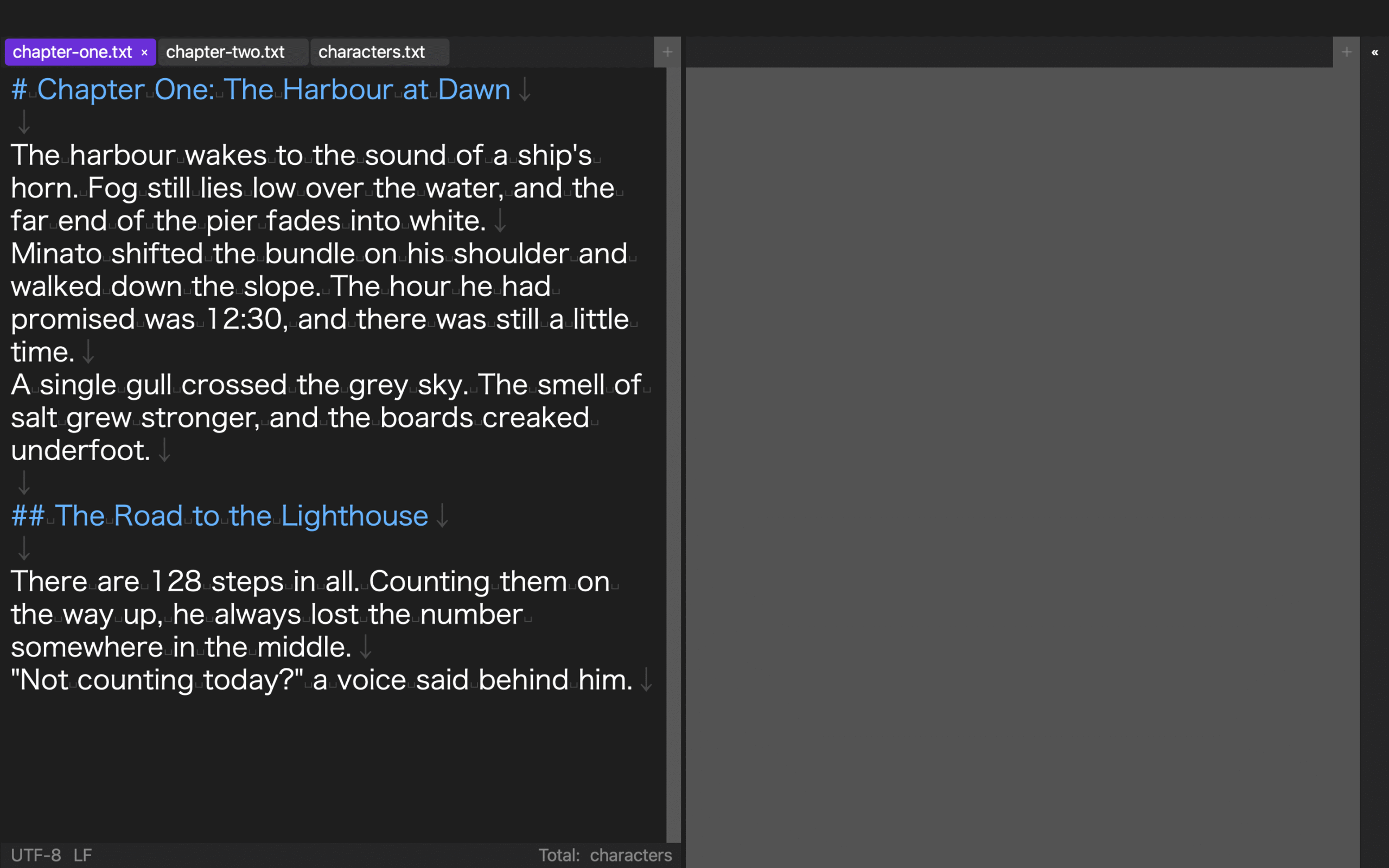
In a hands-on check, one project was configured with three columns, sidebar width 320, line numbers, split ratios, body font 18 pt, system font 14 pt, and three open tabs. After closing and reopening the project, the same layout values and three tabs were retrieved.
This was a partial common-sample check, not the article’s LAYOUT-C04 case on a 13-inch Mac screen. It did not verify unsaved text, pane dragging, active visual position, or practical readability. Conflicting observed and documented behavior also means this article makes no maximum-count claim.
Conclusion: Decide from values, not visual similarity
For a Mac text editor layout workflow, compare the same six fields before closing and after reopening. Keep every row independent and preserve unverified UI behavior as unverified.
Start with a LAYOUT-C04 card containing the three-column pattern, width 320, 18 pt, 14 pt, line numbers, split ratios, and three tab identities. If Rune Studio is a candidate, review the current Mac scope on the Rune Studio product page and do not treat the partial value-retrieval result as proof of every screen behavior.
Complete the value card before saving, close the application, and reopen the same project without manually rearranging it. Compare column order, every split ratio, sidebar width, both font sizes, line-number state, and all three tab identities one row at a time. If any row differs, record the observed value before applying the saved layout again; silently dragging a divider back destroys the evidence. Close and reopen once more after reapplying the card. Accept restoration only when every row matches on two consecutive reopenings. If the second run fails, keep the card and the two observed states, return to the saved layout, and retest the differing row with the others unchanged. This recovery distinguishes a persistent saved value from a one-time screen state and does not claim anything about unsaved text, linked scrolling, or how many layouts the product can retain.