
The best text editor for Mac fiction writing is easier to find by testing the same manuscript in every candidate than by trusting a universal ranking. Five trials expose the differences that matter: Japanese editing, searching a long manuscript, organizing chapters and reference notes, reading documents side by side, and handing off the finished work.
The editor with the longest feature list will not suit every novelist. A writer who revises in vertical text needs something different from a writer who works only in horizontal plain text. A self-publisher who wants to produce EPUB files has a different endpoint from an author who sends a manuscript to an editor.
This guide does not rank products. It gives you a repeatable five-part test, then separates what was verified in Rune Studio from what still requires a hands-on trial on your own Mac.
Choose by five trials, not by feature count
A checkmark in a comparison table rarely reveals daily friction. “Search supported” does not tell you how the function behaves after a manuscript grows beyond 300,000 characters. “Vertical writing supported” might refer to the editor, a preview, the exported EPUB, or only one of those places.
Run these same tasks in each candidate:
- Type a Japanese paragraph, select a phrase, and correct it.
- Open a long manuscript, find a character name, edit a sentence, and save.
- Organize the manuscript, character sheet, and timeline as one project.
- Place the manuscript beside a reference file and, if needed, inspect vertical text.
- Confirm that the editor can deliver the format required at the end of your workflow.
Give every candidate the same limited trial period—30 minutes is enough for a first pass. Consistent tasks make the results more useful than spending hours exploring unrelated features in a single app.
Prepare a sample manuscript and scorecard
An empty document makes almost every editor look fast. Use a copy of your current manuscript or a disposable sample that is safe to test. Never experiment on the only copy of your work.
Include dialogue, Japanese quotation marks, ellipses, dashes, mixed full-width and half-width characters, a phrase that may need ruby text, chapter headings, and several proper names you can search for. If you plan to write a long novel, add a large copy that resembles the expected final size.
Score each task on four levels:
- Works immediately
- Works after configuration
- Works only with another application
- Does not fit my writing process
Add a personal weight to every task. Search and saving may deserve three points because you use them every day, while EPUB export may deserve one point because you use it only at release time. Weighting prevents an app with many low-value features from winning automatically.
1. Test Japanese input and selection
Write a real paragraph first. Mix punctuation, brackets, ellipses, dashes, kanji, and hiragana, then correct deliberate mistakes. Look beyond visible typing delay. Check whether double-clicking and dragging select the intended range, and whether typing replaces that selection correctly.
Japanese does not separate every word with spaces as English does. Some writers benefit from selection that recognizes character-type boundaries; others rely on line-based keyboard commands. The feel of this interaction matters more than a specification sheet, so test it with your input method on your Mac.
2. Test search and saving in a long manuscript
Open a disposable copy close to the size you expect at completion. Search for a proper name, move through its matches, change one sentence, and save the file. If you use replacement, see whether you can inspect the target before replacing everything and whether you can recover from a mistake.
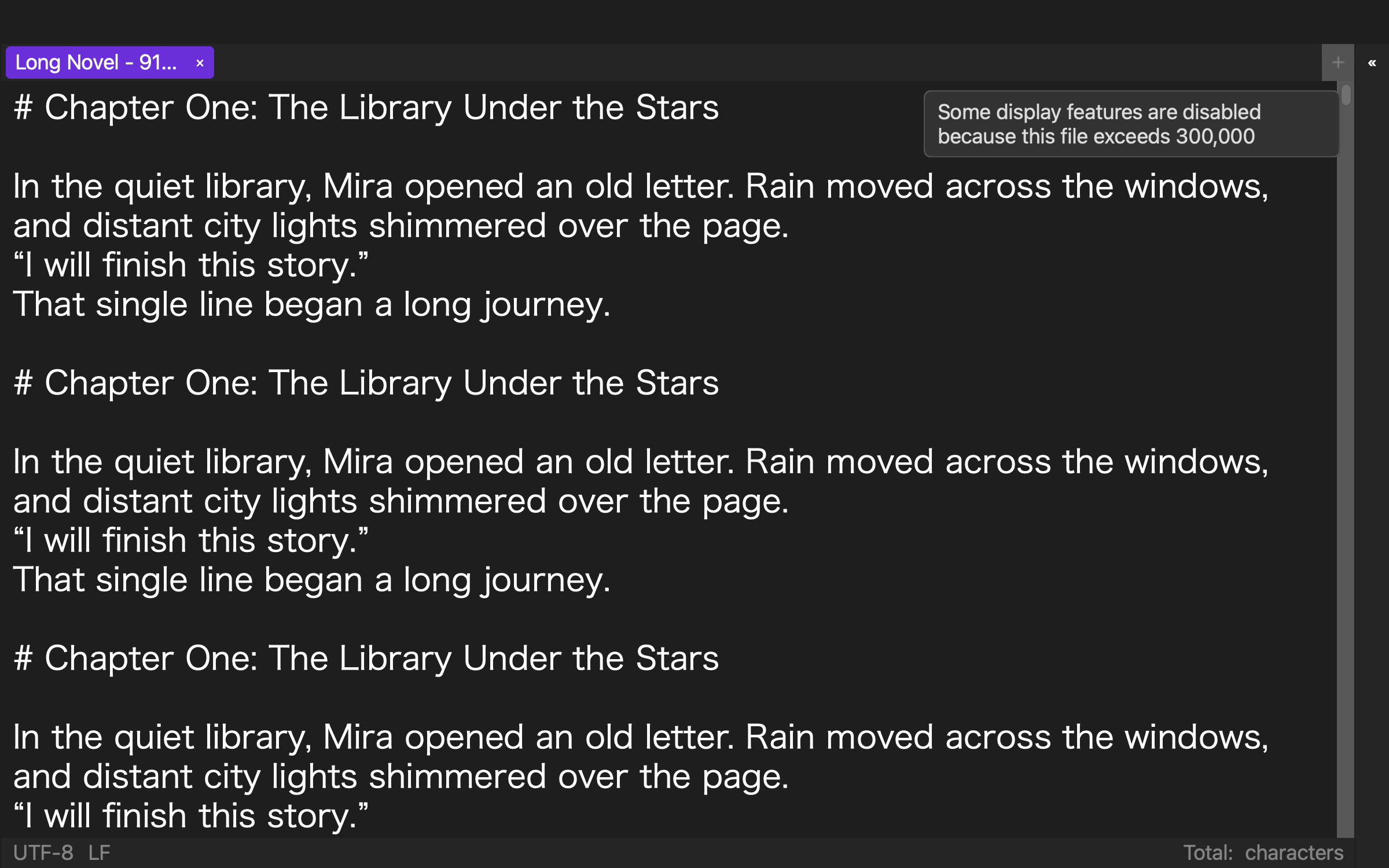
Do not measure launch time alone. Typing, search, and safe saving are the foundation of the writing session. If syntax colors, line numbers, or other visual aids change in a large-file mode, record exactly what stops and whether the editor explains the state.
No performance result applies to every Mac. Memory, other running applications, manuscript contents, and storage can change the experience. A trial using your own manuscript on your own computer remains essential.
3. Organize chapters and reference material as one work
A novel grows beyond its prose. Character sheets, timelines, place names, discarded scenes, and research notes accumulate around the manuscript. Open those materials as a single work in each candidate and time how long it takes to reach the fact you need.
If the editor works directly with folders, check whether it preserves your existing Finder structure. If it imports documents into a private library, determine how that library relates to the source files, how you export them, and how you back it up. The practical question is not how many classification tools exist. It is how many context switches you need to check a character’s age while writing.
Try both one-file and chapter-per-file structures. A single manuscript simplifies whole-book searches. Separate chapter files may fit chapter-level versioning and handoff better. Your dominant task should decide the structure.
4. Put the manuscript beside a reference and inspect vertical text
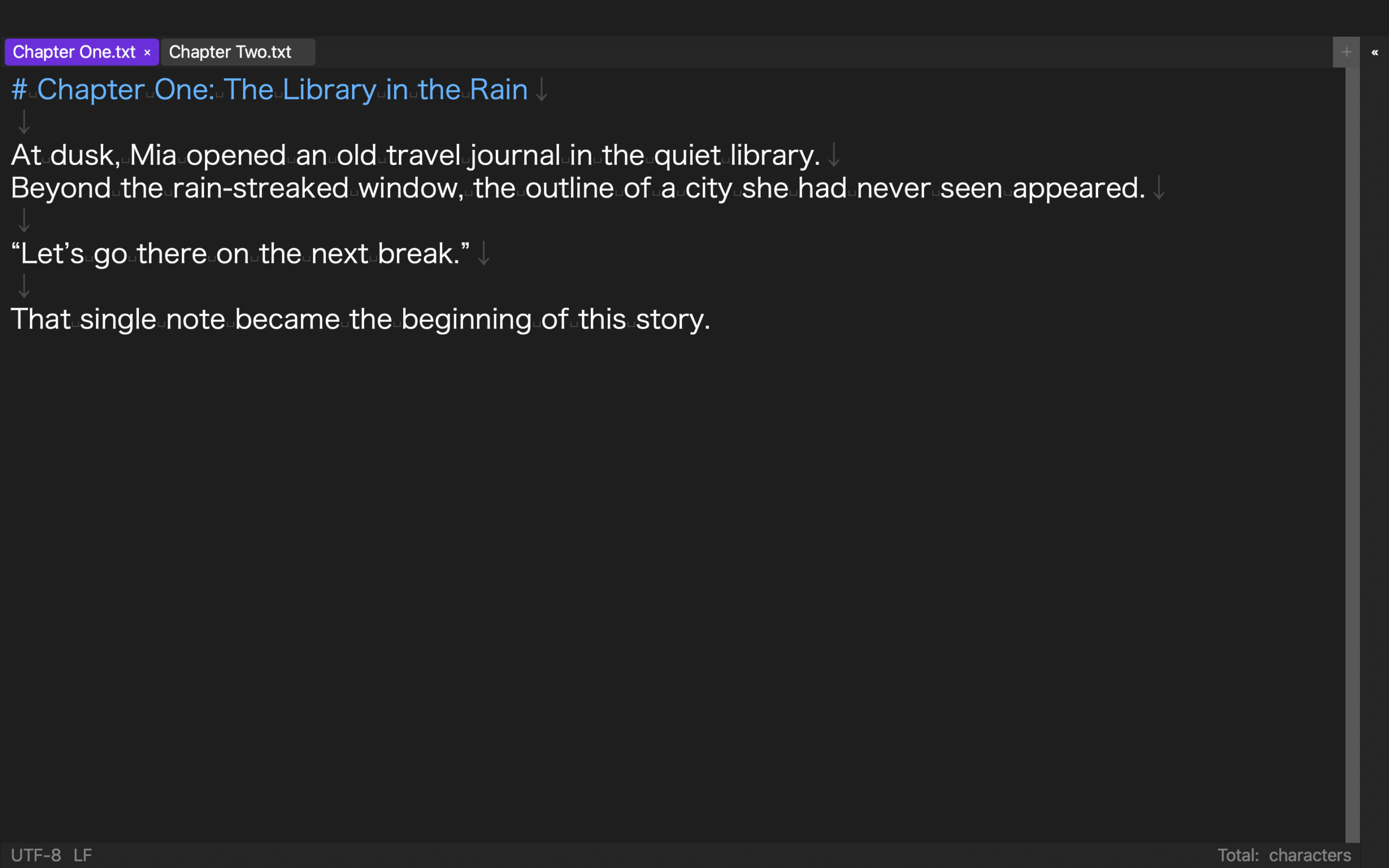
Place a character sheet next to the chapter and revise a paragraph while checking names or dates. Compare the effort required to arrange separate windows with an editor that can split its workspace. Also check whether the divider positions return in the next session.
If you revise in vertical writing, inspect punctuation, Latin letters, numbers, ruby text, and paragraph flow. Do not accept “vertical writing” as a single yes-or-no label. Record separately whether it applies to the editing view, preview, and exported file.
Writers who compose only in horizontal text and leave typesetting to a publisher can reduce the importance of this test. Excluding features you will not use is part of a good selection process.
5. Confirm the exit to your final format
Decide where the manuscript goes next. For a fiction platform, test plain-text copying and the pasted result. For an editor, confirm the requested delivery format. For self-publishing, examine the EPUB workflow.
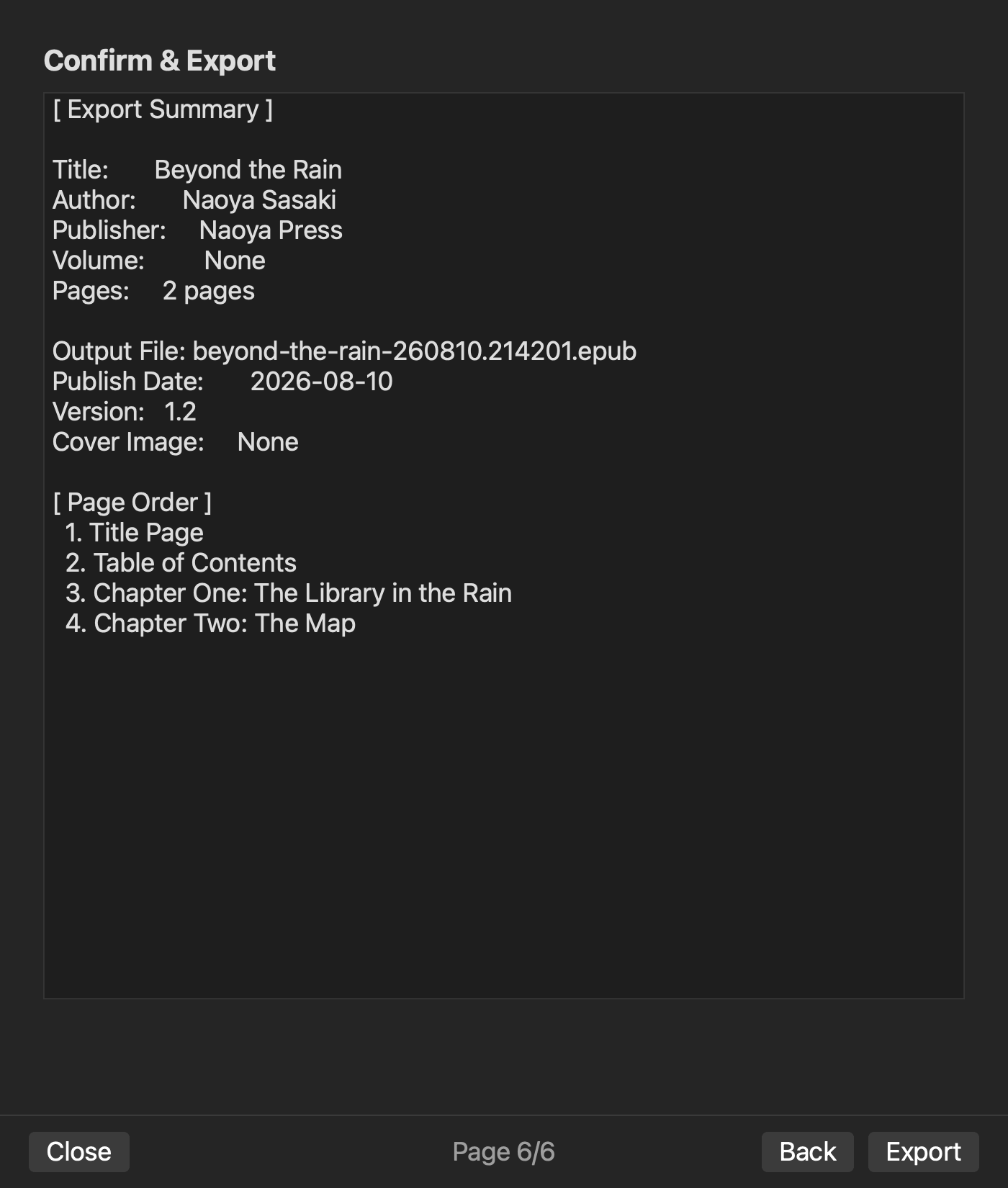
An EPUB test should cover more than whether a file appears. Locate the settings for work title, author, volume, chapter order, table of contents, writing direction, and cover. Store submission and retail review remain separate from EPUB generation.
Using a dedicated conversion tool can be the right choice. Include the repeated cost of rebuilding headings, chapter order, or metadata whenever you transfer the manuscript.
Applying the five tests to Rune Studio
The current Mac version of Rune Studio includes Japanese character-type selection, workspace search and a file tree, split panes, vertical writing and preview, and EPUB 3 output. Its implementation materials describe horizontal, vertical, and nested pane layouts with saved divider ratios. Vertical switching is available in Japanese mode.
On August 10, 2026, we tested Rune Studio CLI 1.4.0 build 23 in an isolated development workspace rather than using a production manuscript. The UTF-8 sample contained 919,514 characters and 24,272 lines. Rune Studio classified it as a large file, and an in-file search for the Japanese full stop returned 19 matches with exit code 0.
We then created a layout named “Comparison” and changed it to two horizontal panes. After setting the work title, author, volume information, and manuscript selection, the EPUB output plan returned valid: true. Attempts made before creating a layout and before adding volume information did not complete. That result is useful: it shows why a trial must test prerequisites and task order, not merely the presence of a feature.
This validation covered workspace creation, long-text inspection, search, split-layout configuration, and EPUB output planning. It did not judge the feel of Japanese text selection, the visual quality of the vertical view, or interactive typing speed. Those points still belong in your local trial.
Who should shortlist Rune Studio?
Rune Studio is a candidate for a Mac novelist who wants to manage a long Japanese manuscript and its reference files in one workspace, compare documents in split panes, inspect vertical text, and continue toward EPUB output. Writers who repeatedly place a chapter beside research notes have a clear reason to include layout behavior in their scorecard.
A simpler editor may be enough for someone writing short horizontal documents whose only endpoint is plain text. A cloud document may be the better candidate when simultaneous collaboration dominates. A dedicated page-layout application may fit a workflow centered on precise print composition.
This assessment covers the current Mac version. iPad functionality that is still under development is not included.
The same manuscript reveals the features you actually need
There is no single best Mac text editor for every novelist. Test Japanese editing, long-manuscript search, project organization, side-by-side reading, and final-format output with the same sample. The results show which recurring effort you want the tool to remove.
Start by giving each candidate 30 minutes and completing the four-level scorecard. If Rune Studio is on your shortlist, check the current features and system requirements on the Rune Studio product page, then repeat the trial with a safe copy of your own manuscript.