
When a huge manuscript opens with fewer colors, markers, highlights, or line numbers, do not assume that all editing has failed. The deadline-critical route is narrower: search for the target, change one character, save a separately named candidate, and reopen it for verification. This article uses a 919,514-character test manuscript and separates measured detection and search evidence from the still-pending edit-and-save round trip.
Separate display helpers from deadline operations
Large-file handling may reduce expensive visual assistance. A different-looking screen does not by itself prove that manuscript content is missing.
Create four acceptance rows: fixed search, one-character edit, separate save, and reopen verification. Record display helpers in another section. A missing line-number display must not create a pass or fail before the four operations are tested. Conversely, an attractive screen cannot compensate for a broken search or save route.
This article does not guarantee responsive performance on every Mac. Subjective speed, device benchmarks, and an exact boundary test at 300,000 characters are separate questions.
Preserve the large-file baseline
Use a copy containing 919,514 characters and 24,272 lines in UTF-8 with LF line endings. Record its file ID, counts, encoding, line endings, baseline hash, and planned save-as target.
Do not use the authoritative manuscript, and do not switch to a shorter sample after a problem. Either action would remove the condition being tested.
A broad fixed term can confirm search behavior. For the actual edit, use a more specific term whose chapter and surrounding sentence can identify one intended character change.
Two results are already measured
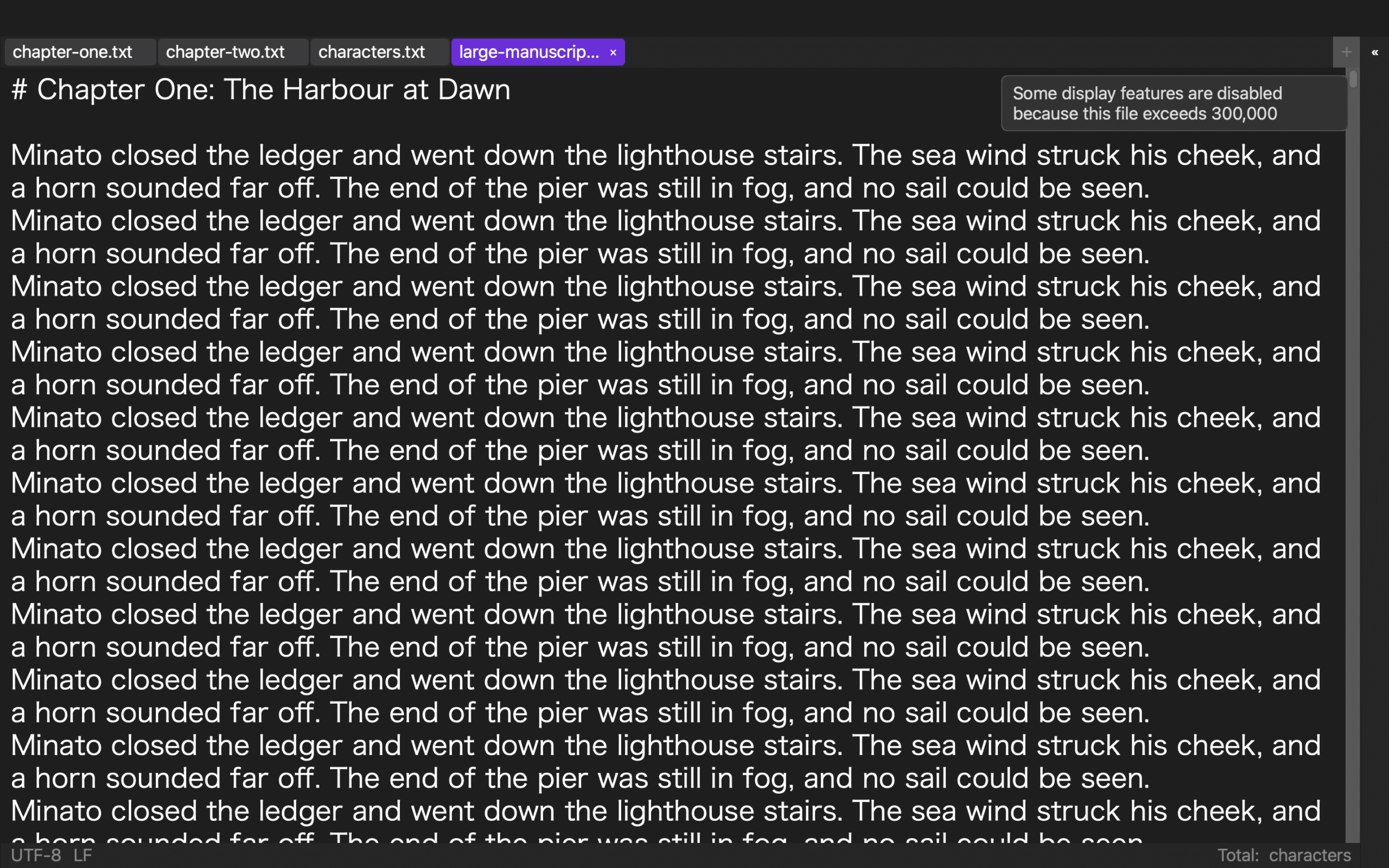
A development CLI run recorded isLargeFile=true for the 919,514-character manuscript. The same evidence set recorded 19 matches for the fixed punctuation search. Those two rows support Stage 4 statements for detection and search.
The evidence does not complete a screen edit, save-as action, or reopened-content comparison. A documented design to preserve editing, search, and saving is not the same claim as a completed 919,514-character save round trip.
The remaining steps are checkpoints to be run, not completed product results.
Move from search result to one instructed edit
Record the character count and large-file state, then run the fixed search. Before editing, match the result to the expected chapter, one sentence of context, and the written one-character instruction.
Stop if the context is wrong, navigation cannot reach the intended chapter, or the match count cannot be explained. Do not label every failure as reduced display assistance.
After identifying the target, change only the instructed character. Check neighboring punctuation, line breaks, and character count for unexpected changes. Search for the corrected term again.
Save separately and verify after reopening
Do not overwrite the source. Save to the predetermined candidate name. Record candidate size, character count, line endings, and corrected term, then close the application.
Reopen the candidate and search for the specific term. Confirm the changed character and surrounding sentence. The candidate hash should differ because of the intended edit; the important check is that no other content changed, UTF-8/LF remains as expected, and term counts match the instruction.
A candidate fails if it cannot reopen, cannot return to the corrected context, or contains unexplained differences. Preserve the failed candidate and the checkpoint where the route stopped.
Keep Rune Studio evidence levels separate
Rune Studio is documented and implemented to detect files at 300,000 characters or more and to reduce expensive display helpers while preserving editing, search, and saving. That is the Stage 3 product scope.
The 919,514-character detection and 19 search matches are Stage 4 measurements. Screen editing, save-as, and reopening are not complete in this evidence set. Rune Studio may therefore enter the deadline-path test, but it cannot yet be described as having passed all four operations on this manuscript.
Decide with the complete chain
The candidate path is sequential: reach the correct chapter by search, change only the intended character, save without overwriting the source, and reopen to verify the same context. Advance only a copy that completes all four.
STUDIO-510 tests the threshold boundary. STUDIO-199 builds a multi-size feature-survival table. This article stays with one 919,514-character case and one deadline route. Reduced display assistance is acceptable when the route survives; a break at any checkpoint is a recorded selection failure.