
An EPUB regeneration test should not pass merely because another file appears. Assemble manuscript, navigation, metadata, and cover as four editable inputs in one project. After a manuscript edit, regenerate from that same project and determine, input by input, how far each declared change propagated and where a change went missing.
This article uses a two-chapter work called “Letters from the Harbor.” It locks a first export as the baseline, then prepares a four-input change record that includes a manuscript edit. Unlike STUDIO-030, it does not send the same one-character revision to candidates A and B or rank two regeneration rounds. The comparison is one project’s baseline versus one regenerated artifact, and the decision concerns multiple-input propagation boundaries.
Pair four inputs with observable artifact locations
First map each change source to an observable location in the generated package. The manuscript maps to body XHTML. Navigation labels and destinations map to the EPUB navigation document. The title, author, and language map to package metadata. A cover maps to its resource and package references. The presence of an input screen is not evidence that its value reached the artifact.
Create four rows with an input ID, baseline value, return path, and observation target. For “Letters from the Harbor,” identify the two working chapters, two navigation label-to-destination pairs, the title-author-language metadata, and the cover status. Write “unverified” rather than leaving an unknown value blank.
Register all four inputs in one editable project and reopen each return path once. If the chapter body can be edited but the navigation destination cannot be found, or a cover candidate can be selected but its description source is unknown, preparation for regeneration remains incomplete.
Lock the first export as the baseline
Before making changes, export once from the same project and lock the project ID, input revision, and artifact ID. For example, call the input harbor-project-r01 and the artifact harbor-baseline-01.epub. Use an editable test project rather than overwriting the authoritative manuscript.
Record the baseline body for both chapters, the two navigation labels, the title-author-language values, and the cover state. If this build is cover-free, record “no cover” as the baseline. A candidate visible in an input control is not a covered-artifact baseline unless its resource and references were actually observed.
This baseline inspection collects only the pre-change values needed for the regeneration test. It does not expand into STUDIO-122’s comprehensive static acceptance of cover, EPUB navigation, package, and spine.
Declare a four-input change packet
Advance harbor-project-r01 to revision r02 and declare four changes before regenerating:
- Manuscript: add an approved verification sentence to the opening of chapter two; expect it in chapter two’s body XHTML.
- Navigation: change the second label to “Chapter Two: Homecoming”; expect it in the EPUB navigation document.
- Metadata: replace the temporary author name with the approved form; expect it in package metadata.
- Cover: change the no-cover baseline to a cleared candidate; expect a cover resource and package references.
Make these edits in a test copy using approved project content, so a verification sentence does not leak into the authoritative manuscript. The important point is to enumerate every input being tested and its expected target before generation. Do not add an accidental difference later merely because it happens to look successful.
These rows are not candidates A and B. There is one project and one regenerated artifact. STUDIO-030’s one-character, two-candidate ranking uses a different test unit and makes a different decision.
Regenerate once from the same project
After saving all four inputs, regenerate once from the same work unit and assign a new ID such as harbor-regenerated-02.epub. Before generation, record that the project is at r02. An older baseline-01 may remain in the output location, but it must never receive the new artifact ID.
If generation reports an error, do not continue merely because an EPUB exists somewhere. Record the error point, saved input revision, and any emitted filename. Mark that artifact outside the acceptance set. This prevents an old baseline from being mistaken for the regenerated result.
Do not repair the regenerated XHTML or package directly. A missing value belongs in the change record and returns to its authoritative input. Preserving that boundary keeps the sequence as edit, regenerate, then accept.
Classify each change as reflected, missing, or unverified
Inspect the four declared rows separately. Use only three labels: “reflected,” “missing,” and “unverified.” Reflected means the expected new value is present at the declared target. Missing means the old value, another value, or no required reference appears. Unverified means the observation target cannot be inspected or necessary evidence is unavailable.
For example, the new manuscript sentence may be reflected while the navigation label remains old. The author value may be reflected, while a cover resource exists but its references remain unverified. Three reflected rows do not erase a fourth row. For every missing item, record the baseline value, expected value, observed value, and authoritative input to revisit.
This is a propagation-boundary decision for declared changes, not a comprehensive quality score. STUDIO-122 owns broad static acceptance. A reflected manuscript edit never proves navigation, metadata, or cover propagation by inference.
Stay within Rune Studio’s verified scope
Rune Studio’s feature and implementation materials describe a workspace for work-level manuscript materials and a six-page EPUB Wizard with inputs or checks for metadata, navigation, and cover. This paragraph is supported only by Stage 1 static material and code review, not by Stage 3 evidence from the running interface.
The Stage 4 evidence from August 11, 2026 is one dedicated cover-free two-chapter EPUB. It returned valid=true, and its EPUB navigation document, supplemental NCX, package metadata, and spine order were inspected. That evidence supports one baseline-generation route.
The multi-input regeneration after a manuscript edit described above has not been executed in Rune Studio, and no covered artifact has been verified. Therefore, this is the next product test procedure, not a claim that Rune Studio has passed it.
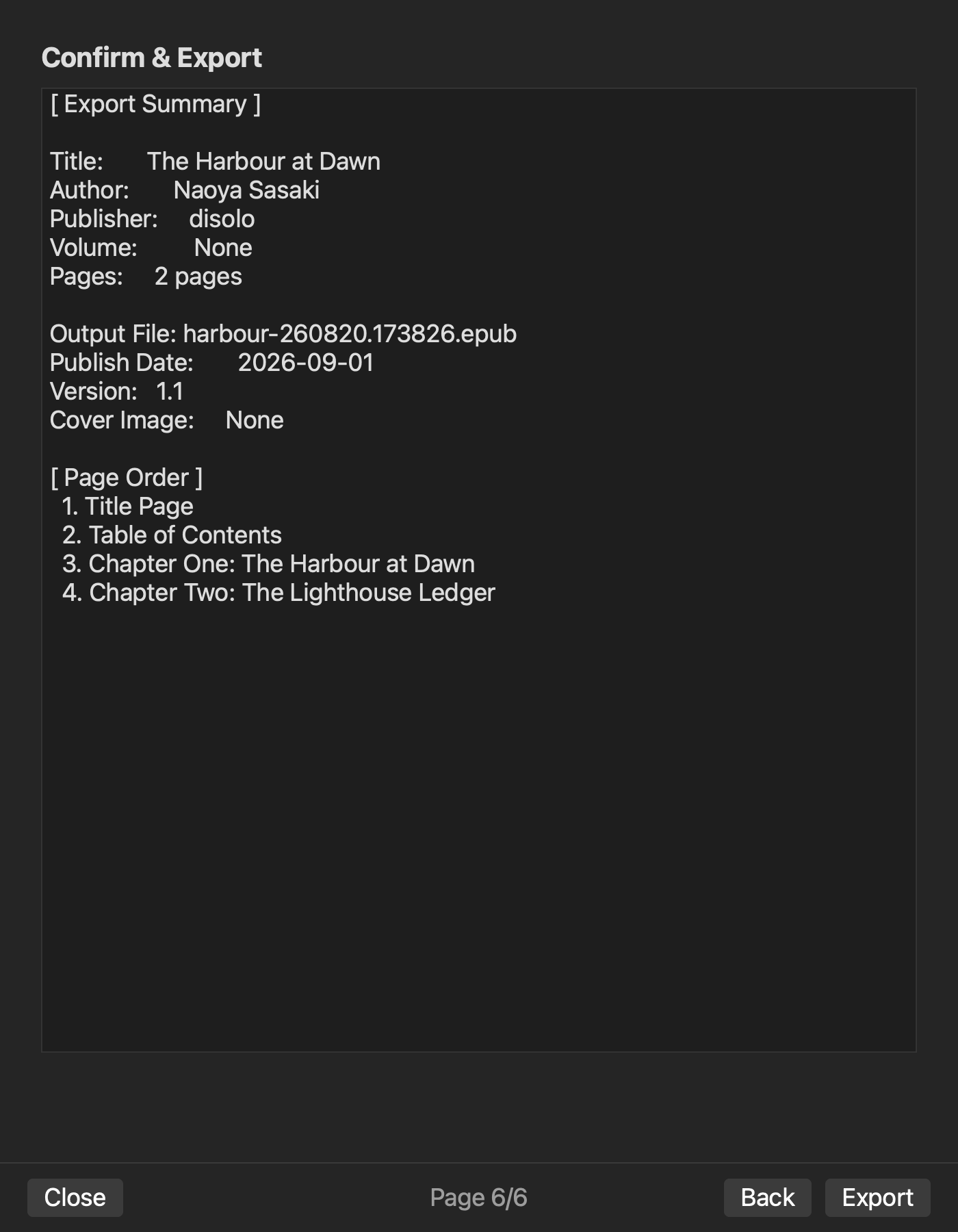
Close the regeneration test one change row at a time
To test regeneration in an integrated EPUB creation tool, assemble four editable inputs in one project, lock the first export as a baseline, declare a change packet that includes a manuscript edit, and regenerate from that same project. Judge each row as reflected, missing, or unverified.
Start by recording the manuscript, navigation, metadata, and cover baseline values and their observation targets. Apply approved changes, issue one new artifact ID, and inspect the declared targets. Return missing values to their inputs instead of patching the output. This procedure fulfills the promised post-edit regeneration test without becoming either a two-candidate one-character comparison or a comprehensive artifact score.