
An export button does not define a complete EPUB production workflow. A manuscript must be corrected, chapters ordered, navigation selected, cover and metadata configured, output inspected, and defects returned to the right source before another build. A collection of specialized tools may be appropriate, but every handoff creates another place to confuse sources and settings. This guide turns production into ten fixed tasks and compares Mac software by handoffs and reproducibility, not by a marketing feature count.
Define ten fixed production tasks
Use these tasks: open source text, correct one error, reorder two chapters, choose TOC inclusion, select a cover, enter title and author, choose writing direction, generate EPUB, inspect structure, and correct then regenerate. Run the same two-chapter test book through every candidate.
Record separate files created, application switches, fields entered again, and moments when the source of truth was unclear. Completion time alone rewards familiarity. A fast first export that loses cover configuration during the second build is not a strong production result.
Choose the boundary between integrated and specialized tools
An integrated workflow shortens the distance between source correction and regeneration. A specialized toolchain may provide deeper control at each stage. Decide which handoffs you can manage safely rather than treating either architecture as universally superior.
If the project requires advanced custom CSS or surgical changes to an unknown existing package, define a controlled handoff to a specialist tool. If the repeated work is source editing, chapter order, TOC, cover, metadata, and reflowable EPUB 3 generation, integration has greater practical value.
Document the source of truth at every handoff
For every application boundary, record input file, output file, changed settings, and the location to fix a defect. Manual changes made inside a generated EPUB can disappear the next time source text is exported. Without a declared source of truth, each round trip increases divergence.
Prefer a workflow where important changes can be reproduced. If a generated package needs manual edits, capture them as a repeatable procedure or patch. A build that succeeds once is less reliable than one that can rebuild after a one-character manuscript correction.
Map Rune Studio to the ten tasks
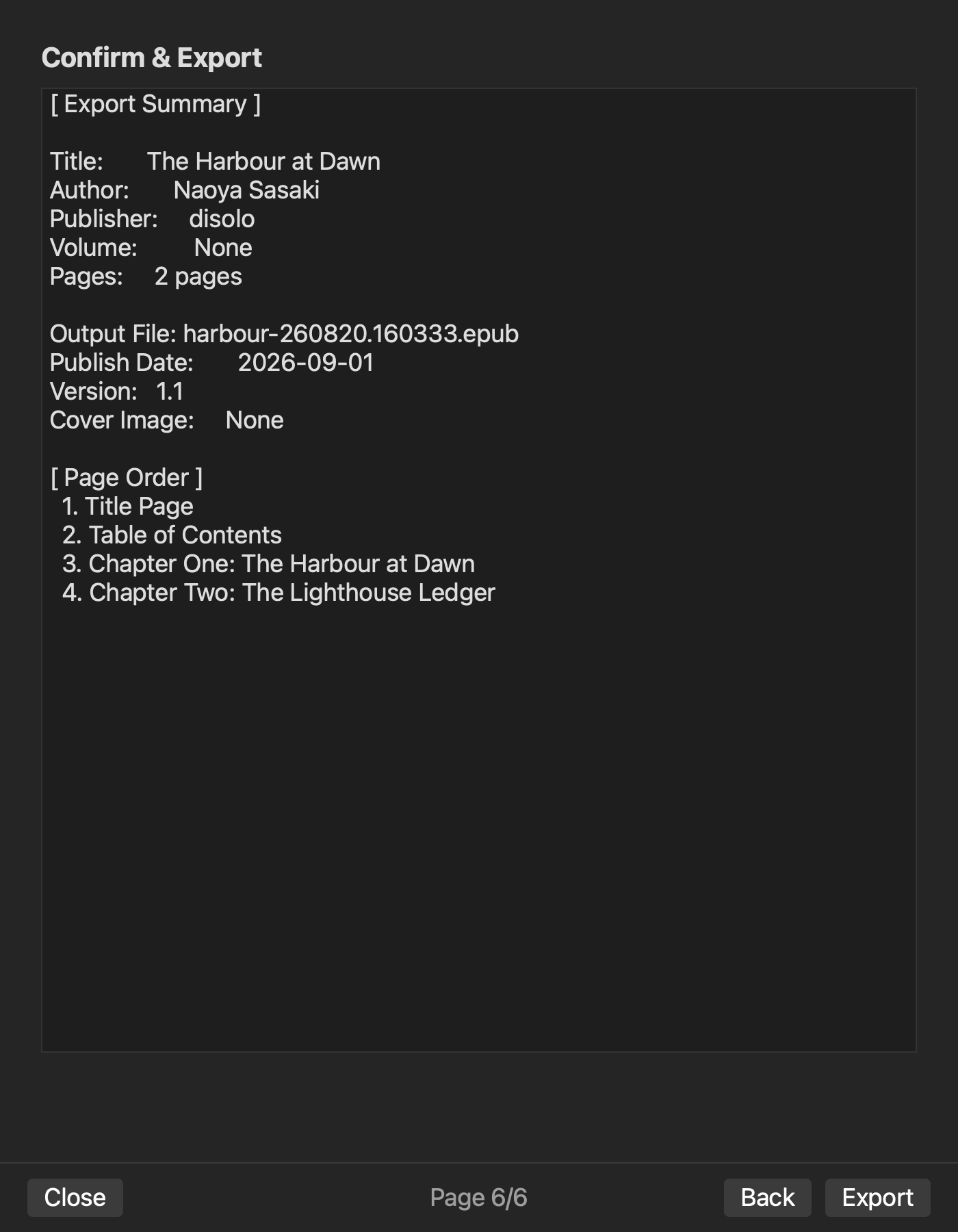
Rune Studio documentation covers Japanese long-form editing, search, split views, vertical preview, chapter order, TOC, cover, bibliographic settings, and EPUB 3 generation on macOS. For a normal reflowable novel, that documented range makes it a candidate for reducing handoffs. The benchmark must still record which steps were actually completed instead of treating the complete feature list as one successful test.
A CLI verification on August 11, 2026 searched and replaced UTF-8 Japanese text, generated cover-free horizontal and vertical EPUBs, and inspected both as valid with nav and NCX present; the vertical package also contained rtl progression and vertical-rl styling. A separate cover-attached build contained the referenced cover resource, but CLI inspect incorrectly reported it missing and returned invalid. Keep that unresolved condition as a blocker rather than generalizing the cover-free result.
Test the actual Mac environment
Verify the operating-system requirement together with your display size, keyboard flow, storage location, and backup practice. A split layout that works on an external monitor may become unusable on a MacBook. Quit and reopen the project to measure recovery, not just initial setup.
Use a representative Japanese passage and the largest manuscript size you expect. If a long-file mode reduces visual decoration, confirm that editing, search, and saving remain available. Real device conditions matter more than theoretical pane counts or maximum feature claims.
Include inspection in the product comparison
Do not stop the benchmark at export. Check nav, NCX, OPF, spine, and image references, then open the book in a relevant reader to test cover, TOC, order, and page progression. Whether inspection is internal or external, count the path from export to a recorded result.
Introduce one defect, return to the declared source, correct it, and generate a new file. The second output must contain the fix without losing unrelated settings. This round trip is the strongest acceptance test in the benchmark.
Score blockers before conveniences
Define blockers such as lost metadata, unclear source ownership, manual re-entry after every build, or inability to inspect the result. Reject candidates that fail a required task even if their interface is attractive. Compare conveniences only among workflows that complete both passes safely.
Also record the cost of exceptional work. If one advanced step requires another tool only once per title, that may be acceptable. If every small correction triggers five manual handoffs, the workflow will become fragile over a long release cycle.
Conclusion: choose the workflow that completes two passes
The best EPUB production software for Mac is the workflow that completes all ten tasks, accepts a source correction, and reproduces the book without losing settings. Count handoffs, repeated data entry, and source ambiguity, and place specialized tools only at deliberate boundaries.
Start with a two-chapter test book and run the benchmark twice. Change one typo between passes. The ability to rebuild the same complete book after that tiny correction is more valuable than a fast demonstration export.


