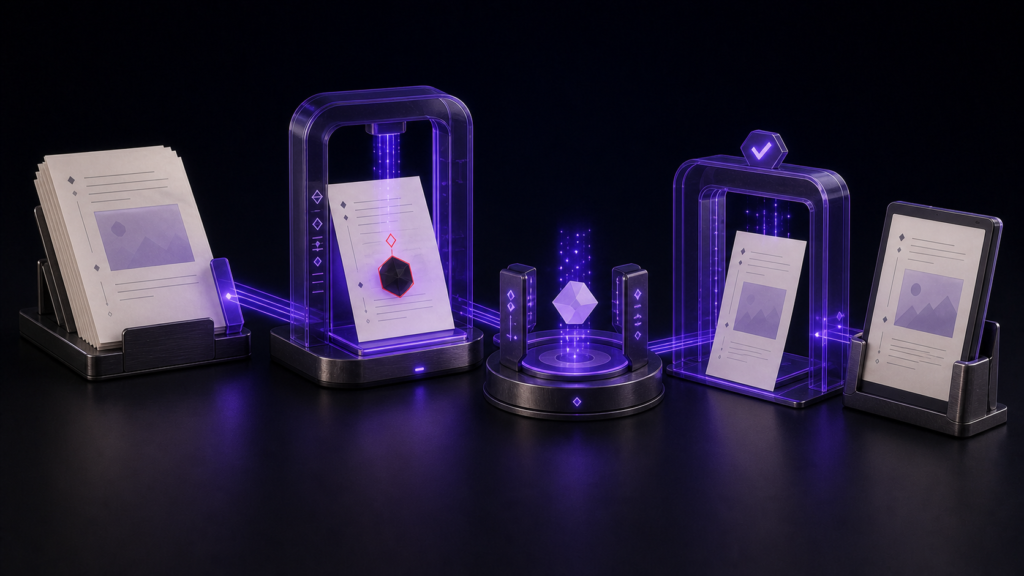
To prevent characters from disappearing during an EPUB encoding conversion, define the exit condition before saving: list every unrepresentable character with its position, reduce the count to zero through approved substitutions, and reopen a separately named output to confirm that the repaired text still matches. A file that merely appears readable or saves without interruption has not passed this gate.
In the 1,500-character specimen, two characters could not be represented in Shift_JIS: 😀 at index 16 and 🚀 at index 17. Approved substitutions reduced the count to zero. The UTF-8 and Shift_JIS copies then reopened with matching repaired text. The result remains partial, however, because the record does not identify the two additional private-use candidates anticipated in the specimen or verify Rune Studio’s visual warnings.
Use zero findings and a matching reopen as the answer
Missing characters are easy to overlook when a converter drops an unsupported character or substitutes it silently. The general safeguard is to record the count and positions before conversion, repeat the same inspection after each approved change, and refuse to proceed while any finding remains.
The second half of the gate happens after saving. Close the separately named output, reopen it from disk, and compare the complete repaired text, not just the two conspicuous characters. Include line endings in that comparison. Passing therefore means zero remaining findings and a matching reopen.
Track two positions in a 1,500-character specimen
The controlled source was derived from Shift_JIS and was designed to contain 1,500 characters, two emoji, and two private-use candidates. The recorded position scan found two actual Shift_JIS failures, adjacent in the source: 😀 at index 16 and 🚀 at index 17.
Freeze these starting values on a working copy:
- Requested length: 1,500 characters
- Observed length: 1,500 characters
- Target encoding: Shift_JIS
- Line ending: LF
- Unrepresentable characters: two, at indexes 16 and 17
Do not alter the evidence to make the detected total match the four anticipated candidates. Operate on the two recorded failures and leave the two unrecorded candidates unresolved.
Repair the two findings and reopen both output encodings
First confirm that indexes 16 and 17 point to 😀 and 🚀 in the untouched text. Apply only the substitutions that were approved for those locations, then rerun the representability check. If the result is not zero, stop before producing an output file.
From the zero-finding repaired text, create separately named UTF-8 and Shift_JIS copies. Close both files, reopen them from their saved locations, and compare each complete body with the repaired source. The line ending belongs in the comparison as well.
Use a precise rollback point when a check fails:
- Position does not match the source: return to detection without changing the encoding.
- Substitution is not approved: return to the untouched working copy.
- Findings remain after repair: return to the remaining-position list.
- Reopened copies differ: discard those copies and return to the zero-finding repaired text.
The measured result went from two findings to zero
The title-specific Stage 4 record contains three commands. Both the requested and observed lengths were 1,500 characters. Before repair, the count was two: 😀 at index 16 and 🚀 at index 17. After the approved substitutions, the count was zero. The reopened copies read back as UTF-8 and Shift_JIS, the line ending was LF, and repaired_text_matches=true.
A separate common Stage 4 run inspected one short sentence across five encodings. UTF-8, Shift_JIS, and EUC-JP each read as 39 characters with LF; UTF-16LE and UTF-16BE each read as 40 characters with LF. The working tab’s encoding setting read back as UTF-8. That common check demonstrates encoding inspection across five files; it is not the evidence for the two findings in this 1,500-character specimen.
The partial boundary remains explicit
The CLI run did not verify Rune Studio’s pre-save warning, red background, appearance of mis-decoded text, or autosave stopping and resuming. The result data also does not identify the two private-use candidates anticipated in the test material or show how they behaved under Shift_JIS conversion.
The supported claim is therefore narrow: two emoji were located, approved substitutions reduced the count to zero, and two output encodings reopened with matching repaired text. The run does not prove that all four anticipated candidates were tested or that the visual warning appeared. Recovery of already damaged data, OCR, binary repair, external EPUB-reader rendering, and KDP acceptance were outside this run.
Separate Rune Studio’s documented features from this run
Current Rune Studio documentation describes support for detecting major Japanese encodings, highlighting Unicode characters that the selected encoding cannot represent, and pausing autosave while those errors remain. Those are documented Stage 3 product capabilities.
This Stage 4 run verified counts, positions, a zero-finding repaired state, two saved encodings, LF line endings, and matching reopened text through the CLI. It did not test the product’s visual presentation.
Conclusion: close the conversion gate after reopening
Finding an unsupported character is only the start of missing-character prevention. In this specimen, 😀 at index 16 and 🚀 at index 17 were tracked through approved substitution, a zero remaining count, and matching reopened UTF-8 and Shift_JIS copies.
That makes this workflow distinct from classifying unusual-character candidates: its purpose is to close the conversion gate with two objective checks. Keep the unidentified private-use candidates and the untested visual warnings inside the partial boundary. The current Mac feature scope is available on the Rune Studio product page.