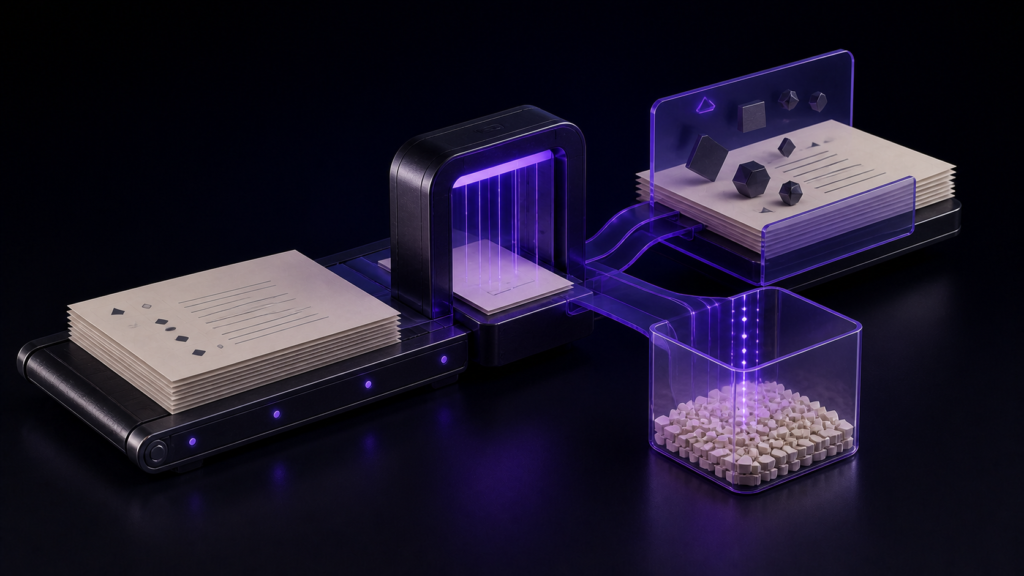
Splitting bulk replacement into preview and execution reduces risk, but a preview count alone does not establish safety. Review the contexts returned by search, keep a recoverable copy of the originals, then reconcile the preview and execution counts.
This article covers how to use the preview and where replacement accidents come from. Using search is covered separately.
A replacement failure to guard against: over-correction
Replacement can fail by changing places that should not change.
- Inside quotations — which have to match their source and now do not
- Inside proper nouns — replacing one name alters a place name that contains it
- Words that merely look alike — a homograph gets swept up
All of them are noticed after the fact, by which point they are mixed in with your other edits.
"Just undo it"
In an editor that supports undo for the operation, you may be able to reverse a replacement after noticing a problem.
Sometimes that is enough. Noticed immediately, one undo restores it.
"Immediately" is not guaranteed
The problem is that you cannot see the whole effect.
Replace across twenty files and one file is on screen. What happened in the other nineteen is invisible until you open them — and you usually open them days later while rereading that chapter.
By then other edits sit on top. Undoing back to before the replacement discards all of those too.
There is also the case where undo is unavailable: after closing the file, after quitting the application, after replacing with a different tool. Then it is manual repair.
rune Studio reports the affected count before running
rune Studio can preview a replacement without performing it.
I verified this by driving the development build from the command line. A preview returned two files and two occurrences, with the manuscripts unchanged.
Because the count comes first, a mismatch can stop you before the change. Expecting three and seeing forty does not prove that the extra thirty-seven are wrong; some may be intended occurrences you had not known about. Classify them by reviewing the result lines and surrounding context.
Review contexts before relying on the count
Search with the same condition before replacement and review the file names, line numbers, and matching lines. Inspect every result when the set is small. For a large set, inspect at least every file and examples of each distinct context, such as quotation, proper noun, and body prose.
Even an expected total is not proof. One missed intended occurrence and one false positive can cancel out. Use the count to detect a surprise and context review to decide the target set.
Also keep a recoverable pre-change copy of the target files. Preview leaves the manuscripts untouched, but it cannot automatically reverse an editorial decision that proves wrong after execution.
Running it returns a count too
Running a replacement inside a single manuscript reported one occurrence replaced. Searching again for the new form found it.
Not "it ran" but "this many were changed" — which lets you reconcile the preview count against the executed count.
The scope can be narrowed
Replacement can be limited to a single file rather than the whole workspace; that is the form I verified. Try one file, look at the result, then widen is a workable sequence.
Regular expressions work in replacement too
The replacement condition can be given as a pattern. On the development build, replacing a chapter-heading pattern with a different word left the manuscript unchanged in preview and, when run, changed the heading as specified.
That is how you replace one name only when followed by a particular suffix. Narrowing the condition before running is the most reliable defence against over-correction.
When occurrences get missed instead
The "missed occurrences" in the title is what you suspect when the preview count is lower than expected. There are three usual causes.
Spelling varies. Specifying one form leaves the other untouched. Use a pattern that catches both.
The scope is too narrow. You limited the replacement to one file and then assumed the whole work was covered. If the count is lower than expected, check the target scope.
Some manuscripts are outside the workspace. The target is the manuscripts inside the workspace, so anything parked elsewhere is excluded — chapters moved to another folder stay unchanged.
Read the preview count for "too few" as well as "too many." Then review contexts to narrow the possibility of missed occurrences and over-correction before anything runs.
The order in which to narrow
When the preview count is too high, narrow in this order.
First, lengthen the term. Not the name alone but the name plus what follows it. Adding one adjacent word removes most unintended hits.
Then add context as a condition. With a pattern you can require the term at the start of a line, or inside brackets.
Still too many? Narrow the scope. Replace within one file rather than the whole workspace, working chapter by chapter and checking results as you go.
The last resort is not replacing at all. Reviewing results one at a time and editing by hand can be more reliable than one bulk operation. Do not use the count alone to decide the method; inspect the contexts first.
Who this suits, and who is fine without it
It suits people whose manuscript spans multiple files. With one file per chapter, the effect of a replacement extends beyond the screen.
A short single-file piece is fine run and inspected by eye. If all of it is visible, the preview adds less.
Scope note: what was verified is that preview and execution both return counts, and replacement within a single manuscript.
Summary
- Replacement accidents are over-correction, reaching into quotations and proper nouns
- Undo is not always available, and the effect often surfaces days later
- rune Studio previews without changing anything and reports the affected count first
- Counts do not validate intent; review result contexts and keep a recoverable copy before execution
- Execution reports how many were replaced, so preview and result can be reconciled
For a first step, review the search contexts and keep a copy of the original files, then run only the preview. Execute only after confirming the target set, and reconcile its count with the preview afterwards.
See the current product scope on the Rune Studio product page.