
A popular Mac text editor is not automatically a dependable daily editor for Japanese manuscripts. Here, standard means that the candidate supports the same path from starting input to reviewing committed text, returning from search, saving the authoritative file, and resuming the next day for three consecutive sessions.
This is not the twelve-fixture test that measures mixed-script selection boundaries, and it is not a twenty-correction speed test after IME commitment. It observes a longer operating cycle and decides with interruption count, unresolved corrections, recovery time, and source-of-truth safety.
Prepare three comparable copies and one log
Do not experiment on the publication master. Create three manuscript copies of comparable difficulty. Each should contain dialogue, narration, proper nouns, kanji with okurigana, and mixed Japanese and Latin characters. Avoid three scenes that you already know by memory, because recall can hide navigation and search costs.
Use one log with start time, authoritative path, today’s observable change, every interruption, unresolved wording, a term checked after saving, closing note, next day’s first action, and recovery minutes. Record every visit to settings and every move to another application with a reason.
Keep the same Mac, IME, window width, and font conditions across the three days. If a condition changes between candidates, record it. Otherwise, an IME or display difference may be misclassified as an editor advantage.
Day one: start input and preserve committed text
Open the project root and target chapter, then declare one change such as adding one dialogue exchange or standardizing three character names. Write normally for thirty minutes. After each paragraph, briefly confirm that committed text remains where intended.
Do not reject the editor simply because the IME proposes an inconvenient candidate. Candidate ranking may come from the IME. Evaluate whether you can return to the manuscript, preserve the insertion point, correct the committed text, and retain surrounding particles, punctuation, and line breaks.
Classify interruptions as finding the master, losing the intended range, failing to return from search, changing display conditions, or reselecting an IME candidate. Keep the last category separate from editor-caused interruption. A single “felt awkward” score cannot reveal which condition is repairable.
Before closing, search for one term added during the session. Verify the chapter location and saved state. If wording remains unresolved, write the term, location, and next action in the closing note instead of forcing every issue to zero.
Day two: use search as the entry to revision
Begin with the search term in yesterday’s note rather than a remembered cursor position. Identify the chapter from the result, read two surrounding sentences, and make the intended correction. This tests whether work can be reconstructed from saved content without temporary selection state.
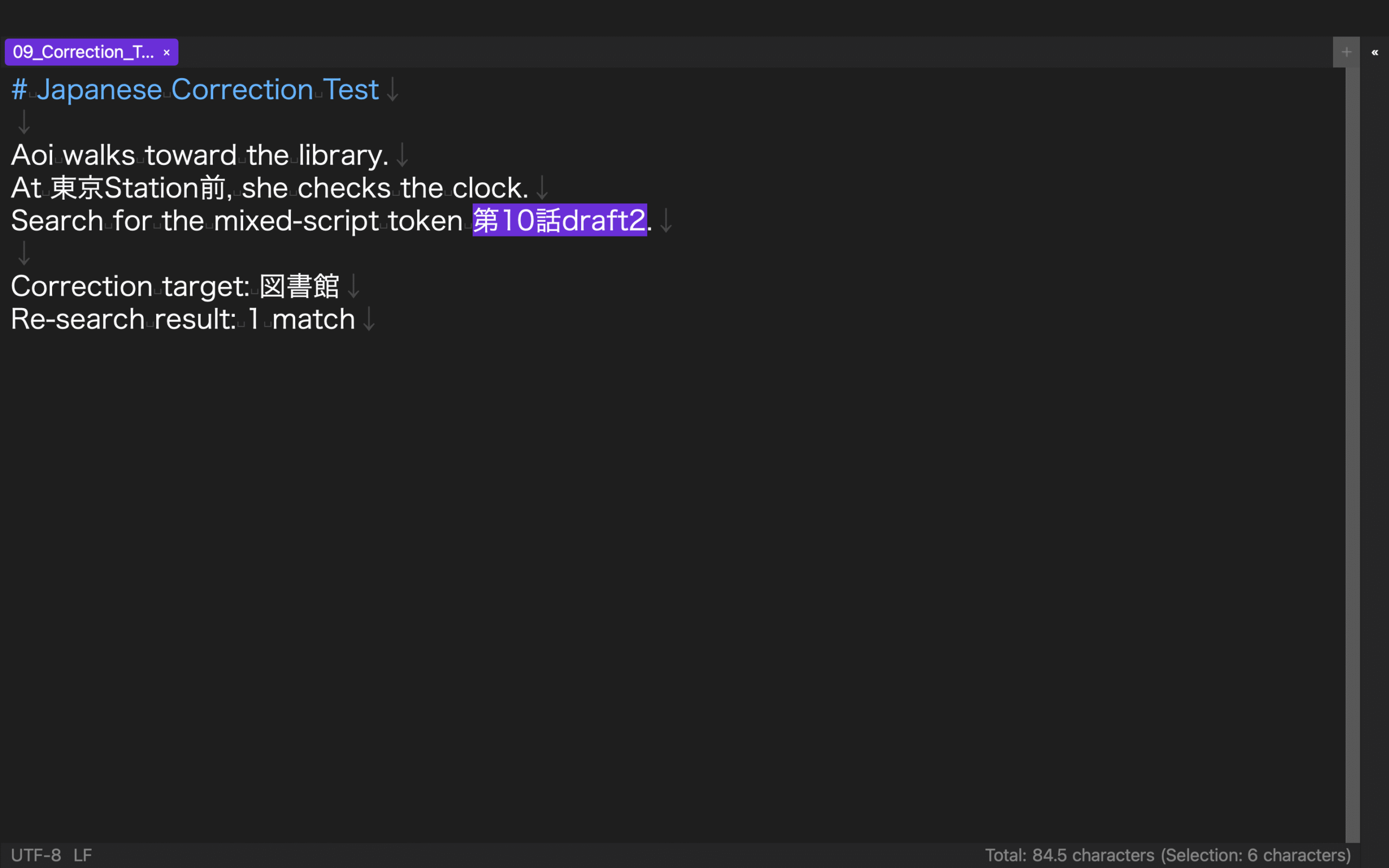
Correct at least one proper noun, one kanji-and-okurigana expression, and one mixed Japanese-and-Latin expression. This is not a twenty-item correction race. Search for the new form, verify its expected occurrences, and check whether an obsolete form remains. If a variant is intentional, document it instead of demanding zero results.
Once each, revise while a result list remains open, consult one reference and return, and inspect the same term across two chapters. Every time you return, identify the chapter and authoritative path. A convenient pane is not safe if it encourages editing a copy with an ambiguous role.
Save and search again. End with one sentence naming the chapter and first action for tomorrow, regardless of which pane is currently visible.
Day three: measure recovery and one controlled exception
Start the clock before opening the application. Using only the closing note, recover the project root, chapter, search term, and reference. Stop the clock when the first correct manuscript change has been saved to the authoritative file.
On a safe copy, create one mild exception: search while another chapter is active, close the reference, or change the pane arrangement. Do not force-quit the application or damage the publication master. Use the log and project root to return to the right chapter, then search before and after the change.
Recovery is conditional if the apparent master is actually a same-named copy, the save destination cannot be explained, or the process works only because yesterday’s temporary state remains open. Write the workaround as one reproducible sentence. If that is impossible, place the candidate on hold.
Decide with three operational measures
First, count editor-caused interruptions. Separate IME candidate selection and content research from master-file search, lost selection, search-navigation confusion, and unknown save destination. Second, count unresolved corrections, separating intentional variation from missed work.
Third, use the measured next-day recovery time, not the fastest isolated action. A candidate can feel quick during one edit while demanding a long reconstruction before every session.
Continue when the authoritative file remains unique, no severe surrounding-text damage occurs, and recovery stays within your declared limit. Choose conditional continuation when an explicit layout or closing-note rule makes the result repeatable. Hold the candidate when conflicting masters or an unexplained save location remains. Popularity does not override these outcomes.
The current rune Studio feature list states macOS 13 or later for the Mac version and lists Japanese character-type selection. An existing level-4 record completed search, one limited replacement, manual save, and another search in a large manuscript. It does not verify this three-day GUI trial, IME compatibility, interruption count, or recovery time. Run the trial on the intended Mac and IME.
Make repeatability the meaning of standard
To choose a standard Mac text editor for Japanese writing, use three comparable manuscript copies. Measure the start of input on day one, search-led revision on day two, and closing-note recovery on day three. Keep interruption, unresolved correction, recovery time, and authoritative-file safety in one log.
A fast isolated selection does not prove daily suitability. The candidate that provides an explainable route from Japanese input to next-day recovery is the standard for your manuscript workflow.