
After editing EPUB metadata and navigation, do not approve export by rereading the input screen alone. Reconcile a metadata sheet, a chapter-order sheet, and the editor’s generation plan with the same field IDs and chapter IDs. This catches a new title paired with an old navigation label or a three-chapter manuscript paired with a two-chapter reading order.
This is not an initial metadata-entry checklist, a deliberate-conflict test for discovering field priority, or an asset ledger for everyday changes. It is the final approval transaction after the manuscript and editorial policy are ready.
Freeze one release candidate
Assign a release-candidate ID such as vol2-1.0-rc1 to the manuscript set. During reconciliation, do not directly change body text, chapter names, order, creator wording, or cover. When a difference appears, stop the check, return to the authoritative source, and issue a new candidate ID.
Freeze does not mean that revision is forbidden forever. It creates a temporary boundary around the state being reviewed. Overwriting content under the same candidate ID makes it impossible to identify what the reviewer approved.
Separate output folders for old, review, and approved EPUBs. The reconciliation record must point to one exact candidate and output filename.
Place three views side by side
The metadata sheet contains field ID, title, creator, language, writing direction, volume, edition, publication date, identifier, and reviewer. Classify every field as required, optional, or out of scope under the project’s policy.
The chapter sheet contains chapter ID, authoritative path, body heading, navigation label, navigation inclusion, previous chapter, next chapter, and reading-order number. When body heading and navigation label intentionally differ, record the approved reason instead of treating it as an unexplained mismatch.
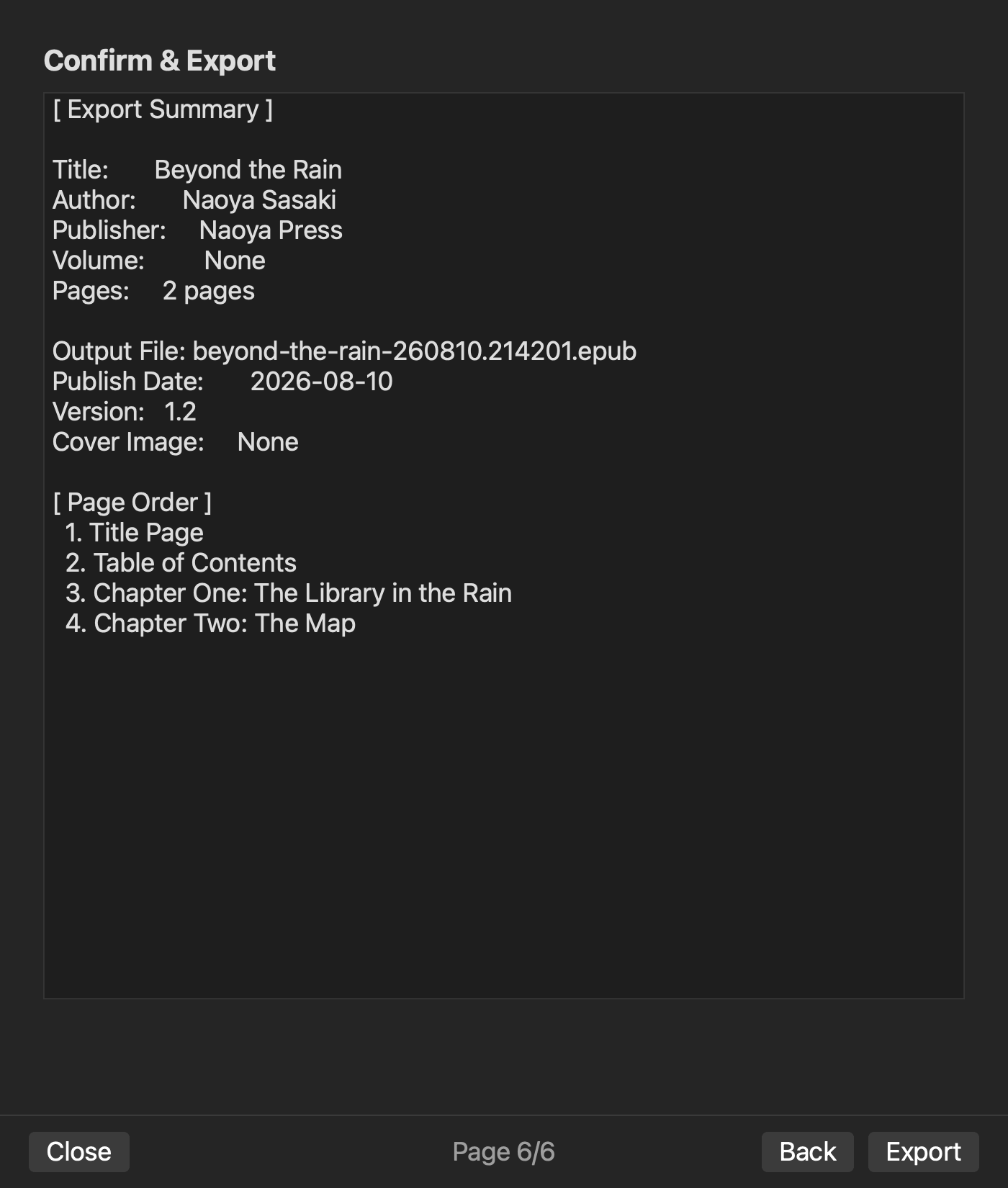
The generation plan is the editor’s final representation before export. Copy its title, creator, chapter count, order, included items, and output name into the record with a timestamp and candidate ID. Do not depend on values visible only in a temporary screen.
Reconcile chapters by ID
Begin with the set of chapter IDs, not displayed titles. Duplicate labels such as Prologue or Interlude make title-only comparison ambiguous. Every included ID in the chapter sheet must appear in the generation plan, and the plan must not contain an unexplained extra chapter.
Next, compare the numbered order, generation-plan order, and previous-next links one row at a time. A title page or colophon may belong in reading order without appearing in navigation. Keep navigation inclusion separate from spine-like reading order.
Finally compare body headings and navigation labels. They do not have to be identical, but each label must have an explained destination. An old label with no approved role remains unresolved and blocks approval.
Pair metadata values with destinations
For each metadata field ID, identify both the expected value and intended destinations: OPF, title page, colophon, filename, or store registration. Mark store-only information out of scope when it belongs to another workflow.
Do not merge similar roles such as volume and edition, scheduled publication date and generation time, or public creator name and contractual name. Even identical strings can serve different purposes. When a previous volume was copied, read both changed and intentionally preserved fields against the new plan.
A blank is not automatically an error. Label a required blank unresolved, an optional blank approved, and a nonapplicable field out of scope. Guessing a value merely to fill the screen creates unapproved metadata.
Return differences to the authoritative source
For every mismatch, record the view, expected value, actual value, authoritative source, and owner. A value changed directly in the generation plan is not a durable correction if it returns during the next build. Correct the metadata sheet’s source, chapter source, or project setting.
Increase the candidate ID, regenerate the plan, and restart reconciliation from the first row. Reviewing only the changed row can miss collateral changes to a neighboring chapter or metadata value.
A solo operator can separate the reading role from the pointing role by time. Read expected values forward during one pass, then begin from the generation plan and read backward. With two people, one reads the approved sheet while the other points to the plan and chapter row.
Approve, generate once, and inspect four structures
When mismatches and unresolved fields reach zero, generate once under a filename containing the candidate ID. Inspect bibliographic values in OPF, labels and targets in nav, NCX when the book generates it, and spine-like reading order.
A validator’s zero issues reports the structural rules it checked. It does not prove that the creator name or chapter order matches editorial intent. Compare the generated package to the approved sheets. In a reader, open the first, middle, and last chapter, then reach the same three points from navigation.
The approval record includes candidate ID, output name, reviewers, time, zero mismatches, zero unresolved fields, post-generation result, and rollback. Later corrections create a new candidate rather than overwriting the approved artifact.
In an existing rune Studio level-4 operation, title, creator, volume, edition, publication date, writing direction, and a two-chapter order were set. Pre-export plan and validate ran, and a 5,444-byte EPUB was generated with nav, NCX, and zero issues. OPF title, creator, language, identifier, and writing direction were inspected. An existing pre-generation Review screen visibly shows publication details, both chapters in page order, and the output filename. This does not verify the three-view approval in this article, publisher or ISBN mapping, or store-specific information.
Make three-view agreement the export condition
After metadata and table-of-contents editing, freeze the manuscript and reconcile the metadata sheet, chapter sheet, and generation plan by field ID and chapter ID. Return mismatches to their authoritative sources, increase the candidate ID, and restart the check.
One export closes when mismatches and unresolved fields are zero, approval is recorded, and OPF, nav, NCX when present, and reading order match the approved views. The decisive feature is not the number of fields on one screen but a reproducible agreement immediately before export.


