
Chapter-management failures often appear after the initial folder design, when a chapter is added, renamed, moved, or deleted. The manuscript changes while the order sheet, timeline, character references, and EPUB export list remain old. A one-change ticket keeps the repair explainable.
This is not an initial four-folder architecture and not a cleanup of scattered files. It controls structural chapter changes after drafting has begun.
Capture the pre-change state
Record the master chapter files, reading order, references from story notes, and current export selection. Preserve chapter IDs as well as filenames and visible headings. A chapter number may change after a move; a stable ID lets references continue to identify the same content.
Create a recoverable copy or version point. Do not immediately destroy a chapter scheduled for deletion. The recovery method must exist before the structural edit begins.
For each ticket, record change type, chapter ID, old name and position, new name and position, reason, affected references, and completion condition. Do not combine several chapter moves on one ticket.
Add with an entrance and exit
For a new chapter, state what the preceding chapter hands in and what the following chapter expects: character locations, important props, time, and unresolved goals. A new file alone does not connect the story.
Add the ID to the file tree, order source, and export selection. Prefer a stable ID or unique heading in notes rather than only “Chapter 8,” which may change later.
Search the first and last markers after adding. Confirm that the chapter can be reached from its neighbors and decide how an intentionally empty draft behaves in export.
Rename by searching the old name
The visible chapter title and management filename are separate decisions. State whether one or both will change. Preserve an old-to-new mapping when both change.
Search the entire project for the old heading and filename. Review the order source, plot notes, character timeline, links, and output settings. Keep intentional historical mentions only with an explanation.
Search the new name as well. A broad replacement may have altered a phrase that was not a chapter reference, so classify results instead of trusting a replacement count.
Move three kinds of order
Distinguish file-tree order, narrative reading order, and EPUB spine order. Renaming a file does not prove that all three followed.
Read the chapters on both sides of the new position. Check time, character knowledge, prop state, setup, and payoff. Moving Chapter 8 before Chapter 5 may make a character reveal knowledge not yet acquired.
Update the order source, then inspect adjacent headings in a preview or test export. Search explicit chapter-number references in the manuscript and notes.
Delete through quarantine
First remove the chapter from the export selection and move it to a quarantine location. Permanently remove it from the manuscript source only after references and a test export have been checked.
Search the chapter ID, title, distinctive dialogue, and events. Review plot, character, prop, place, and image references. If an event moves elsewhere, record the new location on the ticket.
Zero results for one title do not prove zero semantic references. The same event may be described with another phrase, so inspect the connected reference entries.
Close one transaction with an export
After each add, rename, move, or delete operation, save the order and create a test export containing adjacent chapters. Follow the table of contents, verify neighboring headings, and inspect missing text or images.
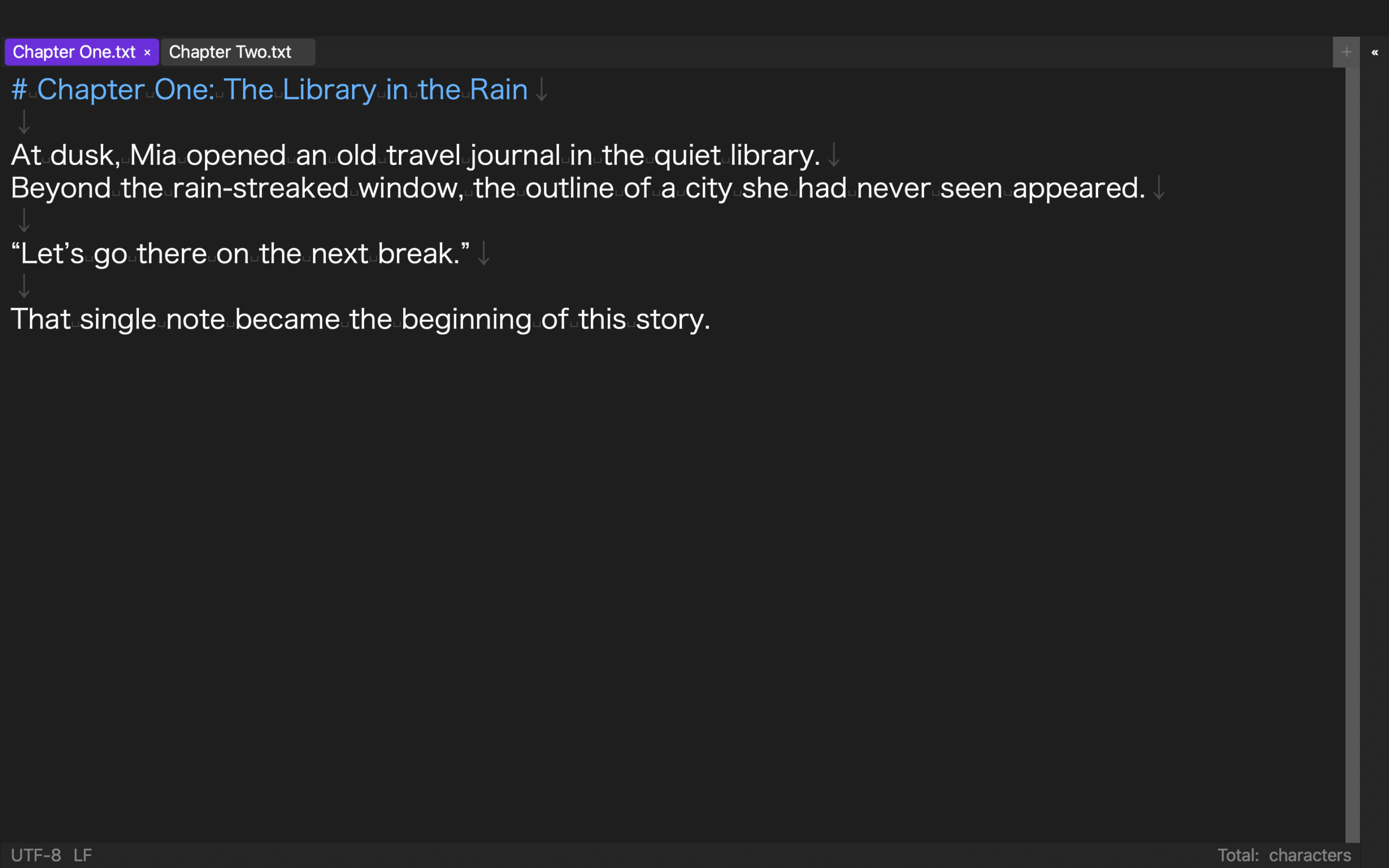
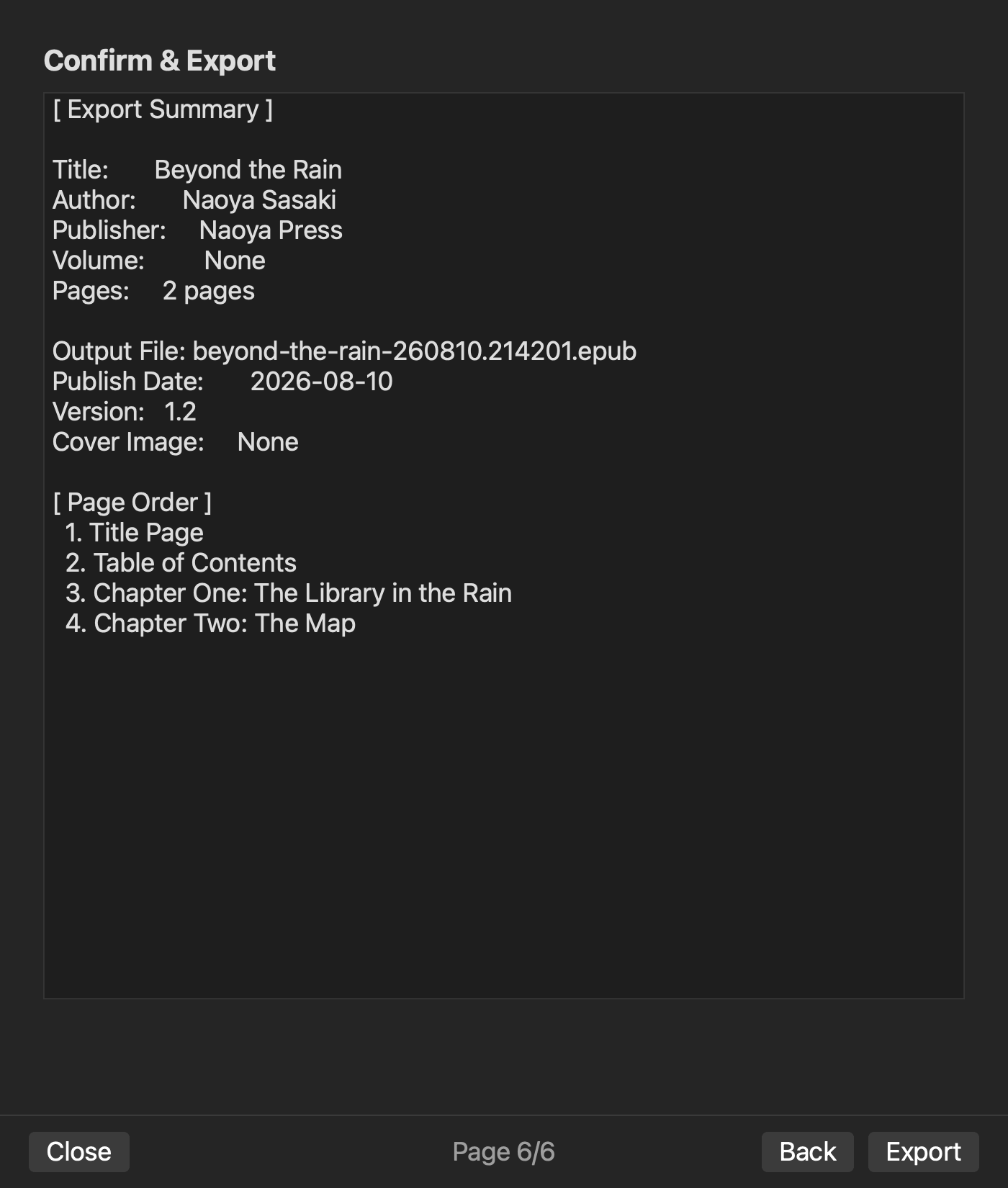
Existing rune Studio level-4 records support a folder-based workspace, search-save-search operations, and a two-chapter order and EPUB generation. Existing interface captures show Chapter One and Chapter Two open as tabs in one workspace, while the pre-generation Review screen lists both chapters in page order. They do not verify GUI rename or move, automatic reference repair, or automatic response to all four transaction types. The ticket and repeated searches remain manual completion conditions.
Store the final chapter order, repaired references, accepted exceptions, test-export filename, and recovery point. Begin the next structural change only after this ticket closes.
Reopen the workspace once before closing a high-impact ticket. Search the stable chapter ID, open the chapters immediately before and after it, and compare the displayed order with the ticket. If the editor restores an older order or opens a quarantined copy, stop and restore from the recovery point. This final restart separates a change that merely looked correct in the current session from one that survives the next writing session.
For a series, also record whether the changed chapter is referenced by a later volume. Do not edit that later manuscript during the current ticket; create a linked follow-up ticket so the present source remains bounded.
Move references with the chapter
Manage novel chapters by treating add, rename, move, and delete as separate transactions. Use stable IDs, repair the order source and reference files, search both old and new names, and verify the result in a test export.
The change is complete not when a file moves, but when old references are explained and the new reading order can be reproduced without losing the master.