Before choosing a Markdown text editor, reduce your real requirements to a small sample. A technical chapter that needs headings, bullet lists, numbered steps, and a two-column table does not automatically need every CommonMark rule or GitHub-specific extension. Testing the subset you will publish is more useful than accepting a broad “Markdown supported” label.
Use headings as structure, not decoration
A simple hierarchy might look like this:
# Chapter Title ## Introduction ### Prerequisites
Do not jump from an H2 to an H4 merely to obtain a smaller visual style. Heading levels describe the document outline, and a table of contents may reflect that structure. If the publishing system supplies the book title separately, decide whether individual files should contain an H1 before converting the manuscript.
After changing a heading, verify three things together: the visible heading, its level in the table of contents, and the destination reached from that entry. Correct text with an incorrect destination is still a failure.
Distinguish unordered facts from ordered actions
Use an unordered list when items can change order without changing meaning:
- Supported macOS version
- Accepted source format
- Independent output viewer
Use a numbered list when the sequence matters:
- Duplicate the source manuscript.
- Inspect the heading structure.
- Generate an EPUB candidate.
Check more than syntax coloring. The preview should display a single coherent list, the saved source should retain the intended notation, and the converted output should preserve item order. Blank lines and indentation can change how some processors group list items, so include the spacing you use in real chapters.
Begin table testing with two columns
A pipe-delimited table is a Rune-documented publishing construct, not part of CommonMark core. Test it only when the selected editor and output path explicitly support tables:
| Element | Decision |
|---|---|
| Heading | Include in the TOC |
| Table | Verify two columns |
Do not begin with multiline cells, merged cells, or embedded HTML unless the book actually requires them. If the table fails, return to the separator row, pipe characters, and number of cells before shortening the surrounding prose.
Once the two-column sample works, add one realistic complication at a time, such as a longer cell or inline emphasis. That sequence shows exactly where the supported range ends.
Treat a TOC as an output of the headings
Maintaining a separate handwritten table of contents creates a second source that can drift after a title change. In a workflow that generates navigation from headings, rename one heading and verify that both the TOC label and destination change correctly.
Duplicate heading names deserve special attention. Two sections named “Notes” may look correct in the TOC while linking to the same destination. Test the actual navigation instead of judging the list of labels alone.
The same principle applies after reopening the manuscript. A preview that looked correct before saving does not prove that the source notation and destinations survived a round trip.
Ask what “Markdown support” actually means
An editor can support Markdown in several independent ways: syntax coloring, insertion commands, preview rendering, preservation of source notation, or conversion to EPUB. Success in one layer does not prove success in all the others.
Create four checkpoints for the same six-element sample: source entry, preview, reopen after saving, and converted output. If the source is transformed into a visual-only representation, decide whether that is acceptable for your revision workflow. If EPUB conversion omits a construct that the preview displays, keep the construct out of the publishing subset or choose another path.
Rune Studio’s documented range
Current public documentation for the Mac version of Rune Studio lists insertion support for bold, italic, strikethrough, ruby, emphasis marks, H1 through H6, alignment, links, images, image links, blockquotes, ordered and unordered lists, tables, code blocks and inline code, horizontal rules, page breaks, and removal of notation. It also describes preview rendering, source-to-output notation conversion, and EPUB conversion.
This is a description of published capabilities, not a claim of complete CommonMark compliance, support for every GitHub extension, or code execution. Nor is it a report that the sample in this article was completed successfully. Test the exact heading, list, and table subset with the current app version.
Reduce failures to the smallest sample
If a table fails inside a long chapter, copy it into a disposable file and reduce it to two rows and two columns. If the small table still fails, examine the syntax and supported range. If only the larger table fails, add its content back one cell at a time.
Use the same method for navigation: three headings are enough to test hierarchy and destinations. Two list items are enough to test grouping. This is faster than rewriting a full chapter without knowing which construct caused the problem.
Record the publishing subset and its fallback
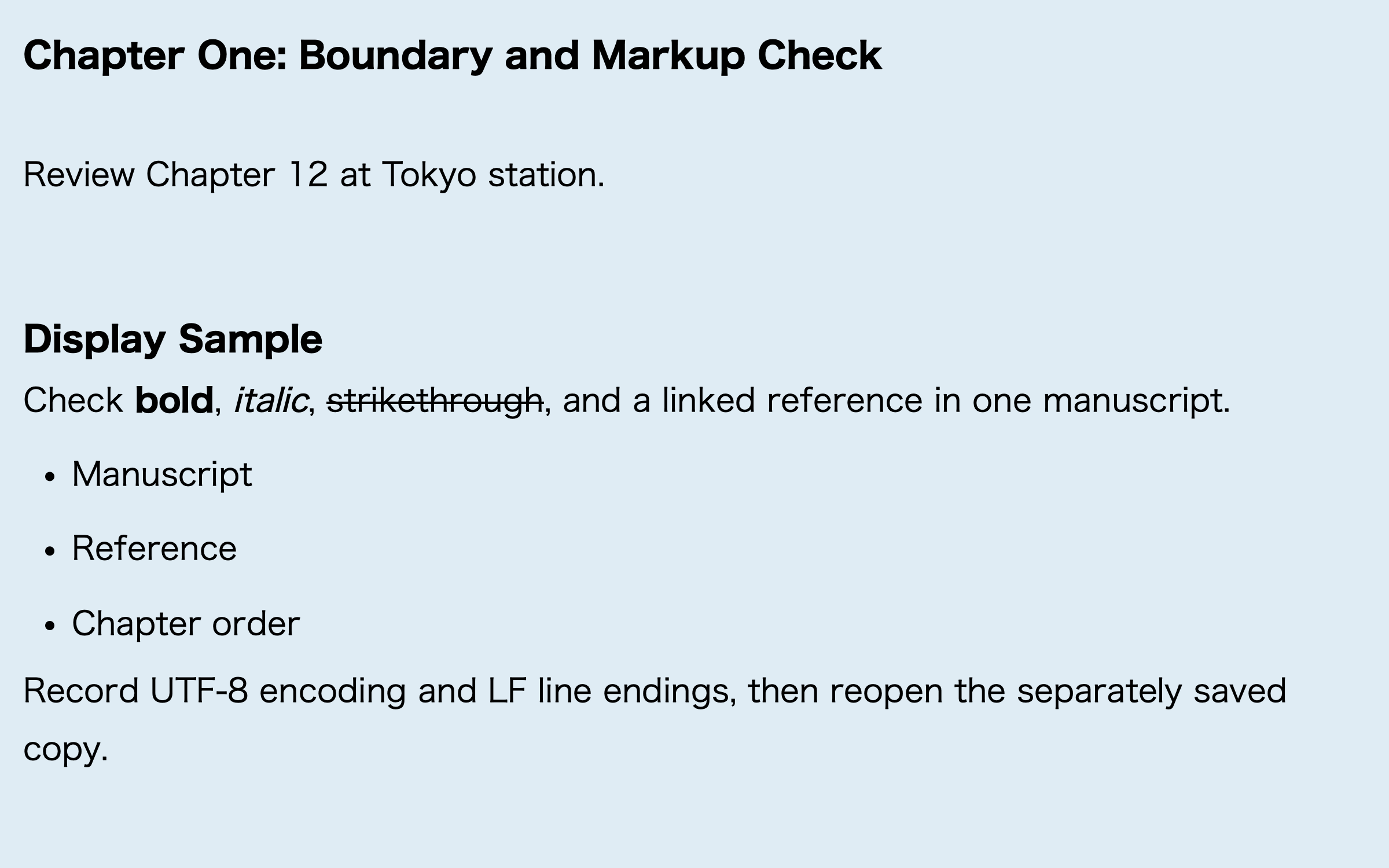
Keep a short style note for every construct that passes: for example, use H1 for chapter titles, H2 for sections, numbered lists for procedures, and tables only for true comparisons. If a table survives preview but fails after reopening or conversion, do not preserve it by appearance alone. Replace it with headings and short paragraphs when that simpler structure passes all four checkpoints. The decision is whether the manuscript remains editable and reproducible, not whether one preview can display the richer construct once.
Run the six-element test twice
Create one sample with six elements: H1, H2, H3, one bullet list, one numbered list, and one two-column table. On the first pass, inspect it in the source, preview, reopened source, and EPUB candidate.
# Chapter title
## Section title
### Subheading
- Fact
1. Action
| Element | Decision |
|---|---|
| Heading | Include in the TOC |
For the second pass, change only the wording of H2. Leave H1, H3, both lists, and the table unchanged. Repeat the four checkpoints and compare the result with the first pass: only the H2 label and its navigation destination should update, while the other five elements should remain intact. If another element changes, return to the original sample and confirm that the saved source contains only the single intended edit. A focused two-pass test is the best protection against rebuilding navigation or tables after the manuscript is complete.