
When a text editor feels slow with a 300,000-character novel, replacing it immediately is premature. The delay may come from typing, search, saving, reopening, or display aids such as syntax coloring and line numbers. Each cause leads to a different remedy. By changing manuscript size and one display condition at a time, you can identify the bottleneck before moving a long project.
This article is a progressive load diagnosis for one editor already in use. It is not an exact reproduction of the 300,000-character threshold, and it is not a purchasing contract that defines mandatory features. The outcome is a recorded decision to continue, split the manuscript, or migrate.
Turn “slow” into four observable operations
Begin by replacing the general impression of slowness with four actions: typing, search, save, and close/reopen recovery. Give each action an obvious start and finish.
For typing, add a sentence of fixed length at the end of a representative chapter and then undo the change. For search, find a marker that occurs only once. For saving, change one character in that marker, save manually, and search again. For recovery, close the test copy, reopen it from the same known location, and confirm that the changed marker remains.
You do not need laboratory timing. A four-part scale is sufficient: immediate, short wait, interruption to writing flow, or no completion. Keep the Mac, power condition, file location, and action order the same in every run. Record unexpected dialogs or recovery steps separately instead of hiding them inside a single score.
Build five progressive manuscript fixtures
Never enlarge the master manuscript for this test. Duplicate one representative chapter and concatenate the copy into fixtures of approximately 50,000, 100,000, 200,000, 300,000 characters, plus the expected final size. Reusing the same source material limits differences in chapter structure, punctuation, and markup that could be mistaken for a size effect.
Put the character count and creation date in each filename. Preserve an untouched baseline and make a separate working copy for every run. This makes a failed test recoverable and lets you repeat a condition without changing the novel’s source of truth.
Run the four operations in the same order on all five fixtures. If the editor is already slow at 50,000 characters, the problem is not necessarily specific to 300,000. If behavior changes only between 200,000 and 300,000, manuscript size or a large-file display mode becomes a stronger candidate. If only the expected final size fails, treat that size—not a popular round number—as your practical boundary.
Remove one display aid at a time
Use the smallest fixture that showed the delay. Disable one continuously updated display aid, repeat the four actions, and then move to the next aid. Candidates include syntax or pattern coloring, editing marks, search highlighting, and line numbers. Turning everything off at once may improve behavior, but it cannot identify which cost mattered.
Keep the manuscript, search term, edited location, and save path fixed. Only the display condition should change. If performance improves, enable that aid again and see whether the delay returns. A reversible difference is more useful evidence than a single good run after the machine happened to become idle.
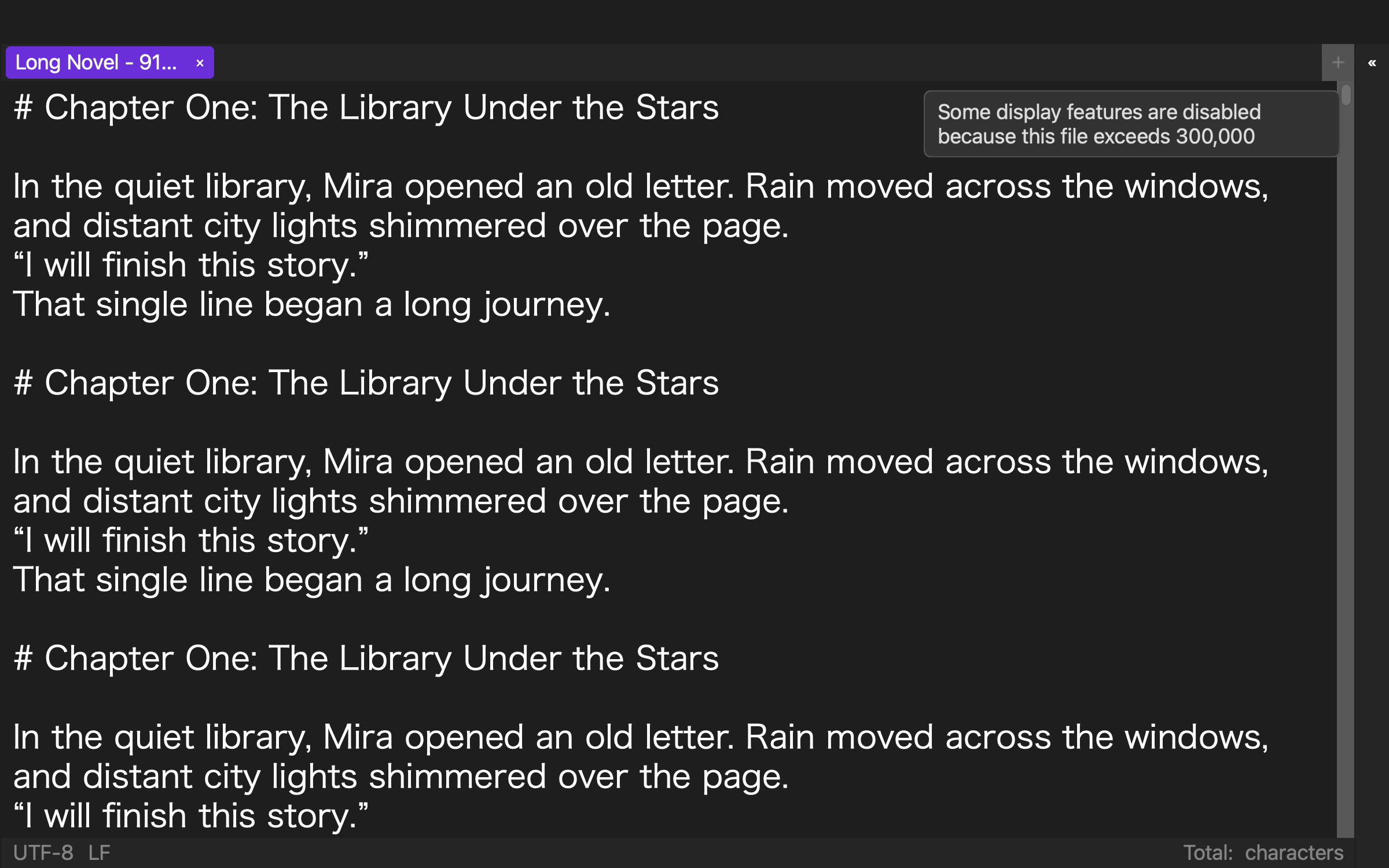
Existing rune Studio records provide two bounded facts. A threshold test reported the large-file condition as false at 299,999 characters and true at 300,000 and 300,001. In a separate level-4 operation, a 919,514-character manuscript was searched, one occurrence was replaced, manually saved, and searched again; the saved file contained 919,517 characters. These records do not guarantee speed on every Mac. They show that the product’s tested design can reduce expensive display processing while retaining core editing, search, and save operations.
Classify the bottleneck
The first pattern is display-bound. Typing and search recover after a particular display aid is removed, while save and reopen still complete. A sensible response is to reduce that aid during drafting and restore it for proofreading or on smaller chapter files. The feature is not discarded permanently; its use is moved to the stage where it provides more value than cost.
The second pattern is single-file-bound. Display changes do not help beyond a certain size, but chapter-sized files work normally. Splitting can be acceptable only if chapter order, project-wide search, and the publication exit remain dependable. A faster chapter editor is not a solution if it makes the manuscript’s source of truth ambiguous.
The third pattern is core-operation failure. Even with minimal display, one of typing, search, save, or reopen does not finish, or the saved change cannot be explained after reopening. Stop tuning cosmetic settings and test a migration candidate with a duplicate representative chapter. Protect the master and define the rollback path before moving more material.
Decide from the record
Continue when the four operations complete after a documented display adjustment and the saved marker survives close/reopen. Split when chapter files remain stable and a separate, verified procedure preserves project-wide order, search, and publishing. Migrate when a core operation fails or recovery repeatedly consumes the writing time the editor was meant to protect.
Store the decision with the tested sizes, disabled aids, remaining problem, and rollback method. The same matrix can be repeated after an operating-system or application update. For a long novel, “recommended” should mean that you know which operation changes at which size—and that you can preserve the manuscript when it does.