
Choose a text editor for a large file by testing an operation chain, not by accepting a “large-file support” label. The observed hands-on scope is one 524,295-character text file: Rune Studio classified it as large, found one search match, applied one edit, and read the saved file after it was closed and reopened. The 299,999-, 300,000-, and 919,514-character comparison remains an unrun test plan.
This article is not a general list of features that remain above 300,000 characters. It starts with the observed 524,295-character result and shows how to compare the point immediately below the boundary, the boundary itself, and a sample far beyond it. Guaranteed responsiveness on every Mac, speed rankings, and image files are outside the scope.
Decision: Do not extend the 524,295-character result to three completed samples
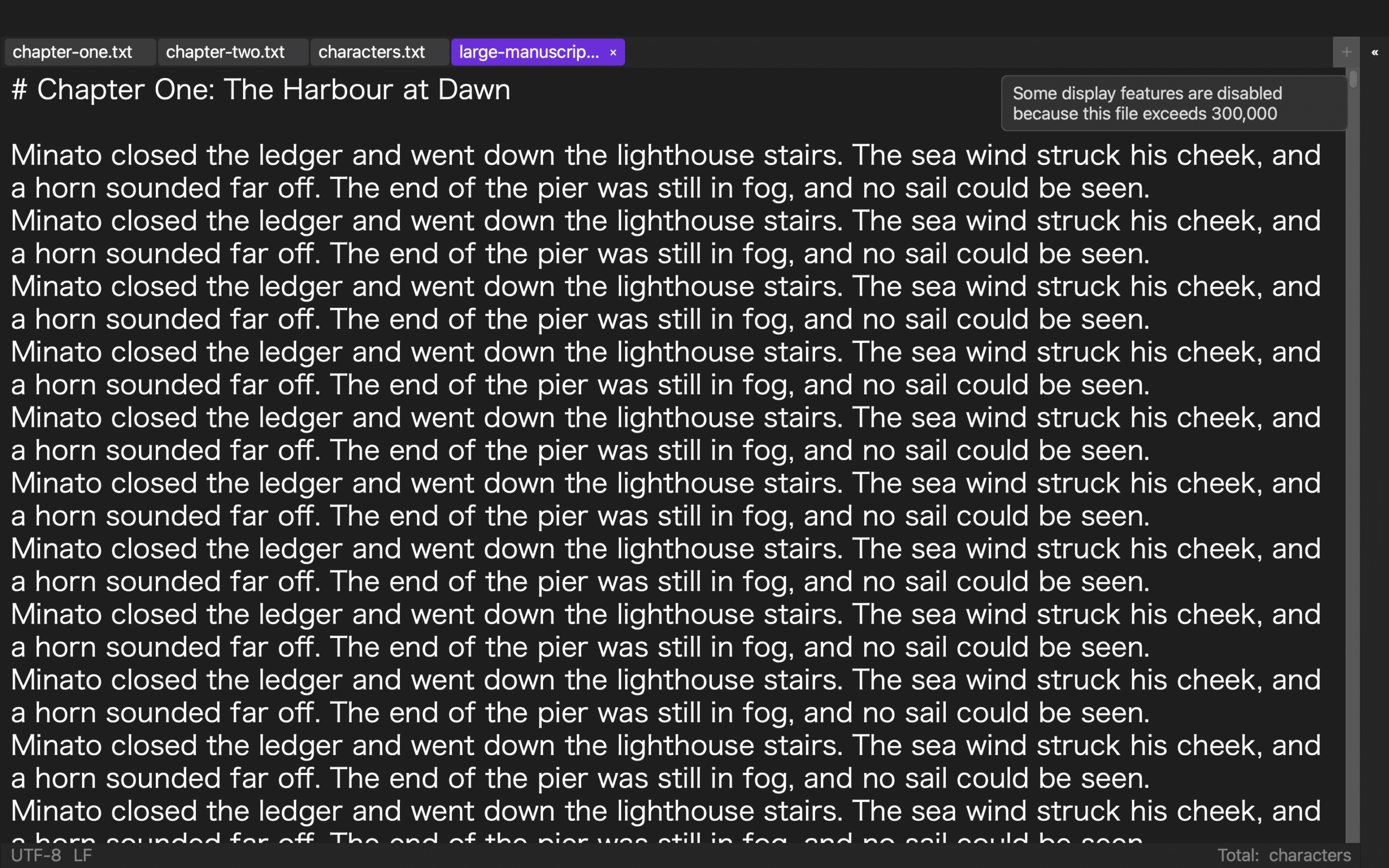
Hands-on checks confirmed the text contained 524,295 characters, used UTF-8 with LF line endings, and was treated as a large file. A search found one MARKER. After a previewed change, one match was changed to MARKER2; the old token returned zero matches and the new token returned one. The saved file was then closed and reopened, and remained readable as a large file.
Those observations do not establish results for the 299,999-, 300,000-, and 919,514-character specimens. The hands-on check did not observe the notice, display-helper state, Save As, or one additional character after reopening. Those items must remain separate test rows.
The current adoption evidence ends at one search match, one edit, and reload of the saved 524,295-character file. A final one-file decision waits for the three-sample and next-character tests.
Build three content-matched character-count samples
The following is an unrun three-sample design. Start from one base manuscript and adjust only filler text at the end to produce:
L299999.txtwith 299,999 characters;L300000.txtwith 300,000 characters;L919514.txtwith 919,514 characters.
Place ANCHOR-364-A around 5 percent, ANCHOR-364-B around 50 percent, and ANCHOR-364-C around 95 percent of every file. Put editable token STATE-364-OLD immediately after B. During the test, change it to STATE-364-NEW and record change ID CHG-364-01.
Record the intended count when each specimen is built instead of relying only on the editor’s current display. Use the same text encoding and line-ending format for all three. If the specimens differ in content, anchor design, or encoding, a result difference cannot be assigned to character count.
Do not embed images or use a binary document. The scope is a large plain-text manuscript.
Keep notices and display-helper states as unverified observations
Immediately after opening each file, fill a state row before changing the manuscript. Record the notice, Markdown or EPUB syntax coloring, editing marks, same-word and registered-word highlights, line numbers, and continuous character counting. The hands-on check did not observe these notice or display states, so they are not reported as test results here.
The 299,999-character sample is the below-boundary control. In the 300,000- and 919,514-character samples, document whether an optimization notice appears and whether the relevant menu items are disabled when heavy display helpers stop. Do not call that state a broken editor before testing the operations intended to remain: text editing, file search and replace, half-width search, save and autosave, cursor movement, and encoding-error checks.
After dismissing the notice, verify whether the disabled menu state still explains what changed. This prevents a missed notice from becoming the unsupported conclusion that functions disappeared. Speed is not scored at this stage.
Separate the verified one-match edit from the unrun A-to-C-to-B route
In the planned three-sample test, search ANCHOR-364-A first and move near the beginning. Search C next and move near the end. Then search B and return to the middle. This A-to-C-to-B route has not yet been run.
At B, change STATE-364-OLD to STATE-364-NEW. Leave A and C untouched. Search B once more and verify the surrounding anchor and change ID. Each anchor should return exactly one result. If filler text creates another occurrence, stop and repair the specimen because the intended location is no longer unique.
Hands-on checks confirmed only one MARKER search and one controlled edit in the 524,295-character file. It did not confirm distant A-to-C-to-B navigation. This is not a bulk-replacement benchmark. Use the separate huge-file search-and-replace evaluation when contextual replacement is the central task.
Separate saved-file reload from unverified Save As
Hands-on checks confirmed that the edited 524,295-character file could be saved, closed, reopened, and read. It did not test Save As. In the future three-sample test, do not overwrite the pristine specimens. Save the edited files as L299999-R1.txt, L300000-R1.txt, and L919514-R1.txt, then record filename, encoding, line endings, change ID, and character count.
Reopening each R1 file, repeating the A-to-C-to-B search, and confirming STATE-364-NEW are future checks. The chain fails if OLD returns, the original specimen was opened instead of R1, encoding changed, or one of the anchors disappeared.
Entering one additional character at B in the reopened 919,514-character sample is also unverified. Opening or searching alone does not establish that one-file work can continue. Editing, saving, reopening, and resuming at the intended location must be joined in a future acceptance result.
Convert differences into cause candidates
The future result table should give each sample nine columns: open, optimization notice, display helpers, A-to-C-to-B search, B edit, Save As, reopen, retained change, and next character. Compare the first failed column horizontally.
When the state changes only between 299,999 and 300,000, check the documented 300,000-character optimization boundary. When the stopped display helpers are the same at 300,000 and 919,514 but only the larger specimen fails during save or reopen, investigate a condition beyond the display-helper switch. If all three fail, check specimen encoding, path, and anchor construction first.
Timing may be recorded for repeatability, but it is not converted into a ranking. Hardware, free memory, storage, and concurrent applications must be controlled before observed durations can be compared.
Give the general large-file feature guide a different conclusion
The general large-file feature guide explains which display features stop at 300,000 characters and which editing or search operations remain. This article does not finish with that inventory. It records the observed 524,295-character search, edit, and saved-file reload, then defines a separate three-sample test for a later one-file decision.
After the three samples have been tested, the conclusion can take three operational forms: continue one-file work because all three completed in this environment; divide the manuscript because only 919,514 stopped; or repair the specimen and configuration because the chain failed at the boundary. No one of those conclusions is established yet.
This distinct exit prevents the article from becoming the same retained-feature explanation with a larger number substituted.
What the 524,295-character Rune Studio check establishes
The hands-on check observed a 524,295-character UTF-8, LF text file classified as large, one MARKER search result, one edit to MARKER2, zero old matches, one new match, and a readable saved file after closing and reopening it.
Current Rune Studio documentation states that files containing at least 300,000 characters stop Markdown or EPUB syntax coloring, editing marks, same-word and registered-word highlights, line numbers, and continuous character counting. It states that text editing, file search and replace, half-width search, save and autosave, cursor movement, and encoding-error checking remain. It also describes a dismissible notice and disabled related menu items.
Those documentation claims are reasons to run the three-sample test, not observations of the notice or display-helper state in hands-on testing. The three exact sample sizes, Save As, and the next character at 919,514 remain unverified. Guaranteed responsiveness on every Mac, speed rankings, and image files remain excluded.
Start with three counts and three anchors
For the next test, create 299,999-, 300,000-, and 919,514-character files. Place A, B, and C near 5, 50, and 95 percent. Search A to C to B, change only the B state token, and save each R1 copy.
That future decision comes after reopening: all three anchors and NEW must remain, and the 919,514-character sample must accept the next character at B. The current confirmed scope ends with one search match, one edit, and saved-file reload in the 524,295-character sample. If Rune Studio is a candidate, check the current Mac feature scope on the Rune Studio product page.