
A dependable text editor for novel writing starts with decisions, not extra features. Before the manuscript grows, define the authoritative copy, chapter structure, reference-file location, search method, revision view, and exit to the final format.
Long novels rarely fail because a writer cannot type one sentence. Friction accumulates when the character sheet and manuscript live in unrelated places, no one knows which file is current, or chapter order must be rebuilt at the end.
This guide begins after you have selected an editor. It is not a product ranking or a comparison scorecard. It shows how to assemble a long-novel workspace in six stages.
Build the workspace around one authoritative copy
First, decide where the current manuscript lives. Revision copies, platform-specific text, and EPUB data can multiply later, but every accepted change needs a clear place to return.
This does not require one enormous file. A chapter-per-file project can still have one authoritative set. The important rules are which files are authoritative and how an edit made in a temporary copy returns to them.
Configure these six items when the project begins:
- Create one project folder.
- Choose the authoritative copy and chapter-splitting rule.
- Standardize filenames and search markers.
- Create a writing layout.
- Schedule vertical-text review.
- Test the route to the final format.
1. Create one project folder
Create a top-level folder named after the work. Divide manuscript files, worldbuilding, research, working copies, and output beneath it. One possible structure is:
- `01_Manuscript`
- `02_Characters_and_World`
- `03_Research`
- `90_Working_Copies`
- `99_Output`
Numbers are optional, but they keep Finder and the editor in the same visible order. Put pre-replacement copies and chapter-sized revision copies in the working area, and name them so they cannot be mistaken for the source of truth.
If you use cloud synchronization or backup software, also identify the files’ real storage location. Do not assume that an application’s private library is automatically a complete backup.
2. Decide the authoritative copy and chapter rule
A single manuscript file makes whole-book search and the save location easy to understand. As the work grows, however, more content participates in display processing, and chapter-level delivery or versioning may become awkward.
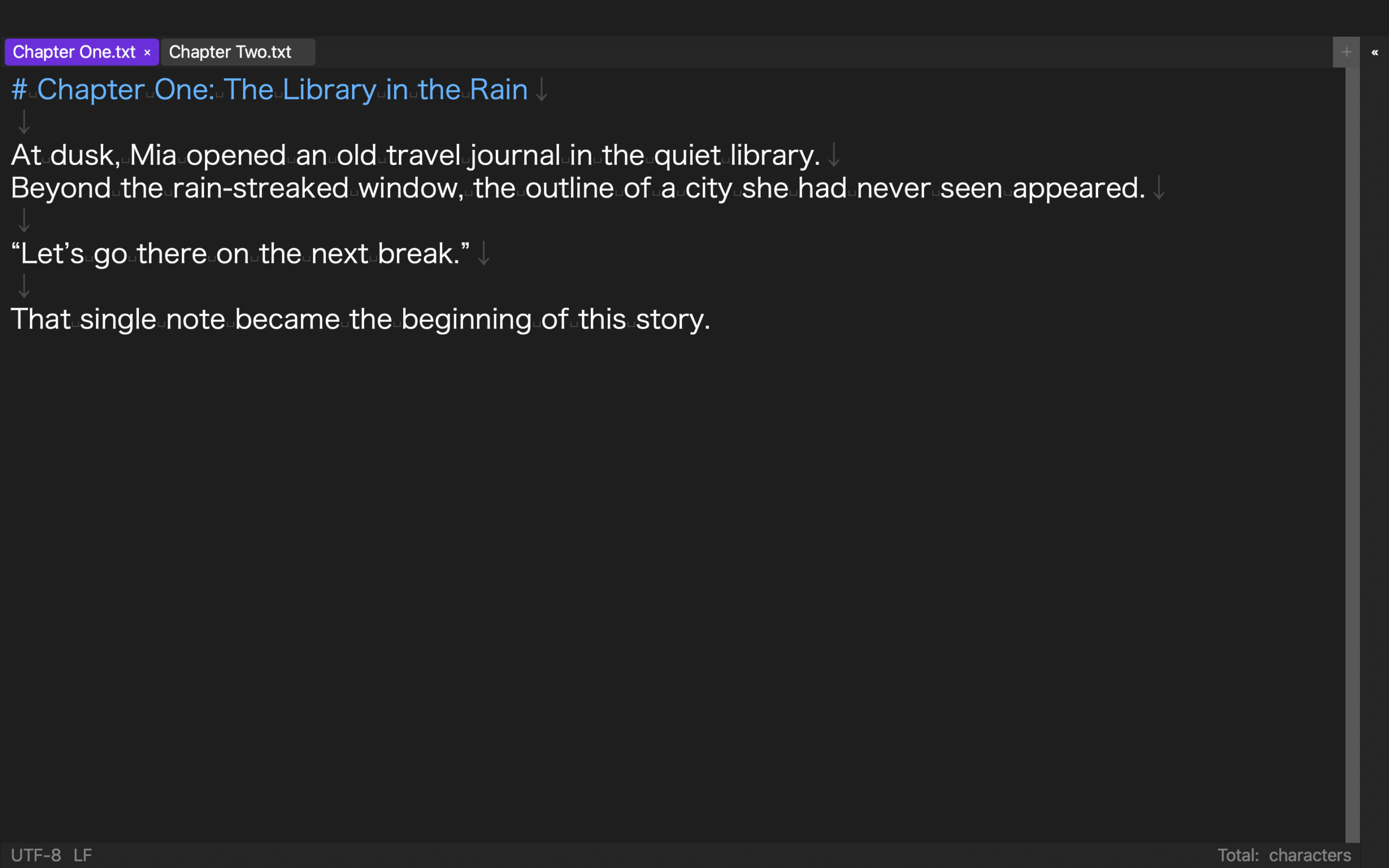
With chapter files, place the order in the name: 01_Chapter_One.txt, 02_Chapter_Two.txt, and so on. Shorter units can be easier to revise and hand off, but they require workspace-wide search and a reliable chapter order.
Character count is not the only criterion. Choose a single file when cross-book terminology checks dominate. Choose chapter files when most review and delivery happens one chapter at a time. If you change structures mid-project, record the conversion date and archive the former authoritative copy without continuing to edit it.
3. Standardize filenames and search markers
A long project needs both a search function and consistent things to search for. Standardize character names, place names, placeholders for unresolved facts, and markers for unfinished plot work.
You might use TODO for an unfinished passage, FACT for research that needs verification, and FORESHADOW for a setup that must be resolved. Japanese markers work too; choose strings unlikely to occur accidentally in the prose.
For chapter files, test workspace-wide search before writing hundreds of pages. Put the same character name in two chapters and a character sheet. Confirm that search reports the files and matches clearly. Review those results before deciding whether replacement should affect one file or the whole workspace.
4. Create layouts based on documents used together
Choose screen arrangements by task rather than by the maximum number of panes. A first draft may need only the manuscript. Character checking needs the chapter beside a character sheet. Timeline revision needs the chapter beside a chronology.
A horizontal two-pane layout often works for prose and a short reference. A vertical split can preserve width for a wide timeline or lines that should not wrap too early. On a small MacBook display, too many panes can make the manuscript harder to read, so retain a one-pane layout as well.
If the editor saves layouts, name them by purpose—“Drafting,” “Character Check,” and “Revision,” for example. Reopen the project and confirm whether divider ratios return, not merely the number of panes.
5. Schedule vertical-text review
Even writers who draft horizontally should inspect the work before the final stage if the result will be vertical Japanese text. Latin letters, two-digit numbers, combined exclamation and question marks, ellipses, dashes, and ruby text can need special attention.
If continuous vertical preview is distracting, schedule it at three checkpoints: the end of a chapter, the end of the first draft, and before output. Return every accepted correction to the authoritative copy.
Treat “vertical writing supported” as several questions. Determine separately whether it affects the editor, preview, and EPUB output.
6. Test the final-format route early
Waiting until completion to test output can reveal missing chapter headings, incorrect order, absent title and author data, cover requirements, or the wrong writing direction at the worst time. Run an output plan or sample after only two chapters exist.
For a fiction platform, inspect line breaks after copying. For an editor, test the requested delivery format. For an ebook, inspect bibliographic information and the table of contents. Generating EPUB and submitting it to a retail store are separate operations.
The early test is not meant to create a finished edition. It reveals the heading and filename rules the manuscript must follow while you write.
A verified three-file Rune Studio workspace
The current Mac version of Rune Studio is designed to treat a folder as a workspace and combine a file tree, workspace-wide search, saved pane layouts, vertical writing and preview, and EPUB 3 output.
On August 10, 2026, we used Rune Studio CLI 1.4.0 build 23 to create an isolated workspace containing Chapter One, Chapter Two, and a character sheet. A workspace search for the protagonist’s Japanese name searched all three files and returned three matches with exit code 0.
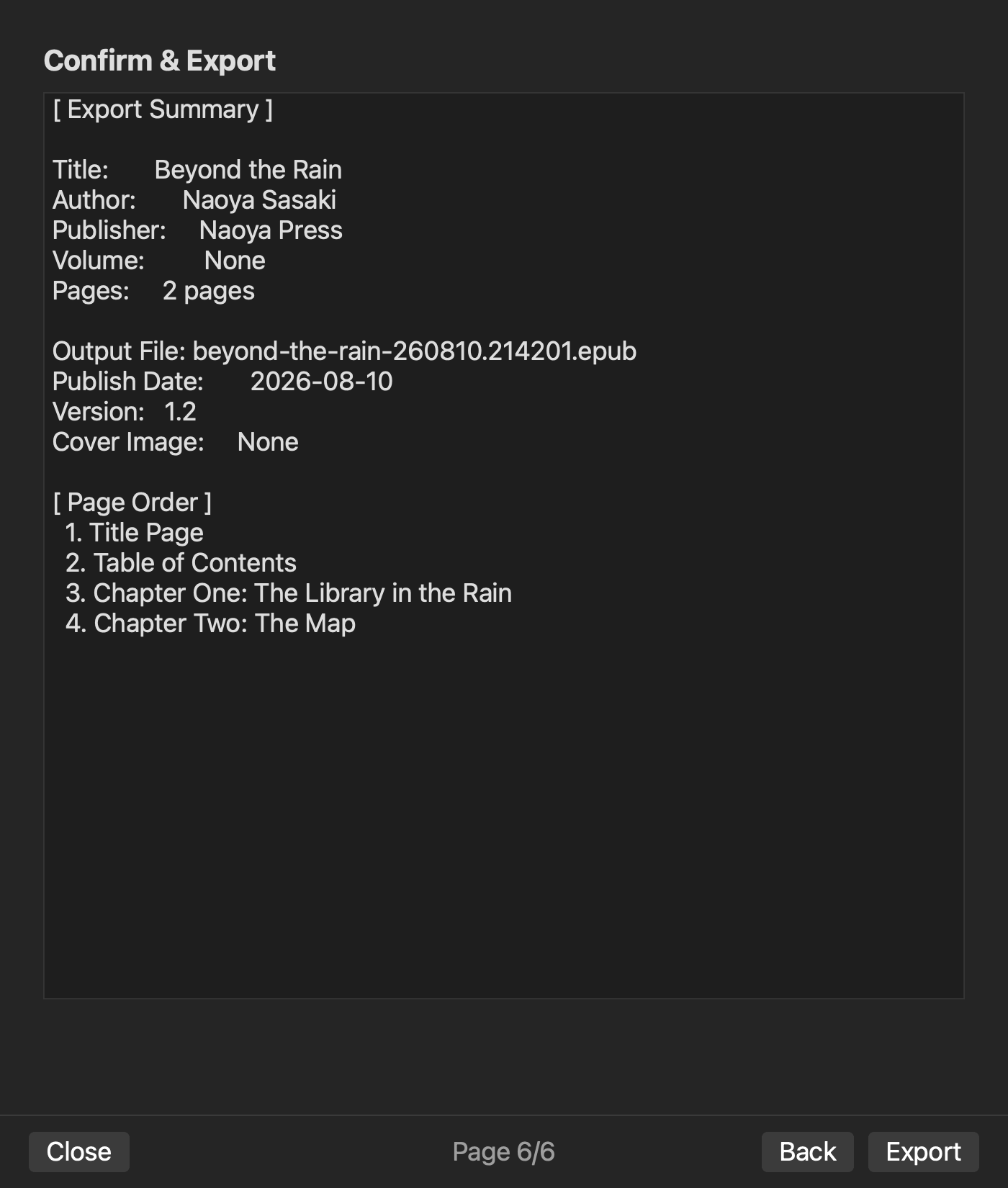
We added a layout named “Writing and Reference” and set it to two horizontal panes. After registering the work title, author, and output filename, we attempted an EPUB plan without creating a volume. It correctly stopped with “Volume 1 not found.” We then added Volume 1, version 1.0, and a publication date. A second plan completed with two files, two chapters, and valid: true in the intended order.
The direct test covered workspace creation, cross-file search, a two-pane layout setting, and an EPUB plan containing bibliographic, volume, and chapter-order information. It did not evaluate the visual appearance of vertical text, generate the final EPUB file, submit to a store, or benchmark performance on different Macs.
When Rune Studio fits—and when another environment may fit better
Rune Studio fits a Mac novelist who wants to keep chapters and reference files in an understandable folder structure, use split panes and vertical review, and continue toward EPUB output in the same workspace. It is also a candidate for writers who want Finder-visible files rather than losing track of where their work lives.
A cloud document may be better when simultaneous collaboration and comments dominate. A page-layout application may fit a print-composition workflow. A simple built-in editor can be sufficient for one short horizontal manuscript. If your current chapter management and output route already work reliably, changing environments may add more risk than value.
This assessment covers the current Mac version. iPad functionality still under development is excluded.
Six early decisions make it easier to return to writing
A long-novel workspace needs one project folder, an authoritative copy, a chapter rule, consistent search markers, purpose-based layouts, vertical-review checkpoints, and an early route to the final format. The goal is not to use every advanced feature. It is to know where to return whenever a copy or output is created.
Start with only two sample chapters and a character sheet. Make workspace search and an output plan complete before the manuscript grows. To build this environment in Rune Studio, review the current features and system requirements on the Rune Studio product page.