
Before entering KDP metadata, reconcile exactly three identity values: book title, author, and publisher. Keep the adopted values consistent across the manuscript-side identity card, the generated EPUB package, and a pre-entry KDP transfer sheet. Then read the three values backward from the transfer sheet to the identity card.
The sample values are Moonlight Post, Mio Mizuki, and Nagi Press. Do not expand this article into language, publication date, ISBN, series information, description, keywords, or price. It also does not describe the latest KDP screen, current field limits, or review outcome. A five-field EPUB metadata card is a separate workflow.
Establish one adopted spelling on the manuscript side
Create a three-row identity card: title Moonlight Post, author Mio Mizuki, and publisher Nagi Press. Do not treat an output filename such as moonlight-final3 or a shortened cover label as another active title.
Choose one adopted author form. If a reading, romanization, or alternate spacing is required for another purpose, label it separately. The publisher is the issuing entity. If an independently published book intentionally has no publisher name, record the decision as undecided or not applicable rather than substituting KDP or Amazon.
Give the card a version such as identity-v1. The title page, colophon, EPUB candidate, and transfer sheet should identify the version they use. Do not spread provisional values before the three rows are decided.
Verify semantic roles in the EPUB package
Generate an EPUB, unpack a copy, and check metadata in content.opf. The book title belongs in the title role, the author in creator, and the publisher in publisher. The presence of all three strings somewhere in the file is insufficient.
If Mio Mizuki and Nagi Press are exchanged between creator and publisher, a search finds both strings while the metadata remains semantically wrong. Read card row, adopted value, and package element together.
The title page or colophon can use presentation whitespace that differs from the package value. That formatting does not need to be byte-identical, but it must communicate the same adopted identity rather than an older title or another publisher.
Use a transfer sheet as a bridge, not as a screen specification
Give the transfer sheet the same three rows. Record the adopted value, identity-card version, and EPUB candidate name. Do not make screen position or field order authoritative.
KDP’s interface can change, so this article does not say “enter the value in the third box.” At entry time, check current official guidance and map each adopted value to the field with the matching meaning. Excluding the current screen does not make the adopted values optional.
Before entry, read the sheet from top to bottom and compare it with the package. Any post-entry screen verification is another step, but the screen should not become the source of truth. The manuscript identity card remains authoritative.
Read backward to expose omissions and role swaps
First compare identity card → EPUB package → transfer sheet. Then reverse the direction. Start with publisher: is Nagi Press the publisher on the sheet, in the package, and on the card? Continue with author and finish with title.
Reversing order changes the attention pattern and helps catch a memorized omission. If a difference appears, do not patch whichever artifact is easiest. Return to the identity card. If the card itself changes, increment its version and regenerate the EPUB and transfer sheet as new candidates.
Do not use modification time alone to decide which copy wins. A newer transfer sheet can still contain a copied old title.
Distinguish three concrete mismatch types
If the EPUB says Moonlight Post, Revised Edition while the card and sheet say Moonlight Post, check the source settings and card version used for generation. If only the author has unexpected spacing, return to the adopted author rule before guessing what a marketplace may accept.
If publisher is blank on the sheet, decide whether that means intentionally not applicable or accidentally omitted. Blank and “not applicable” are not equivalent. Leave an unresolved publishing decision unresolved rather than inventing a value merely to make three files match.
Agreement among the three artifacts does not prove marketplace acceptance. It proves only that the KDP candidate carries the same identity across the controlled handoff.
Rune Studio covers the EPUB side, not KDP entry
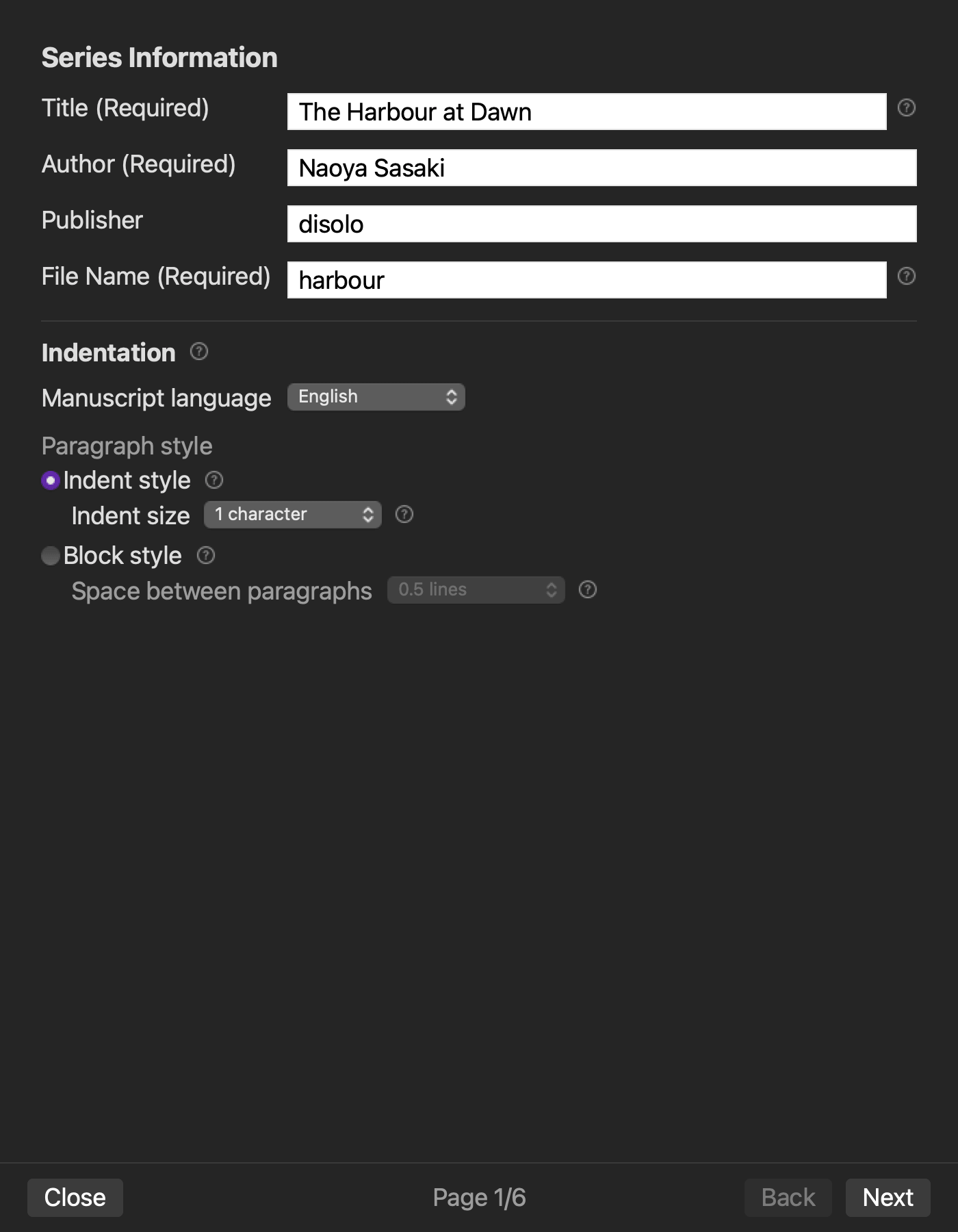
Current Rune Studio documentation for Mac says that title, author, and publisher are entered on the series-information page of its six-page EPUB wizard. On August 14, 2026, a hands-on check with a disposable copy set those three values, generated a sound EPUB, and confirmed matching title, creator, and publisher roles in content.opf. This product operation has been confirmed in a hands-on check.
This should not be described as automatic transfer to KDP or synchronization with the latest KDP fields. The transfer sheet and backward reading are product-independent handoff steps. The hands-on verification evidence ends at EPUB generation and the three matching package roles.
Marketplace acceptance, current entry restrictions, account data, tax, and ISBN are outside Rune Studio’s EPUB-generation state.
Keep the boundary with five-field EPUB metadata
A basic EPUB metadata workflow manages title, creator, publisher, language, and date from one information card to the package. This workflow intentionally omits language and date.
Its additional artifact is the KDP pre-entry transfer sheet. It moves only three identity values across manuscript card, EPUB package, and transfer preparation, then reads them backward.
Conclusion: read three rows across three surfaces and back
Establish Moonlight Post, Mio Mizuki, and Nagi Press on the identity card. Check title, creator, and publisher roles in the EPUB package. Copy them to a versioned KDP transfer sheet, then read publisher, author, and title backward.
The first practical action is to settle the publisher row before creating the transfer sheet. If you are evaluating Rune Studio, review the current title, author, publisher, and package-output scope on the Rune Studio product page.