
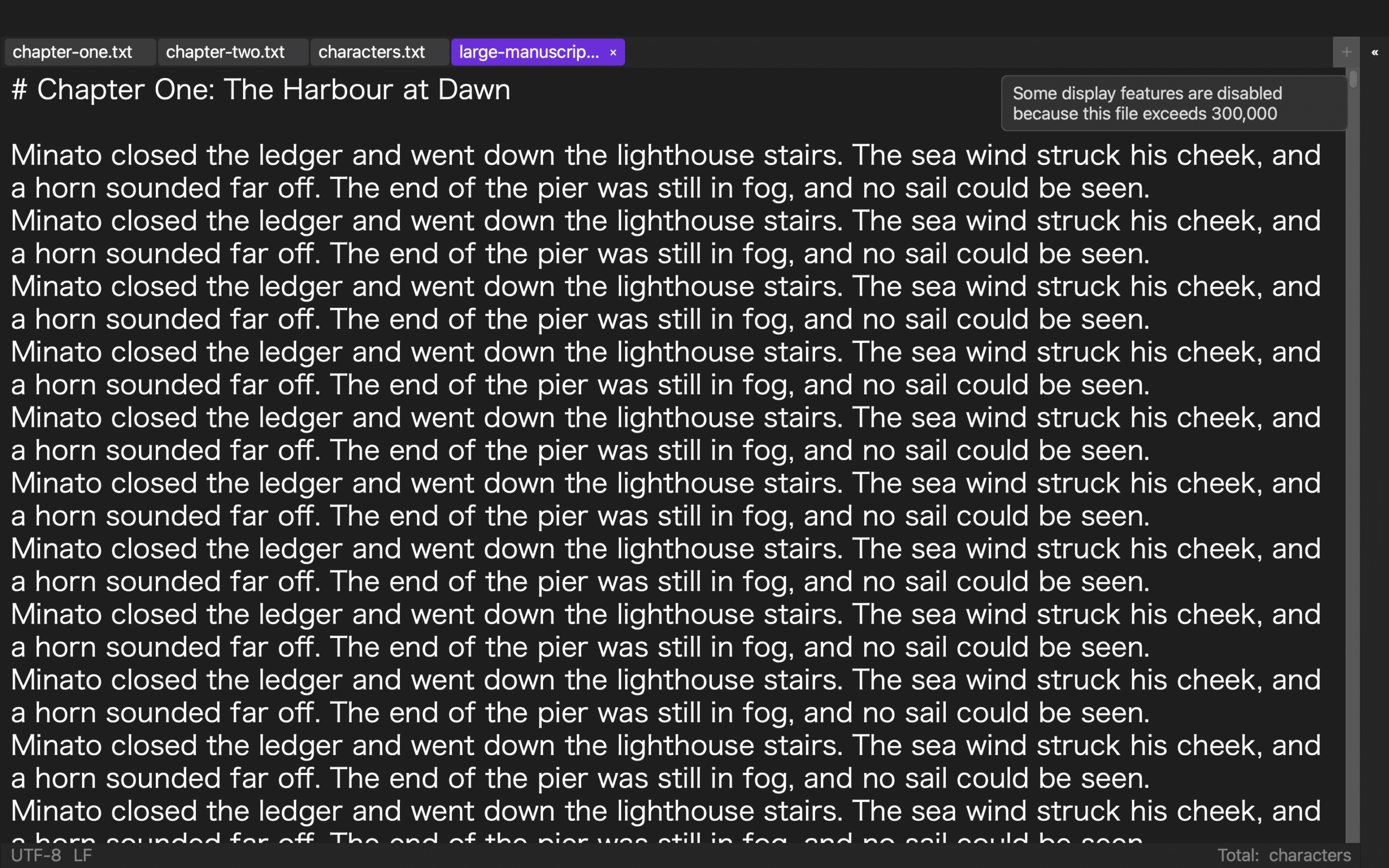
Automatic reduction above 300,000 characters should be evaluated with a boundary table, not with the phrase 'it feels faster.' The verified row is a 919,514-character file that returned isLargeFile=true and a 19-match search. The 290,000- and 300,001-character rows have not been measured. This guide leaves them pending and designs a paired test that can show what changes at the threshold and what essential work remains.
Create three rows before running a test
Use 290,000, 300,001, and 919,514 characters as the rows. Add columns for large-file state, disabled display aids, fixed search, one controlled edit, separate save, and reopened retention. State that the unit is characters, not bytes or words.
Enter pending in the first two rows. In the third, enter only the verified detection and 19-result search. An explicit pending state prevents an empty cell from becoming an assumed pass.
Use the measured row as an anchor, not a prediction
The 919,514-character UTF-8/LF sample establishes a real large-file state and a reproducible search result. It gives the table one known point and shows how evidence should identify the sample, operation, and result.
That distant point does not prove how 290,000 or 300,001 characters behave. The two boundary samples are separate inputs and must be measured rather than filled from the documented threshold.
Make manuscript length the main difference
Build the paired boundary copies with equivalent chapter structure, encoding, line endings, search term, and edit location. Extend the same type of text and recalculate the character count before use.
Give both copies parallel names and save destinations. If content and structure differ substantially, the test will compare manuscripts rather than the boundary.
Separate disabled helpers from surviving operations
Rune Studio documents that syntax coloring, invisibles, highlights, line numbers, and other display-heavy aids may be disabled for large files. Record each observed reduction without calling it an editing failure.
Test search, the controlled edit, and saving in separate columns. The point of reduction is to preserve essential work, so the table must show both the helper that changed and the operation that remained available.
Keep perceived speed in a supporting column
If you record time, include the Mac model, memory, application build, sample ID, and background workload. Timing can explain a local experience, but it is not the primary boundary result.
A fast launch with a lost edit fails. A reduced display with a retained edit and reproducible search may pass. Detection and functional continuity are more portable findings than a subjective speed label.
Reopen each boundary copy
Change one character, save under the paired output name, close it, and reopen that exact file. Verify the edit and repeat the fixed search. A screen that looked correct before closing is not proof of a persisted result.
When a row fails, preserve it and identify whether detection, editing, saving, or file selection broke the path. Retest with one changed condition and a new date.
What can be said about Rune Studio now
Rune Studio documents a 300,000-character large-file threshold and selective display reduction. The 919,514-character detection and search were measured, so it is a justified subject for this boundary audit.
The below-threshold sample, the 300,001-character sample, screen editing, and the save round trip are pending. The current conclusion is a prepared audit table, not a universal claim that every file becomes faster at the threshold.
Conclusion: measure both boundary rows
Prepare the two matched copies and run detection, helper, search, edit, save, and reopen checks in the same order. Keep the verified 919,514-character row unchanged as the anchor.
Only after the pending rows are filled can the table describe what changed at the boundary. Honest pending cells are more useful than a confident conclusion borrowed from a different sample.