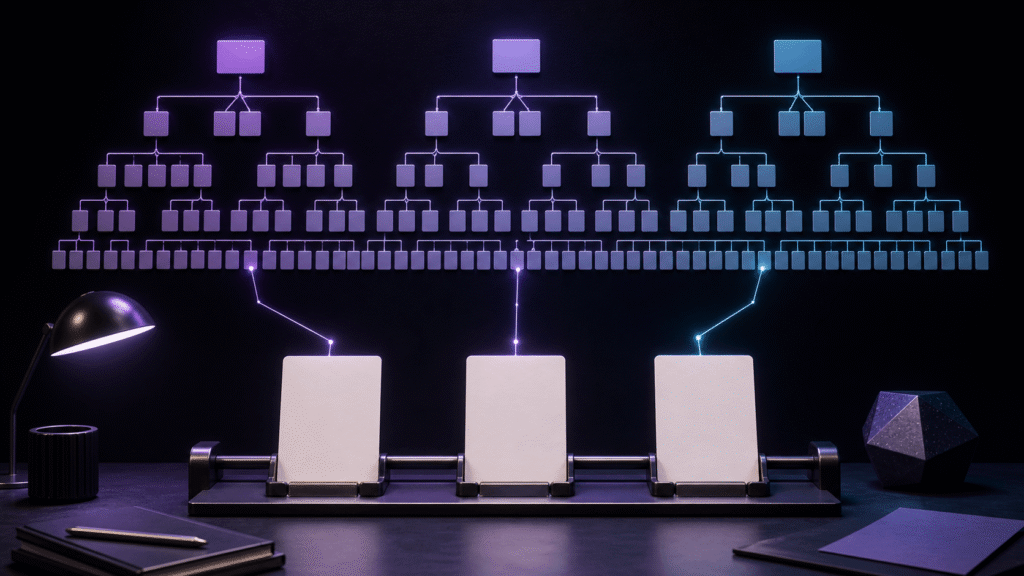
A screenplay tree is the map of the entire story; tabs are today's desk. Opening all fifteen scenes as tabs turns the desk into another storage system. Assign stable scene IDs in the tree, promote only the three scenes being revised today, and close reference-only tabs when their question is answered. The result is a working set that can be reconstructed tomorrow without treating cached tab positions as manuscript history.
Give the three-act tree stable addresses
Label the copied script ACT1-S01 through S05, ACT2-S06 through S10, and ACT3-S11 through S15. A scene ID remains useful when a heading or line count changes. Store the authoritative path and act ownership with each ID.
Change story order in the tree or project index, not by dragging tabs and later inferring structure from their positions. The tree owns the whole map; tabs never become the source of narrative order.
Promote exactly three scenes to today's desk
Choose three scenes with a concrete revision objective. An illustrative set is S03-opening-v04, S08-midpoint-v07, and S14-climax-v03. Include the scene ID and revision in each tab label, plus one sentence describing the intended change.
A scene becomes active because its text will change today. A file opened only to answer a question is not part of that active count. Keeping the working set small preserves readable text width and reduces edits in the wrong scene.
Borrow a reference scene and return it
Open S02 from the tree when it is needed to check a setup, mark it reference-only, and close it when the check is complete. A reference tab that survives overnight gradually becomes indistinguishable from an editable source.
If the reference reveals a needed revision, add that work to the queue. Promote the scene only after confirming its authoritative path and purpose. Do not revise a convenient copy while it still has reference status.
Use scene IDs across script, notes, and character records
Connect the S08 manuscript, the S08 character-presence row, and the S08 revision note with the same anchor. Line numbers move as dialogue changes; a semantic scene ID can bring related records back together.
A matching search result is not proof of authority. Keep the roles of editable manuscript, reference record, and task note explicit. The ID locates the material, while the source field decides which file may be changed.
Close the day with a three-line handoff
Record the scenes changed, the last verified point, and the next action. Close temporary references and return completed scenes to the tree. Do not ask an open window to serve as the only memory of why a scene was present.
A useful handoff might say that S03's opening was shortened, S08 was checked through the conflict dialogue, and S14's setup term is next. Tomorrow's tabs can then be rebuilt from purpose rather than cached layout.
Test recovery on the following morning
Restart, retrieve S03, S08, and S14 from the tree, and explain the purpose of each in one sentence. Success means the correct scene, revision, and objective were recovered, regardless of whether the application restored the same tab order.
If a wrong file is opened, inspect the ID, authoritative path, revision label, and handoff note. Adding more tabs is not a repair for ambiguous ownership.
Assign Rune Studio a limited role
Rune Studio's project file management and tabs can represent the complete scene map and the current working set. This is a practical candidate arrangement for moving among identified scenes without opening the entire screenplay at once.
Trees and tabs do not replace version history, backups, or collaborative permissions. This article evaluates scene identity and daily attention, not multiuser rights or automatic plot generation.
Conclusion: make tabs a desk, not an archive
Start with five scenes in the second act, give them stable IDs, and promote only three for today's revision. Return references after use and leave a three-line handoff.
A small desk supported by a reliable map scales better than a wall of permanent tabs. The goal is not to see every scene simultaneously; it is to recover the right scene and purpose whenever work resumes.