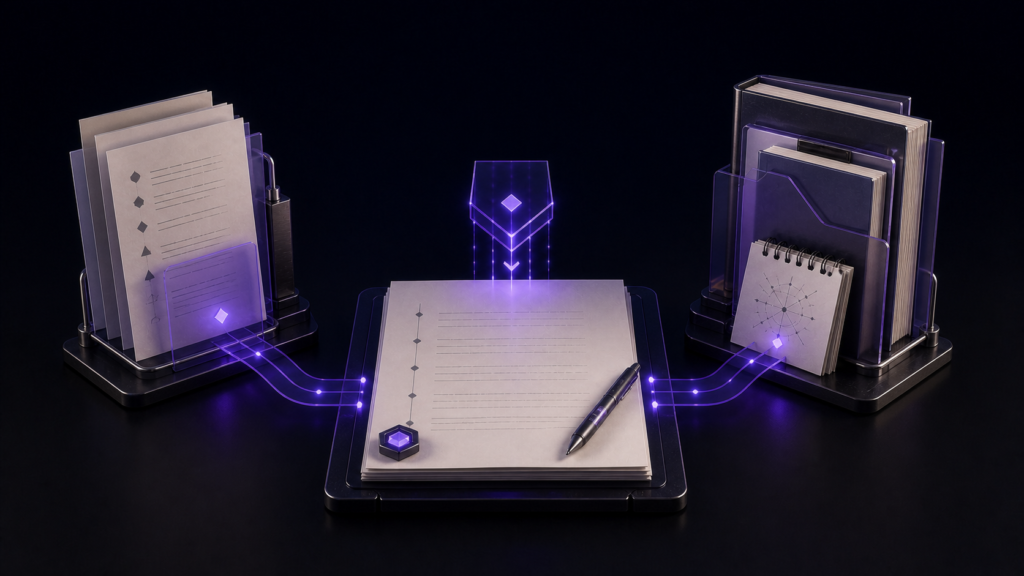
A three-pane prose editor is most useful when each pane has one stable responsibility. Put source material on the left, the manuscript in the center, and quote candidates on the right. Then anchor the current edit to one manuscript section—S03 in this example—so a trip into the references does not erase your return point.
The benefit is not “more windows.” It is keeping editable prose, evidence, and not-yet-approved quotations from becoming the same document.
Give each pane a rule
Use a 2,500-word draft, a source note, and a quote-candidate sheet. The manuscript pane is the only place where finished prose changes. The source pane is read-only for the duration of the edit. The quote pane holds exact wording, source location, and a short status such as keep or reject.
These rules prevent two common errors: writing draft prose inside a reference file, and pasting a quotation into the manuscript before recording where it came from.
Assemble the desk in Rune Studio
Choose the three-column layout. Open the source note, manuscript, and quote sheet from the file tree, then drag each tab into its assigned pane. Give the center column more width because it is the writing surface. The side columns need enough room to identify a paragraph and its citation, not to imitate a second manuscript editor.
If the sidebar consumes too much space after the files are open, collapse it to the narrow state. When a quotation has been handled, leave a short status in the candidate sheet instead of deleting the row; that avoids researching the same passage again.
In a checked session, tabs for manuscript, source, and quotes were arranged in three columns. The body size was 20 pt and the interface size 14 pt. After closing and reopening the workspace, all three tabs returned. This verifies restoration of the desk, not the accuracy of the source or the suitability of a quotation.
Revise one section without losing provenance
Move to S03 in the center pane and select the sentence that needs support. Read the relevant paragraph on the left. If exact wording may be needed, place only that candidate on the right with its source and page or URL. Return to the center and rewrite the explanation in your own words.
When a direct quote is justified, compare the candidate with the source again before inserting it. Do not reverse that order by pasting first and searching for the citation later. After editing, read one paragraph before and after S03 with your attention on the center pane. Prose that works beside a source can still sound abrupt when read as part of the article.
Link only panes that genuinely correspond
Linked scrolling is helpful for a first draft and revised draft when they share headings or scene separators in the same order. A manuscript and a research source usually do not share structure, so forcing them to scroll together can create more confusion.
For a long source, search a distinctive term, inspect the passage, and preserve S03 as the manuscript return point. Rune Studio allows participating panes to be chosen for linked scrolling; not every visible pane must join.
Let the center pane answer “what am I changing?”
Three editable views can become noisy. If you lose the task, do not rearrange the whole workspace. Return focus to the center, read the S03 sentence, and state the missing support in plain language. Only then look left for evidence or right for a recorded candidate.
This setup does not provide cloud collaboration or decide whether a quotation is valid. Its value is spatial: the evidence remains visible while the authoritative prose has a clear home.
Save the arrangement as Manuscript–Sources–Quotes and reopen the workspace once. If the files and center focus return, tomorrow’s desk is ready. Try the method on one section and one source before applying it to a full manuscript. Rune Studio’s current split-view and layout features are listed on the product page.
Adapt the roles to a smaller display
On a laptop, three simultaneous columns may make the manuscript too narrow. Preserve the three roles while using two panes: keep manuscript in one pane and switch source and quote tabs in the other. The method depends on role separation, not on forcing three visible strips onto every screen.
Before saving the layout, close references that do not support S03. A large monitor can encourage a fourth and fifth source pane, but more visible material is not the same as better evidence. Save a desk whose purpose will still be obvious when it reappears tomorrow.