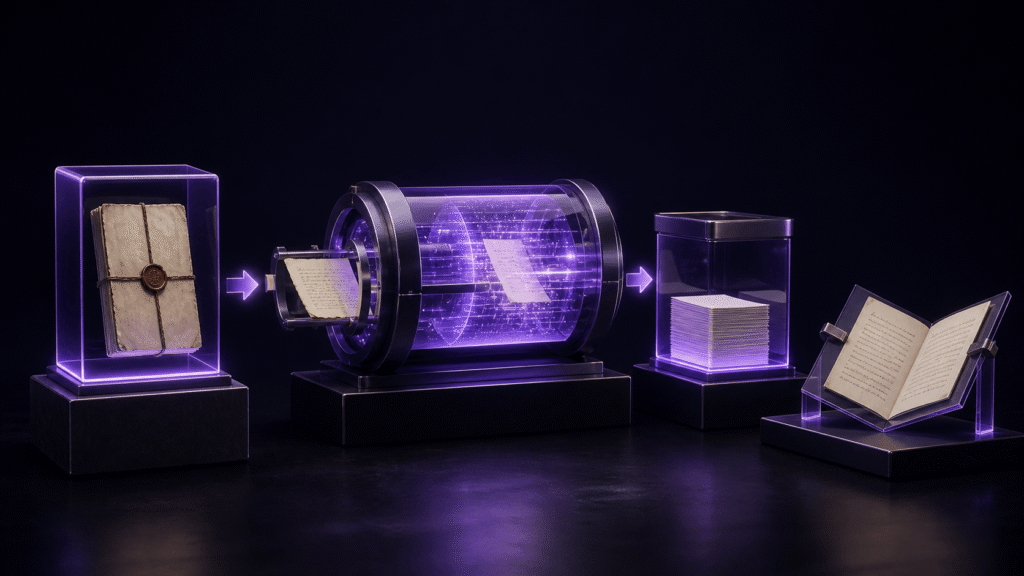
Safe encoding conversion is not a single Save command. It is a controlled sequence: preserve the original bytes, decode them correctly, decide how to handle unusual characters, save a separate UTF-8 file, and reopen that new file for comparison. Skipping the reopen step can hide a failed conversion behind an editor's in-memory display.
Preserve the original before interpreting it
Start with a 20-line duplicate of the Shift_JIS manuscript and keep the original read-only. Record its filename, modification time, size, known source application, line count, and line-ending convention. File size will usually change after UTF-8 conversion, so it is an identifier rather than an equality target.
Choose three control passages: one near the beginning, one in the middle, and one near the end. Include punctuation, names, and paragraph breaks. These controls make it possible to detect a decoding mistake before it is written into a new format.
Prove the decoding choice before saving
Open the working copy explicitly as Shift_JIS when that is the known source encoding. Compare the three control passages with a trusted rendering or source. Replacement symbols, implausible character sequences, or missing punctuation mean the text has not been decoded correctly.
Stop at that point. Saving the garbled display as UTF-8 does not repair it; it preserves the wrong interpretation in a different byte encoding. Return to the opening choice and source information. If the original encoding is unknown, test a small duplicate and gather evidence rather than cycling encodings on the master file.
Decide what to do with later Unicode additions
A Shift_JIS file may have been opened correctly and then edited with an emoji, circled number, or uncommon character that the selected legacy encoding cannot represent. Before conversion, record each such location and decide whether the final UTF-8 manuscript should preserve the character or use an editorial replacement.
Do not apply a global replacement to unrelated characters. A rare character in a person's name requires a different editorial decision from a decorative emoji. Keep a short change log with the original character, chosen result, paragraph, and reason.
Save UTF-8 under a new name
Once the displayed source is trustworthy, select UTF-8 output and save a new file such as chapter01-utf8.txt. Do not overwrite the Shift_JIS original. Unless there is a separate reason to change line endings, preserve the existing convention during this step.
Combining encoding conversion, line-ending normalization, and prose editing produces a noisy comparison. Make those changes in separate passes. The conversion pass should have a narrow expected result: the same intended text represented as UTF-8, plus only the documented character decisions.
Close and reopen the new file
Close the document so the editor cannot continue showing the pre-save memory state. Open the newly written file explicitly as UTF-8. Compare the beginning, middle, and end controls. Count lines and inspect blank paragraph boundaries. Search for replacement symbols and review every location in the character decision log.
Make one harmless edit in the UTF-8 file, save, close, and reopen again. This second round trip confirms that subsequent editing uses the intended encoding. If paragraph boundaries change, return to the line-ending and save settings rather than accepting a visually similar page.
Use symptoms to choose the return point
If text is already garbled at first open, return to decoding. If it looks correct until save and reopen, return to output encoding and representability checks. If the text is identical but one computer shows empty boxes, investigate fonts or rendering before changing bytes. If line counts change while characters remain correct, inspect line-ending conversion.
This workflow performs conversion. It is distinct from selecting an editor by its warning behavior and from diagnosing an already damaged file. Keeping those purposes separate prevents a test from becoming an accidental repair attempt.
Apply Rune Studio documentation cautiously
Current Rune Studio materials describe reading UTF-8, UTF-8 with a byte-order mark, Shift_JIS, EUC-JP, ISO-2022-JP, and UTF-16 variants, along with changing text encoding and line endings. They also describe highlighting characters that the selected encoding cannot represent and pausing automatic save while unresolved problems remain.
Those are documented capabilities, not proof that a particular manuscript has been converted without loss. Use the duplicate and reopen comparison on the current version. Do not promise that automatic detection will identify every historical file correctly.
Archive both the source and the verified result
Keep the original Shift_JIS file, the verified UTF-8 file, and the conversion log together with clear labels. The old file remains evidence if a later reviewer questions a name character or paragraph break. The UTF-8 file becomes the editing source only after all controls and documented character decisions pass.
Your first action should be to duplicate the file and select the three control passages, not to click Save. That discipline makes decoding and writing independently testable. Review the current encoding scope on the Rune Studio product page.