
When line numbers, registered-term highlights, and continuous character counting stop in a manuscript of at least 300,000 characters, do not begin by proving that one edit can be saved. First build a substitution map for each stopped display aid: what cue disappears, what cue may replace it, and which planned tasks remain explainable. This article maps the reduced display state. It does not run the separate edit–save–reload route used to decide whether one file should continue, be split, or be held.
Record the notice and stopped aids without interpretation
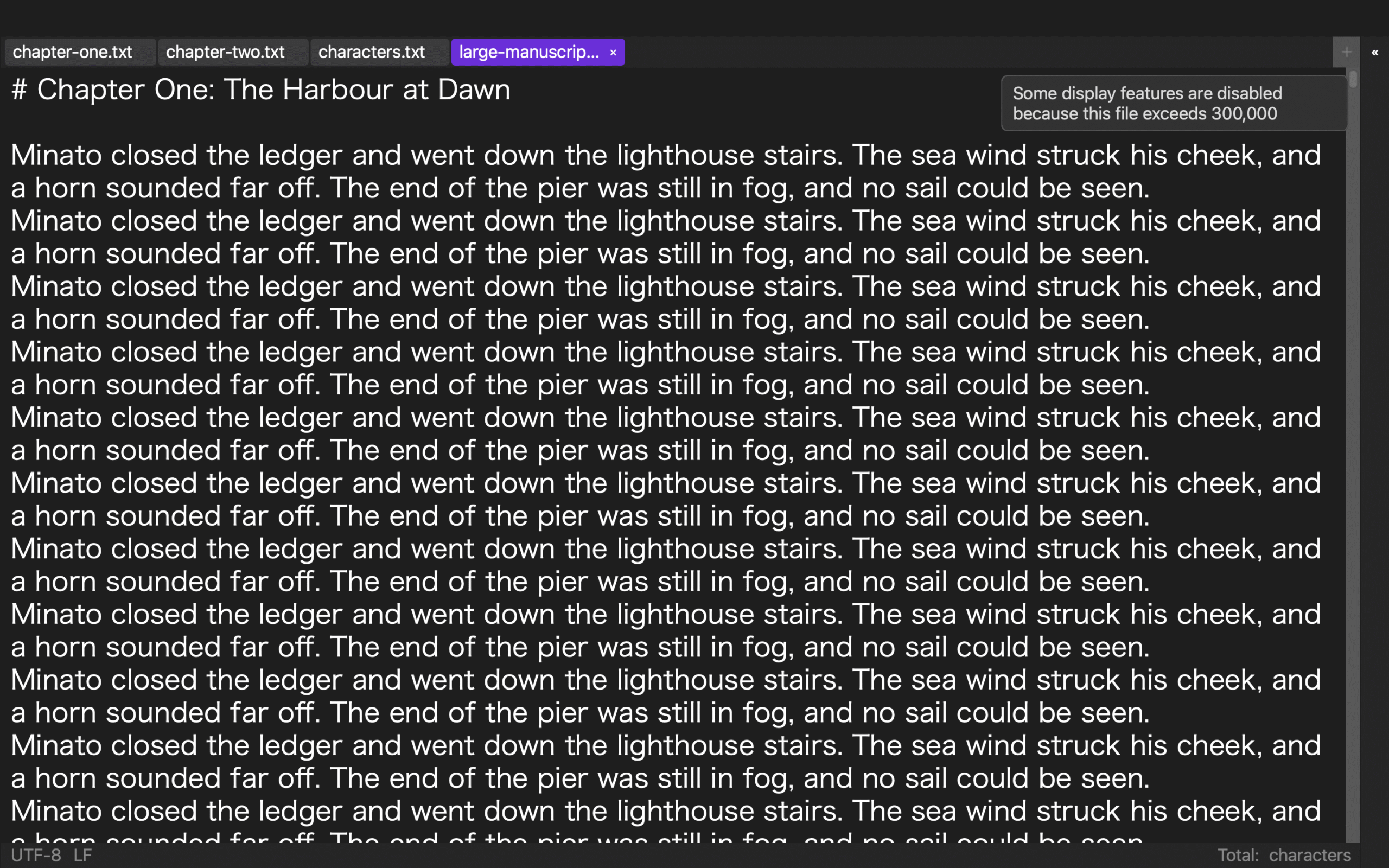
Read the notice immediately after loading and copy the names of the stopped aids into the first column of the map. Examples in the published scope include line numbers, registered-term highlighting, and continuous character-count calculation. If the notice or state is unclear, do not assume that the file behaves like a smaller manuscript.
Do not change the text during this inventory. The purpose is to separate reduced display processing from the basic operations that remain documented. A successful save or reload is outside this article’s completion condition.
Translate the loss of line numbers into location requirements
Without line numbers, an instruction such as “edit line 18,234” no longer identifies a stable location after text is inserted or removed. Candidate replacements are a chapter heading, a distinctive paragraph opening, and a short quoted phrase. Write “lost cue: fixed line number” and “possible substitute: chapter plus distinctive phrase.”
You may check how many search results the phrase produces, but do not edit the result. A phrase with one occurrence may support a location instruction. A common phrase with many occurrences does not. If the manuscript has no stable chapter or distinctive wording, classify the task as not substitutable in this display state.
Replace persistent highlights with an explicit query queue
When registered-term highlighting stops, the editor no longer shows every watched expression as a persistent visual layer. A possible substitute is an explicit queue of search terms. List terms such as “sluice,” “water gate,” and “gate,” then give each one a state: not checked, checking, or complete.
This is not a search-and-replace procedure. It only asks whether a known list can replace a persistent color cue. A terminology review with predetermined expressions may fit the queue. A broad stylistic review that depends on noticing patterns across the entire screen may not. Record that difference instead of declaring that search replaces every highlight task.
Replace continuous counting with milestone snapshots
When continuous character counting stops, the interface no longer provides a constantly updating total during entry. A possible substitute is a count recorded before the work and another count at a defined milestone. Label this “milestone snapshot,” not “continuous counting,” because it does not reproduce real-time feedback.
A task that checks the total only when a chapter is complete may accept snapshots. A task that must monitor every small change may not. The correct classification depends on the task requirement, not merely on whether some count can be obtained later.
Classify each planned task in three levels
Use the substitution map to mark a planned task as substitutable, conditional, or not substitutable. A location that can be described by one chapter and one unique phrase may be substitutable without line numbers. A review with a fixed term list may be conditional without highlights. A task that requires continuous character feedback may be unsuitable for this state.
These labels evaluate one task, not the whole application. The same reduced display may be suitable for locating a named fact and unsuitable for a visual rhythm review. “Editing remains available” does not prove that every editorial method remains practical.
Rewrite handoff notes using cues that remain available
Avoid notes such as “the red-highlighted occurrence” or “around line 18,300” when those aids are absent. Rewrite the handoff as “Chapter 27, paragraph beginning ‘the northern sluice,’ query term ‘water gate.’” Use only cues that the substitution map has classified as available and sufficiently specific.
If a handoff cannot be rewritten so that another person can identify the same target, that is evidence that the task should not proceed in this state. Make that decision before anyone edits and saves a copy.
What Rune Studio’s published documentation supports
Current public documentation for the Mac version states that Rune Studio automatically stops expensive display processing in both the full editor and standalone editor when loaded content reaches at least 300,000 characters. The published examples include line numbers, highlights, and continuous character-count calculation. Text editing, in-file search and replacement, and saving remain within the documented feature range.
This is a statement about published capabilities. It is not a report that a 320,000-character substitution map was completed on a particular Mac. It does not guarantee speed or prove an edit–save–reload route. Confirm the notice and stopped aids in the version you use.
Leave the continuation route to a separate workflow
This article does not return to an identifier, change one sentence, save under a new name, reload the result, and choose between continuing one file, splitting chapters, or holding the task. That is a separate continuation decision. The output here is only a four-column map: stopped aid, lost cue, possible substitute, and task fit.
Conclusion: map a substitute for each stopped display aid
List line numbers, registered-term highlights, and continuous counting separately. For each aid, record the lost cue, a possible substitute, and whether the planned task is substitutable, conditional, or not substitutable. Rewrite handoff notes with the cues that remain available.
The first response to reduced display is not to rush through one edit. It is to decide which work can still be identified and explained without the missing aid. Check the current documented range on the Rune Studio product page.