A product page may say that EPUB creation software supports everything from manuscript editing to export. That claim does not necessarily describe one integrated workflow. The interface might contain all the expected buttons while still requiring you to export an intermediate file, open another application, import that file, and enter the same metadata again.
To identify a genuinely all-in-one workflow, do not count feature names. Trace where the authoritative manuscript lives, where book metadata, chapter order, and the cover reference are saved, and how many manual handoffs occur before generation. This article uses that trace to classify a candidate as integrated, connected, or export-only.
This is not the six-feature availability trial used in STUDIO-089. It does not score the route for late body, chapter, and metadata corrections covered by STUDIO-094, and it is not a step-by-step tutorial for producing a finished EPUB. The sole question here is where the software’s data boundaries are.
Define the three workflow types first
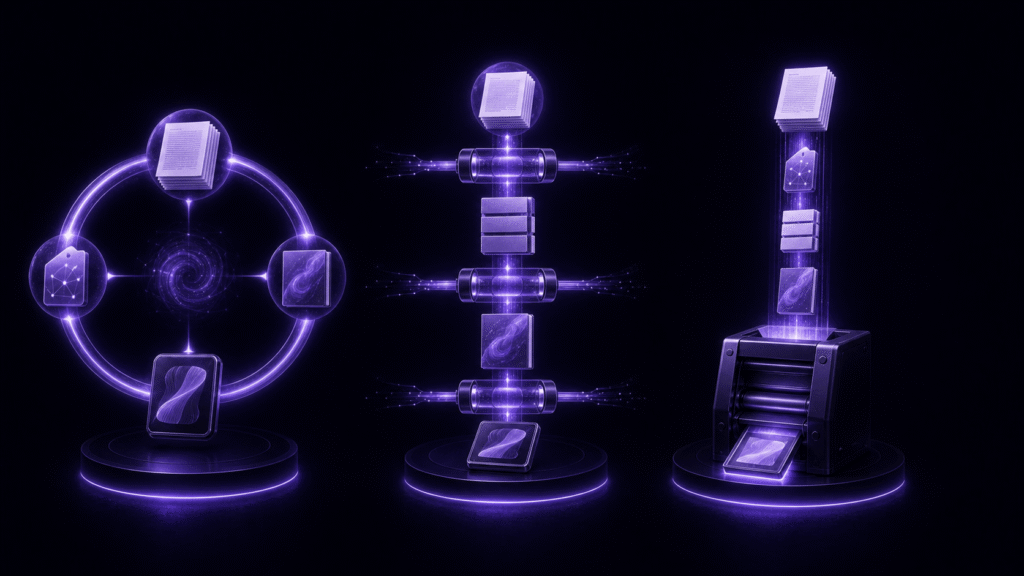
Integrated software keeps the manuscript, preview conversion, publication metadata, chapter order, cover, and export settings under one project or workspace. The data does not need to sit inside one physical file. A folder can contain several source files and assets while the project preserves their locations and relationships. The important point is that a saved authoritative source can generate the EPUB again without a manually prepared intermediate manuscript.
A connected workflow passes files between an authoring application, a conversion utility, and an EPUB generator. An automatic watcher or a bundle from one vendor may make the transition convenient, but there is still a boundary if one format becomes a new input for another tool.
Export-only software receives an already prepared manuscript and assets, collects metadata and chapter order, and generates the package. That is not automatically inferior. If editing is deliberately completed elsewhere, a focused exporter may fit the process better than a large integrated environment.
Trace seven steps with a representative chapter
Prepare a short representative chapter, two chapter headings, a small cover image, and temporary title and author data. Use copies rather than moving the production manuscript. For each candidate, trace these seven steps:
- Open the manuscript and edit one sentence.
- Preview a heading, ruby annotation, or other supported notation.
- Enter the title, author, language, and writing direction.
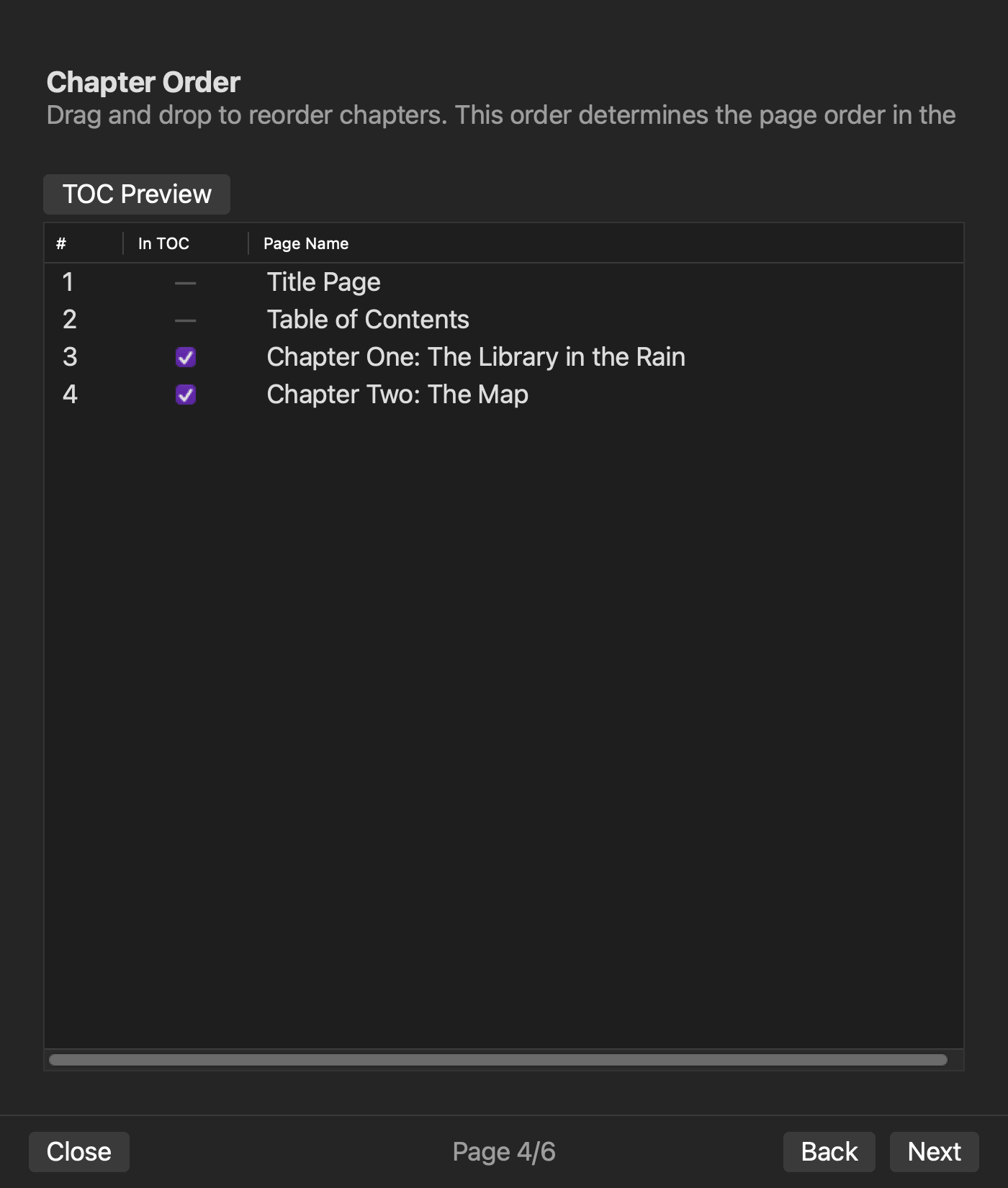
- Set the order of two chapters and their table-of-contents inclusion.
- Select the cover image.
- Generate an EPUB.
- Inspect the generated result.
Create five columns in the trace: screen or application used, input source, saved location, manual export, and manual import. Do not score speed or interface preference yet. First record only where the same information travels.
A product can pass a broad feature checklist while exposing several handoffs in this trace. Conversely, a focused exporter can have a perfectly clear boundary even though it never claims to edit the manuscript. The trace reveals architecture and responsibility, not a universal winner.
Locate one authoritative manuscript
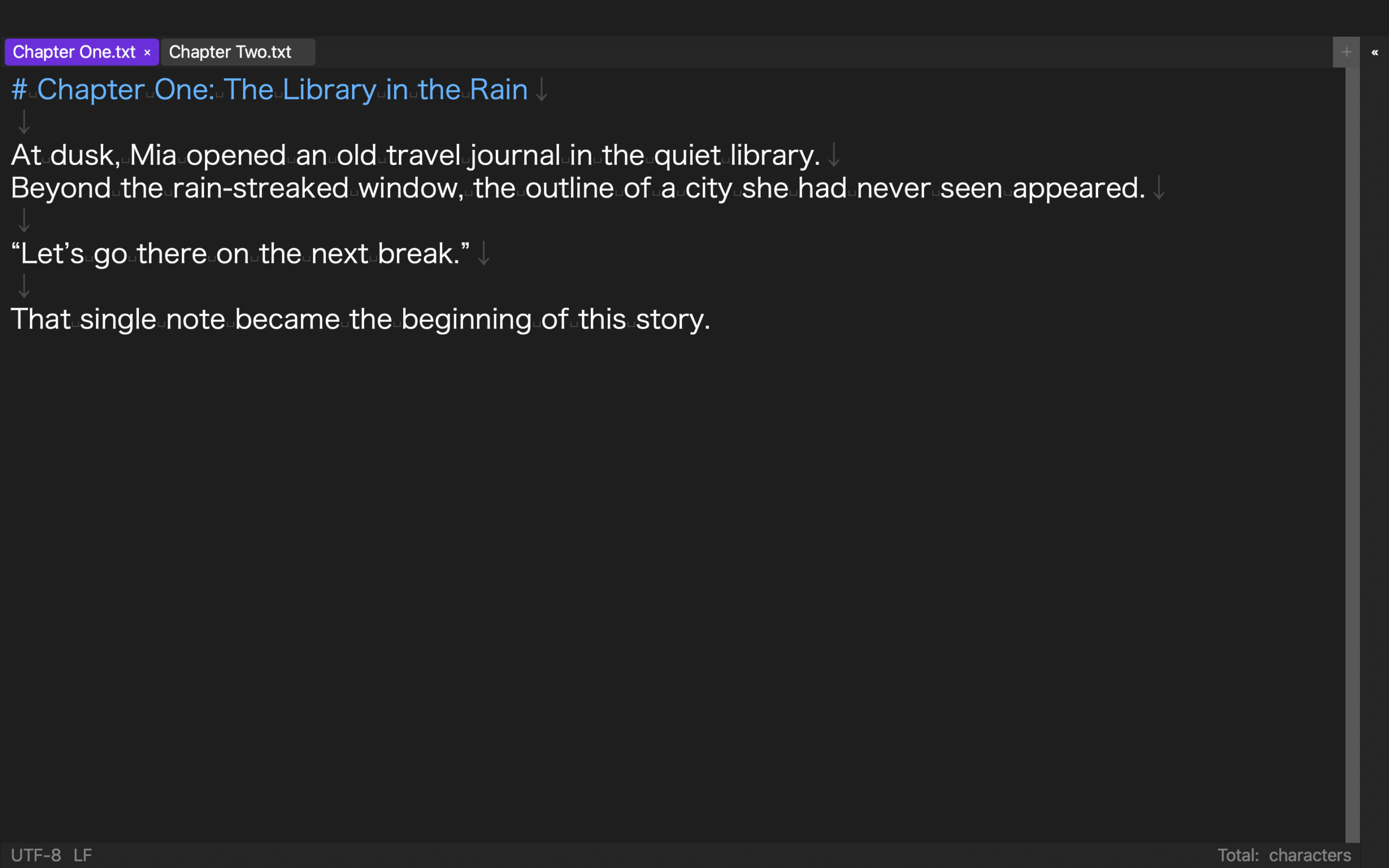
Identify the source that should be edited for the next generation. A preview HTML file, converted Markdown, and generated XHTML may all contain similar prose, but there should be one unambiguous place where an author makes the next change.
If both the authoring side and the generation side permit body edits, record two editable copies. Someone then needs a synchronization rule or must remember which version is authoritative. That may be intentional in a team workflow, but it is a data boundary, not evidence of seamless integration.
Do not decide by file extension alone. A folder-based workspace can still be integrated when it owns several plain-text sources, images, and setting records. The question is whether the project knows those relationships and can use the same source set again.
Find where metadata, chapter order, and the cover are saved
Check the location of the title, author, language, writing direction, volume number, edition, and publication date. Determine whether the values are stored with the project or entered again for every generation. Apply the same question to chapter order, table-of-contents inclusion, and the cover image reference.
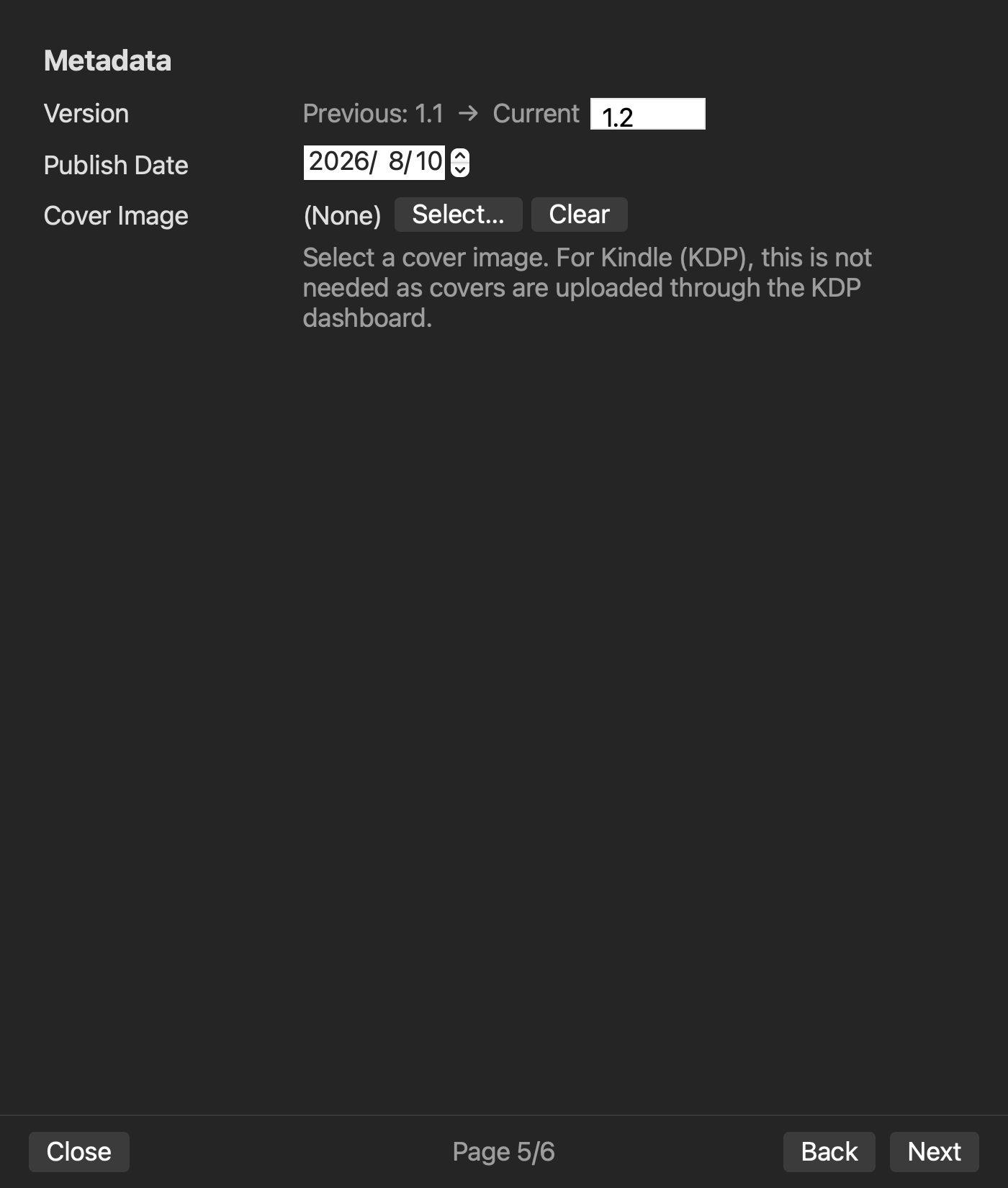
An input field in the interface is not enough. After closing and reopening the project, you should be able to explain which values remain and which assets must be selected again. This article does not evaluate whether the values themselves are correct. It identifies who owns them and where they persist.
If the generator reads metadata from a separate configuration file, that can still be a clean integrated design. If a user must copy the title from a manuscript, recreate chapter order in another program, and browse for the same cover on every run, those are manual handoffs even when all screens use the same brand.
Count manual handoffs
Count each explicit export, application switch, file selection, and repeated data entry. Copying and pasting also counts once. A workflow is connected when the user manages an intermediate file, even if the transfer feels quick.
Do not treat zero handoffs as the only acceptable result. A fixed DOCX may be sent to a proofreader, a designer may deliver a final cover, and a dedicated validator may inspect the package. Visible, intentional boundaries can improve review and accountability.
The risky condition is an invisible boundary: several manuscript-like files exist, but nobody can say which one should be corrected. An extra deliberate export is often safer than an apparently seamless chain with an ambiguous source of truth.
Classify the candidate
Use the completed trace to assign one of these types:
- Integrated: one authoritative source and saved project settings can regenerate the book without a manually converted intermediate manuscript.
- Connected: the authoritative source is clear, but one or more intermediate files or application handoffs are required.
- Export-only: manuscript editing and its main preview happen elsewhere, and the software accepts a finished source for packaging.
Frequent serial updates and repeated typo fixes benefit more from an integrated route because repeated entry accumulates. A production team with specialized responsibilities may prefer a connected chain. A stable manuscript that will be converted once may work well with an export-only tool.
Apply the same trace to rune Studio
The current Mac version of rune Studio treats a folder as a workspace. Its feature documentation covers an EPUB-notation preview, book and volume settings, chapter order, cover selection, EPUB 3 generation, and post-generation inspection.
In an existing command-line verification, two files representing Chapter One and Chapter Two were placed in a workspace. The test set the title, author, volume 1, edition, publication date, writing direction, and chapter order, then generated an EPUB with exit code 0. The output was 5,444 bytes, contained nav and NCX data, and reported zero missing images, leaked notation, empty pages, and issues. That provides level-4 evidence for the workspace, settings, chapter input, generation, and inspection route.
The preview screen and cover selection are level-2 claims taken from the current feature documentation; they were not operated in that command-line test. The test also did not cover a cover-bearing output, the full GUI sequence, a reading application, or store submission. rune Studio generates a new EPUB from manuscript sources. It is not presented here as a tool for directly editing XHTML or OPF inside an existing EPUB.
Conclusion: inspect data boundaries, not feature totals
To decide whether EPUB creation software is truly all-in-one, trace manuscript editing, preview, metadata, chapter order, cover selection, generation, and inspection. Record the authoritative source, the saved location of each setting, and every manual export or import.
Integrated, connected, and export-only workflows each suit different production conditions. The useful choice is not the product with the longest feature list. It is the workflow whose handoffs and responsibilities remain clear at the update frequency and team structure of your book.


