
When choosing an EPUB creation tool for a Mac, inspect how it accepts the manuscript before comparing export buttons. Write an “input contract” for six elements: source format, headings, inline notation, paragraphs and blank lines, image paths, and chapter order. Passing one representative chapter through that contract reveals the conversion burden.
Two tools can both generate EPUB 3 while demanding very different preparation. If every heading and ruby annotation must be rewritten before import, the cost becomes large across a novel. A tool whose input rules already fit the manuscript can be much faster even with the same output feature.
This article does not repeat a general checklist for preview, cover, metadata, and export. It evaluates only the boundary between an existing manuscript and the creation tool.
Grade the input contract A through D
Place the manuscript’s current rule beside the candidate’s required rule. “Supported” is not precise enough; direct opening, one-time conversion, and chapter-by-chapter repair are different workloads.
Use four grades:
- A: A duplicate of the manuscript can be accepted without content changes.
- B: One mechanical conversion can be applied consistently to the volume.
- C: Each chapter needs manual editing or visual review.
- D: Required information cannot be retained, or the conversion route is unknown.
A candidate with many C grades may work for a short story but become expensive for a long book. A D on required information should eliminate the candidate.
1. Source format
Record whether the authoritative source is TXT, Markdown, DOCX, Pages, or a proprietary format. A claim of “text support” does not prove that every extension opens directly.
When export to an intermediate format is required, check whether comments, footnotes, or revision history must survive. Separate a body-text-only migration from one that must preserve editorial information.
2. Heading rules
Identify how chapters are marked: the first line, a symbol, Markdown hash marks, or a document style. If the tool’s chapter-recognition rule does not match, navigation and page breaks may fail.
With one representative chapter, check both visible heading text and the generated navigation label. A mechanical rule applied to all chapters earns B; a decision made separately for every chapter earns C.
3. Ruby, emphasis, and separators
List only the constructs the book uses: ruby, emphasis dots, bold, alignment, links, page breaks, and similar notation. If the candidate uses proprietary markup, convert one example of each required construct.
Do not stop at a preview. Inspect the generated EPUB for leaked source notation. There is no reason to score advanced constructs the manuscript never uses.
4. Paragraphs, indentation, and blank lines
Check paragraph-leading spaces, blank-line scene breaks, repeated blank lines, and hard line breaks. When the tool can normalize blank lines during export, confirm that its rule does not conflict with existing manuscript conventions.
Record whether normalization changes the source or only the output. Two processes can look identical in a reader while having different effects on the authoritative manuscript.
5. Images and paths
For books with in-text images, document how the source refers to each asset. Absolute paths are vulnerable when the project moves to another folder or Mac. Test whether references can remain relative to the manuscript or project.
Add one representative image, export from a duplicated folder, and check for missing assets. Cover selection is a separate setup topic, although its source location may belong in the same asset inventory.
6. File splitting and chapter order
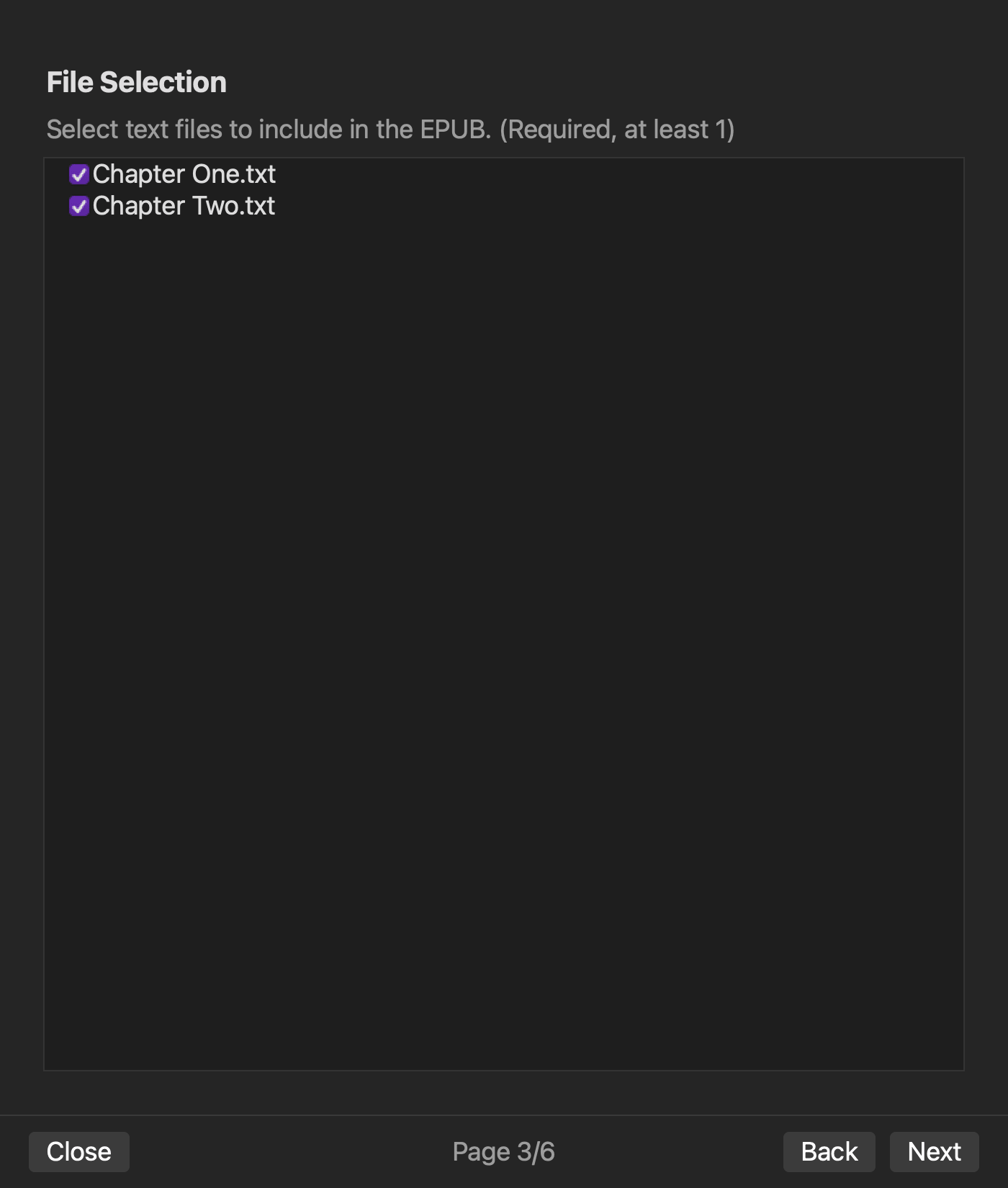
Record whether the volume uses one large file, one file per chapter, or a hierarchy of parts and chapters. Determine whether reading order follows file selection or a separate chapter list.
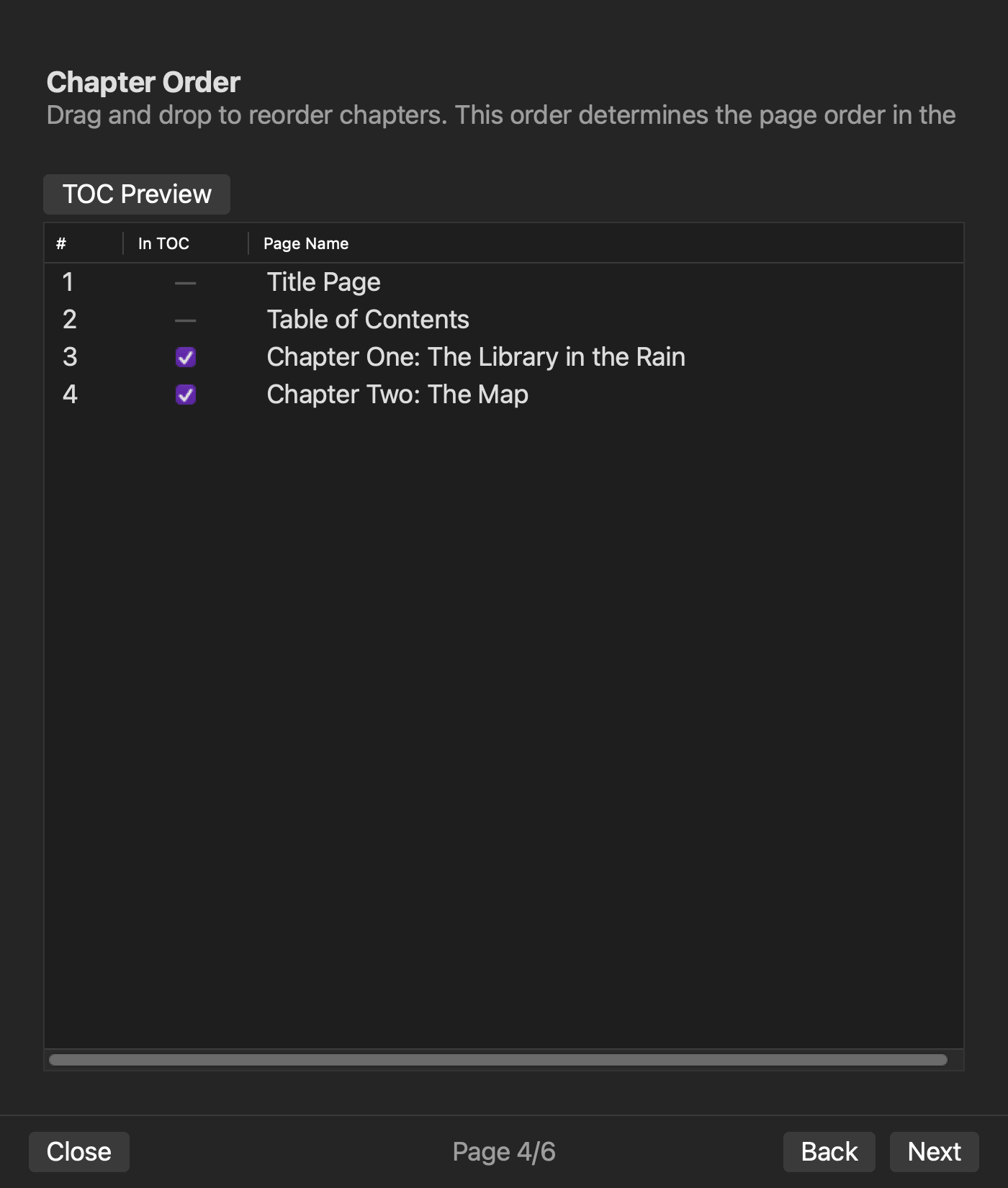
A pre-export view of manuscript count, chapter count, and order helps reveal an accidental omission. The purpose here is not detailed table-of-contents editing; it is preserving the manuscript’s current structure at the input boundary.
Pass one chapter through planning and validation
Duplicate a representative chapter and any required image. Record every change made to satisfy the candidate’s input rules, plus the time spent on visual checks.
Use a planning or validation stage when available to review file count, chapter order, missing values, and reference errors. Then generate a test EPUB and inspect chapters, navigation, images, and leaked notation.
Proceed to a full-volume test when A and B dominate and no required item has a D. When C is common, multiply the one-chapter repair time by the number of chapters before accepting the tool.
Verified input behavior in rune Studio
In the current Mac version of rune Studio, the tested TXT source files could be selected and ordered, and two files were generated as two EPUB chapters. The plan and validate commands reported file count, chapter count, order, and issues before export.
The documented editor notation includes ruby, emphasis dots, bold, alignment, links, images, and page breaks. Image references are resolved relative to the manuscript file, and the documented file-browser behavior can update references when files are moved or renamed.
Post-generation inspection of the test package reported two chapters, navigation and NCX data, no missing images, and no leaked notation. This test did not verify direct DOCX or Pages input, automatic conversion of third-party proprietary notation, or every possible notation combination.
Choose by conversion burden at the entrance
EPUB creation tools that advertise the same output can impose different requirements on existing manuscripts. Define the input contract for format, headings, notation, paragraphs and blank lines, images, and chapter order.
Duplicate one chapter, record every conversion, review the generation plan, and inspect the test output. The right Mac tool is the one that preserves required information and turns necessary changes into repeatable rules instead of forcing a manual rewrite across the book.


