
When an EPUB generator must add navigation and a cover, do not define success as “the body was exported.” Freeze chapter order, navigation labels and destinations, cover identity, book metadata, and output identity before the first build. After export, check navigation resources and the cover reference chain separately. This article owns the first three-chapter build. A separate one-change rebuild begins with an accepted EPUB and compares a single chapter-label correction across the old and new packages.
Decision: Give navigation and cover separate acceptance conditions
For a three-chapter EPUB, split the expected result into two groups.
- Navigation: C01, C02, and C03 order; three labels; one correct destination per label.
- Cover: accepted image COVER-01; matching title; a cover page and image reference.
After generation, check nav.xhtml, NCX when present, and the OPF spine for navigation. Check the OPF manifest, cover page, and archived image file for the cover. If either group remains pending, do not call the EPUB complete with navigation and cover.
Keep this role separate from the later one-change rebuild
That follow-up rebuild starts with an accepted EPUB, corrects one chapter label, and compares the old and new packages. This article starts before a baseline exists. It assembles three chapters, three navigation items, one cover, and book metadata for the first time.
A known typo, one-line correction, and deterministic rebuild are therefore not the central operation here. The central operation is to freeze the input card, read the plan, export the first package, and check nav and cover references.
Freeze the three-chapter input card
Use this controlled card:
| ID | Heading | In navigation | Expected destination |
|---|---|---|---|
| C01 | Introduction | Yes | C01 body |
| C02 | Preparation | Yes | C02 body |
| C03 | Execute and Check | Yes | C03 body |
The metadata card records title, author, publisher, language, and publication date. Accept one cover as COVER-01 and record its source path and file name. Keep rejected alternatives outside the accepted input set.
Choose a unique output name and destination before generation. A work ID and output time are safer identifiers than a name such as latest.epub.
Read the generation plan before export
The plan should show C01, C02, and C03 in order with all three included in navigation. Book title, writing direction, output path, and selected cover must agree with the frozen card before export begins.
A plan is still a proposed build. Seeing three chapters in the plan does not prove the generated navigation is correct. Seeing a selected cover path does not prove that the final archive contains and references the image.
Check labels, destinations, and reading order
After generation, compare the three visible navigation labels with the card. Follow each href to the corresponding chapter body, then read the OPF spine order.
The navigation condition passes only when all three statements are true:
- nav.xhtml contains three expected chapter labels.
- Each link reaches its matching chapter body.
- The body spine remains C01, C02, C03.
When an NCX is generated, compare its labels and destinations as well. A correct label pointing to the wrong chapter fails. Correct spine order does not compensate for a broken C03 navigation link.
Check the cover reference chain inside the archive
Do not accept a cover from appearance alone. Trace the cover page and cover image in the OPF manifest, the image src used by the cover page, and the actual image entry inside the EPUB archive.
Record four facts:
- the accepted COVER-01 source path;
- cover-page and cover-image hrefs in the OPF;
- the src from the cover page to the image;
- the matching image file inside the archive.
Even when those files exist, a product package checker may still report a missing image. In that case, archive contents and package checker result must remain separate facts, and the cover path stays pending.
What the current Mac check supports
On August 14, 2026, a test project produced and re-opened a structurally sound horizontal EPUB with two chapters, controlled navigation inclusion, nav, NCX, OPF, spine, and a distinct output identity. This supports the common ability to generate and check navigation and reading order. It does not claim that this article’s three-chapter specimen passed.
A cover-enabled specimen from the same check contained cover.png and a cover page in the ZIP, with matching OPF manifest and XHTML references. The current product package checker nevertheless classified the image as missing and reported a failure. The evidence therefore supports “the cover file and references were generated,” while “the cover-enabled EPUB passed package check” remains pending.
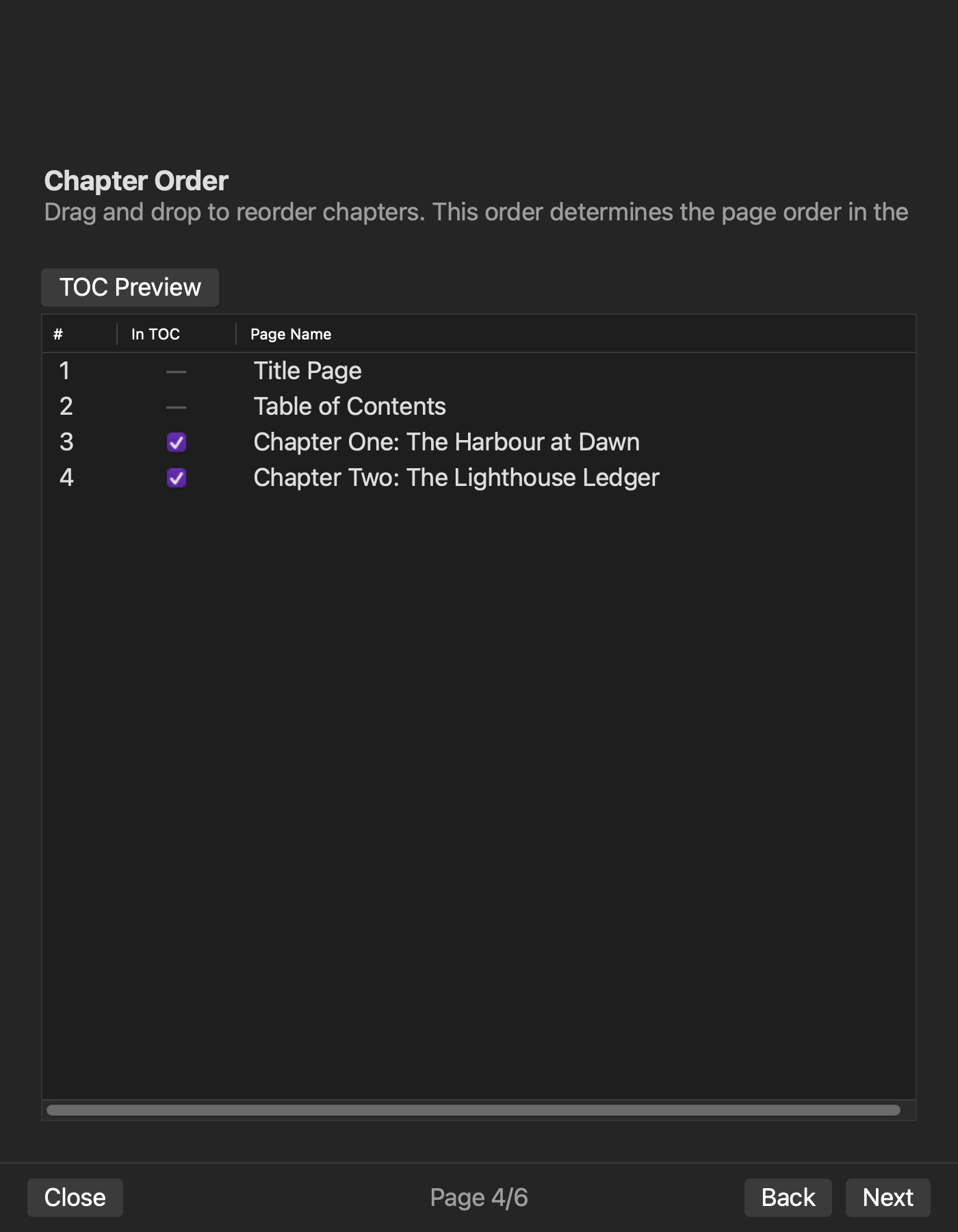
The six-page graphical workflow, the on-screen order of this three-chapter case, and cover rendering in an external reader were not tested. Keep documented wizard scope separate from directly observed results.
Stop at the mismatched condition
Do not accept the first build when:
- planned chapter order or inclusion differs from the card;
- nav label, href, or spine order does not correspond;
- the accepted cover differs from the archived reference chain;
- archive contents and the product package checker disagree;
- the output artifact cannot be identified uniquely.
Record whether the return point is source input, generation settings, or a pending package checker decision. A corrective rebuild belongs after the first baseline has an agreed acceptance status.
Conclusion: Hand off navigation and cover as separate results
For the first navigation-and-cover EPUB, freeze the three-chapter card, three labels and destinations, and the accepted cover chain. After generation, check nav, NCX, and spine separately from manifest, cover page, and image file.
Current operational evidence confirms generation and package check of navigation and body order. It also confirms that a cover image was stored and referenced inside an EPUB, but the package checker disagreement prevents a cover-enabled pass. Preserve that boundary and pass later one-change regeneration work to the later one-change rebuild.
Check the current Mac scope on the Rune Studio product page. Marketplace review, fixed-layout output, and identical rendering on every reader remain outside this article.


