The downstream way to build a horizontal technical EPUB is to export the prepared input as a comparison build, check OPF, chapter XHTML, nav and NCX, and image paths, then change exactly one value and re-export under a different name. Comparing the two builds shows whether the intended change reached the package and whether untouched structure remained stable.
Assume the preparation workflow has already prepared the four chapters, three body images, two tables, code blocks, source references, chapter order, and navigation choices. This article does not repeat how to design headings, tables, code, or image notation. It fulfills the “horizontal technical-book creation and settings” promise through left-to-right generation and controlled output comparison.
Receive the prepared input
Receive one bundle containing manuscript files, adopted images, chapter order, navigation choices, and book information. Make a working copy and leave the authoritative bundle unchanged. The component-design procedure belongs to the preparation workflow; this section states only the handoff condition.
Record the working bundle’s file list and keep the original bundle unchanged. If the image route is unresolved, do not silently replace the bundle with an image-free specimen. Track image-bearing and image-free cases as separate build candidates.
Save the change-free build under a distinct name
Save the unchanged output as change-free.epub. This reader-assigned name distinguishes it from the later rebuild; Rune Studio does not issue it. Record the horizontal setting, output filename, and source version beside it so the two outputs cannot be confused.
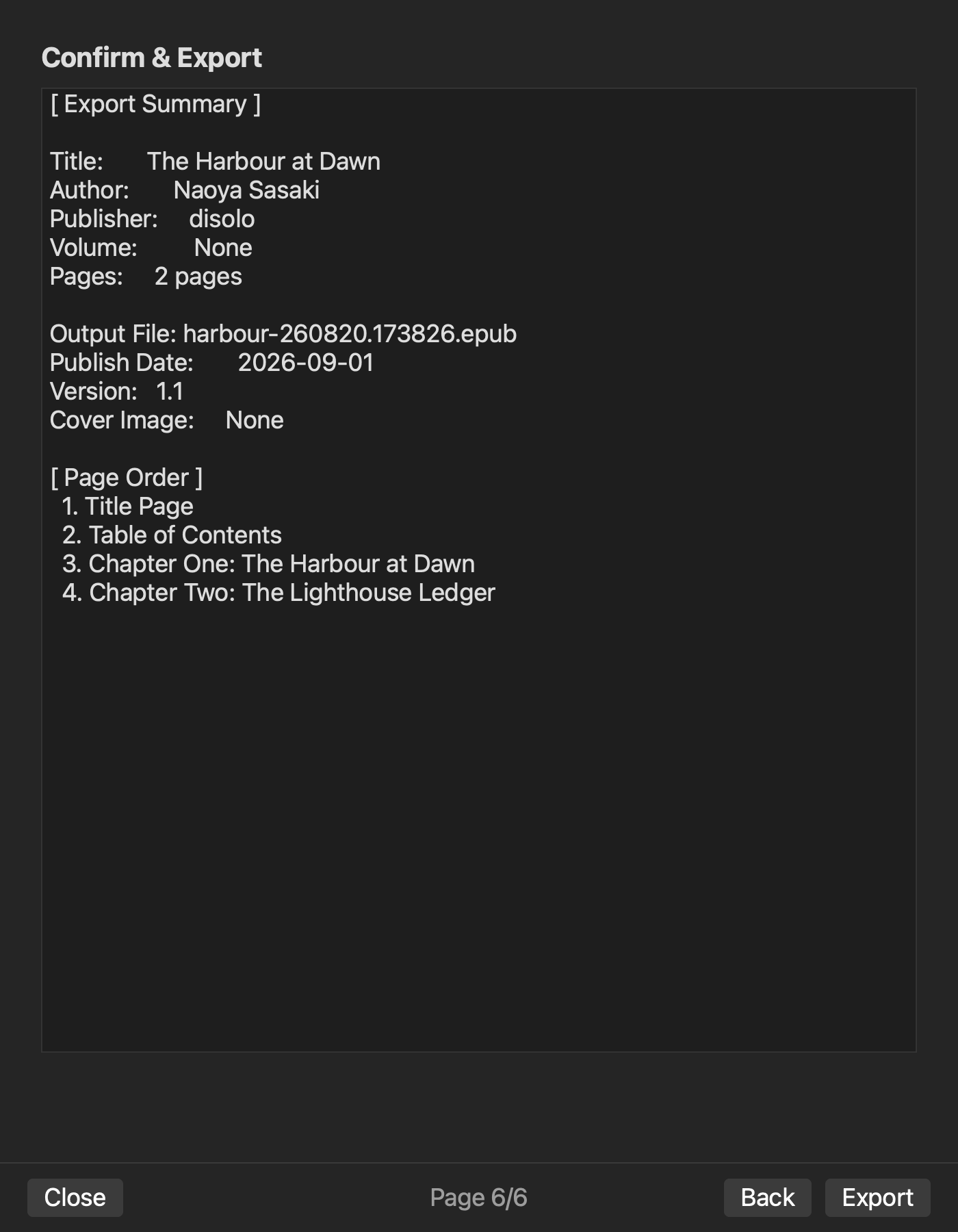
Rune Studio documentation describes the sequence of book information, volume, source selection, chapter order and navigation, metadata, confirmation, and export. Read back the horizontal setting, language, source order, navigation choices, and output name received from the preparation workflow, then export the change-free build.
Preserve the change-free build EPUB and its record. Do not overwrite it with a later generation because it is the authority for the comparison.
Check ltr, manifest, and spine
Open content.opf and confirm that the generated reading direction is left to right. Check the manifest for the four chapter XHTML resources, nav, NCX, and required assets.
The manifest registers resources; the spine defines reading order. Check that the four chapters appear in the expected spine order. If a design excludes a chapter from navigation but keeps it in the book, that chapter must still remain in the spine. The image-free two-chapter check observed this separation when chapter two was excluded from navigation but retained in the spine.
Do not accept the comparison build only because a preview appears horizontal. Record direction, registered resources, and reading order as separate checks.
Check tables and code in chapter XHTML
Resolve each chapter XHTML from manifest and spine and search for the identifiers prepared upstream. Compare heading elements, table dimensions and a representative cell, and code-block newlines, leading spaces, and literal characters with the source record.
Give every chapter at least one concrete value to check. An authentication table may use one status-code cell; a code block may use its first line and indentation. Syntax color and device-specific wrapping are not acceptance conditions for this XHTML check.
An image-free two-chapter sample confirmed common heading, table, and code conversion. It did not complete the article-specific four chapters, two tables, and code set, so this procedure must not be described as that sample’s measured success.
Check nav and NCX separately from spine
Check labels and destinations in nav.xhtml and NCX. A link must point to the intended chapter heading, not merely to an existing file. Nav and NCX provide navigation entry points, while the spine provides reading order, so do not collapse them into one pass result.
When all four chapters are navigation targets, compare four label-and-destination pairs. When an exclusion exists, verify the exclusion in nav and NCX while separately confirming that body inclusion remains in the spine.
External URL reachability and multiple-reader display belong to the external-display workflow. This article ends navigation review at package-internal labels and targets.
Separate the three-part image path
For each body image, compare three facts: manifest registration, the reference in chapter XHTML, and the actual image resource in the EPUB archive. One fact alone does not pass the image path.
In an image-bearing check, image resources and references existed in the ZIP while the current completion screen reported missingImages and returned an incomplete result. The evidence therefore supports neither “the images are missing” nor “image review passed.”
Keep image-bearing and image-free comparison builds under separate filenames. Record the image conflict as pending instead of letting it change the ltr, spine, table, or code results.
Change one value and save the changed build under a new name
After comparison build review, change exactly one value in the working copy. The controlled example changes one authentication-table cell from 401 to 403. Leave all other manuscripts, source order, navigation choices, image references, and horizontal settings unchanged.
Save the changed output as changed.epub. Never overwrite the change-free build. The table-cell edit is the article’s reproducible procedure, not a claim that this exact four-chapter sample has already succeeded.
A separate image-free check confirmed that a one-character source edit appeared in a differently named rebuild. That narrower result must not be expanded into a claim that this exact four-chapter or 401-to-403 case passed.
Compare the intended difference and invariants
Confirm 403 in the target chapter XHTML in the changed build and confirm that the change-free build still contains 401 at the corresponding location. Then verify that untouched chapter XHTML, OPF left-to-right direction, manifest and spine chapter sets and order, and nav and NCX labels and destinations remain stable.
A whole-archive byte difference alone is not proof that the intended edit arrived. Package timestamps and generated identifiers may also differ. Compare the semantic content change separately from structural invariants.
If the image route was pending in the change-free build, it remains pending in the changed build unless separately resolved. A successful text difference does not promote unresolved image review to a pass.
Protect the authoritative input and comparison build
Modify only the working copy. Do not rewrite the prepared source bundle, the change-free build EPUB, or its comparison notes. After producing the changed build, confirm that the original source bundle still has the same files and contents.
If the difference is unexpected, discard only the changed build candidate and investigate. Do not replace the change-free build with the new output or push an unapproved correction directly into the authoritative bundle.
This article excludes input-notation design, cover and colophon creation, external readers, retailer acceptance, vertical writing, and fixed layout. Its job is to close generation and difference evidence, not to repeat upstream preparation.
Complete the prepared technical EPUB through output comparison
The downstream horizontal technical-book workflow is to export the prepared bundle as the change-free build with left-to-right direction, then check manifest and spine, chapter XHTML, nav and NCX, and the separate image route. Next, export the changed build after one controlled edit and compare the intended content difference with the invariants that should not move.
Begin by copying the prepared input bundle and assigning the change-free filename. If you use Rune Studio, review the current horizontal EPUB scope on the Rune Studio product page and keep the confirmed image-free route separate from the pending image-bearing result.


