If you need to know how to create a horizontal technical-book EPUB, prepare it as a structured source, not as one long block of formatted prose. This guide uses a four-chapter API manual with three figures, two code blocks, and two tables. It covers the input notation and wizard choices that hand those components to a reflowable EPUB. A hands-on check confirmed the structure of a separate image-free specimen; the image-and-cover specimen did not pass structure check. This guide therefore does not certify the article-specific package or replace the finished-book structure check owned by the generated technical-book EPUB check.
Separate the four component types before export
Treat prose, figures, code, and tables as different source responsibilities. Prose explains the chapter, figures are referenced assets, code preserves meaningful whitespace, and tables preserve row-to-column relationships. A layout that merely looks correct in a word processor does not tell a reflowable EPUB what each component means.
The controlled book has Introduction, Authentication, Error Handling, and Appendix chapters. It includes three named figures, two fenced code samples, and two three-column tables. Give every component a unique label and make every prose reference use the same label.
Fix chapter boundaries with headings and page-break notation
Use one heading level for all four chapter starts and insert page-break notation only where a new chapter should begin. Keep a stable hierarchy such as book title, chapter, and section. Do not use page breaks to force a paper page number because pagination changes with screen size and reader settings.
The handoff condition is four chapter candidates in the wizard, not four visually equal pages in the editor.
Pair three figures with explicit references
Name the assets by role, such as figure-01-auth-flow.png, and write useful alternative text for each image notation. Search the manuscript for Figure 1, Figure 2, and Figure 3 and compare those references with the three image directives and three files.
This count catches a missing reference or a stale image name before export. It does not certify image compression, final dimensions, or rendering on every storefront device.
Keep two code samples distinct from prose indentation
Use code blocks for the three-line request and six-line error-handling sample. Reserve inline code for short identifiers and commands. Do not simulate a block by indenting ordinary paragraphs because paragraph styling and code whitespace have different jobs.
Check long URLs and JSON lines in horizontal preview. Choose a meaningful break or a shortened teaching specimen, but do not promise identical wrapping on all readers.
Design two tables for reflow
Give the status-code table and default-value table explicit column headers. Limit the controlled tables to three columns and move long explanations into following prose. Avoid empty cells used merely as visual spacing.
Turning a table into an image fixes appearance but loses selectable and accessible text, so it is not the default procedure here.
Compare source notation with generated XHTML
The reader-run procedure is to switch preview to horizontal writing and confirm that headings, images, code, and tables become distinct candidate elements. The article-specific preview UI was not exercised, so this is not reported as an observed screen result.
In the image-free hands-on verification specimen, the generated EPUB used left-to-right direction and converted headings, a table, a code block, and ruby into XHTML. Rune Studio documents a preview for this horizontal workflow plus a bounded set of EPUB editing notation. It is not described as a complete implementation of every Markdown extension.
Choose horizontal writing and paragraph behavior in the wizard
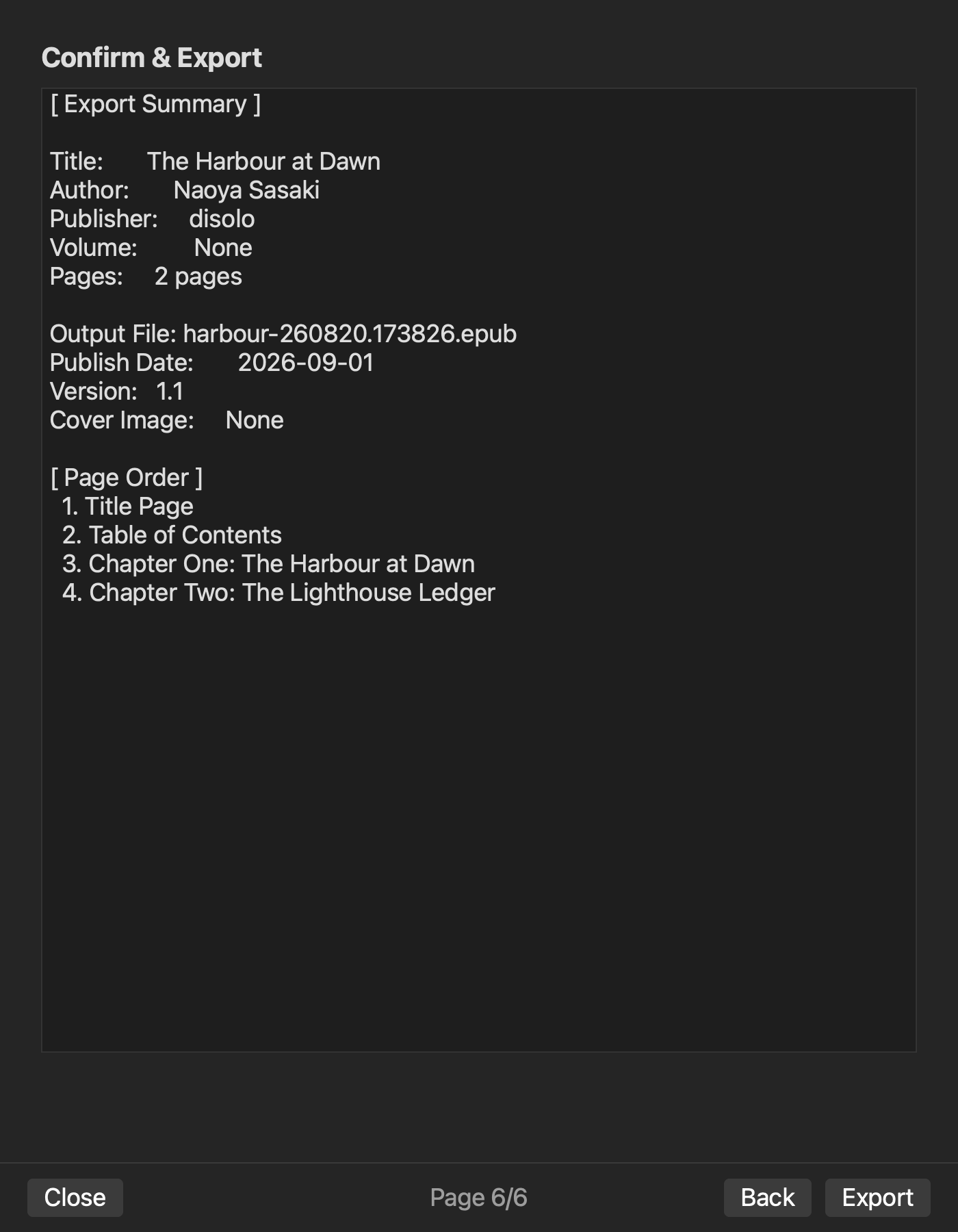
On the series-information page, select horizontal writing, language, file name, and one paragraph method for the explanatory prose. Keep code whitespace independent from paragraph indentation. Select a single volume and then choose the manuscript source.
If one source file contains all chapters, page-break notation produces chapter candidates. If several source files are used, compare every selected name with the four-chapter plan.
Order chapters and choose navigation candidates
Arrange title page, contents page, Introduction, Authentication, Error Handling, and Appendix. Include the four content chapters in navigation without turning the contents page into a duplicate chapter entry. Decide whether the appendix belongs in navigation based on its independent reference value.
Do not add every figure caption and code-label heading to the main contents. The task here is the wizard selection; structure check of generated nav.xhtml belongs to the generated technical-book EPUB check.
Treat the cover as a setting candidate while image structure check remains pending
Choose a cover whose displayed title and edition match the metadata. Keep its file name separate from Figure 1 through Figure 3. Documentation describes cover selection and image packaging. In the hands-on verification image-and-cover specimen, the ZIP contained image assets and references, but structure check reported missingImages and a failed result. Cover registration and image-reference structural soundness therefore remain pending, as do marketplace dimensions and color requirements.
Connect each figure reference to its asset
Create four columns for figure number, prose reference, image directive, and file name. Complete three rows so an orphaned reference or unreferenced asset is visible before generation. Multiple prose references may point to one asset, so record that relationship rather than duplicating the file.
Pair each code sample with its teaching purpose
Place one sentence before each block describing what it demonstrates and one sentence after it describing the expected result. Normalize indentation in the controlled source and treat executable correctness as an upstream input, not as something EPUB generation proves.
Return an over-wide table to source design
If the three-column table is cramped, move long explanation into prose, shorten headers, or split the table while preserving meaning. Do not begin by shrinking text. Update Table 2 references when the source structure changes.
Separate verified structure from pending image structure check
The image-free hands-on verification specimen verified nav, NCX, OPF, spine, horizontal direction, table and code XHTML, navigation exclusion, and a rebuild difference after one source edit. Those results do not prove this article’s four chapters, three images, two code blocks, and two tables. Its downstream list remains four nav entries, reading-order spine, XHTML for the two code blocks and two tables, and horizontal direction.
Three packaged images, their references, and cover registration remain pending because the image-inclusive structure check did not pass. These are explicit checks for the generated technical-book EPUB check, not passed results in this article.
Finish with component and setting counts
Before generation, read back horizontal writing, four-chapter order, four navigation choices, and the cover file name. In the source, count three image directives, two code blocks, and two tables. A mismatch returns to the source or chapter-selection page.
The conclusion is limited: the structured technical-book source is ready to be handed to EPUB generation. The common image-free path has verified structure, but the article-specific sample and image-and-cover path are not certified. Use the Rune Studio product page to confirm supported notation and wizard scope, then leave package and device structure check to the generated technical-book EPUB check.


