
An encoding label is weaker evidence than text that survives a save-and-reopen cycle. This text editor encoding test follows five revealing characters—髙, ①, 〜, é, and 😀—through UTF-8, UTF-8 with BOM, and Shift_JIS copies while recording BOM and line endings separately. Hands-on verification retained a Shift_JIS selection value, but the physical file remained UTF-8 with LF endings. Byte conversion and Save As therefore stay pending instead of being counted as passed.
Put five reopened characters ahead of the encoding label
Encoding detection is not complete when an editor displays a label such as UTF-8. Keep the source untouched and make three controlled copies: UTF-8, UTF-8 with BOM, and Shift_JIS. Put five revealing characters in each sample: 髙, ①, 〜, é, and 😀. Check them near the beginning, middle, and end, then save under a new name, close the file, and reopen it. Accept an encoding only when the characters, paragraph boundaries, and required BOM state remain correct after reopening.
Each character tests a different risk. An uncommon Japanese name character can expose a conversion loss. A circled number and wave dash can expose mapping differences. An accented Latin letter broadens the sample beyond Japanese, while an emoji cannot be represented in Shift_JIS. Record each result separately. A sample that merely looks readable is weaker evidence than a sample that survives a save-and-reopen cycle.
Check BOM and line endings as separate facts
UTF-8 and UTF-8 with BOM may display identical text. The BOM is a byte marker at the beginning of the file, so check it through the editor’s encoding display or another byte-aware check. Do not remove or add it because one form seems newer. The destination specification determines whether it is required, tolerated, or rejected.
Line endings also need their own check. LF and CRLF normally look like the same paragraph break. Record the selected line-ending mode, line count, and paragraph boundaries before saving. Change only the encoding or only the line ending during the first test. If both change together, a later difference cannot be assigned to one cause.
Run a three-copy identification test
Name the copies so their roles cannot be confused. Open each copy, record the detected encoding and line ending, and check all five characters. Add one short line labelled reopen check, save to a distinct filename, close the editor, and open the new artifact. The reopened file—not the first display—is the evidence used for acceptance.
For the UTF-8 copies, verify the text and marker requirement. In the Shift_JIS copy, an emoji or another unrepresentable character should prevent a silent success. Preserve the warning state rather than replacing the character with a question mark merely to complete the save. The correct conclusion may be that Shift_JIS is not a safe output for this manuscript.
Use timing to choose the next branch
Automatic detection is a starting hypothesis. A short ASCII-only file may be sound under several encodings, so its label cannot prove the original choice. Combine the source history, BOM state, and actual character range. If text is wrong immediately after opening, test the decoding choice. If it becomes wrong only after saving, test representability and output settings. If only one computer shows a different glyph while the text remains identical, investigate fonts instead of encoding.
This article stops at identification and acceptance. The broader encoding-failure guide covers the diagnosis of opening, saving, and display problems. The controlled Shift_JIS-to-UTF-8 conversion guide handles the conversion operation itself. Keeping those tasks separate prevents a diagnosis from being mistaken for a completed conversion.
Do not treat a Rune Studio selection as byte evidence
Current Rune Studio documentation describes supported encodings, encoding and line-ending selections, a red background for unrepresentable characters, save warnings, and automatic-save suspension. Those are documented specifications.
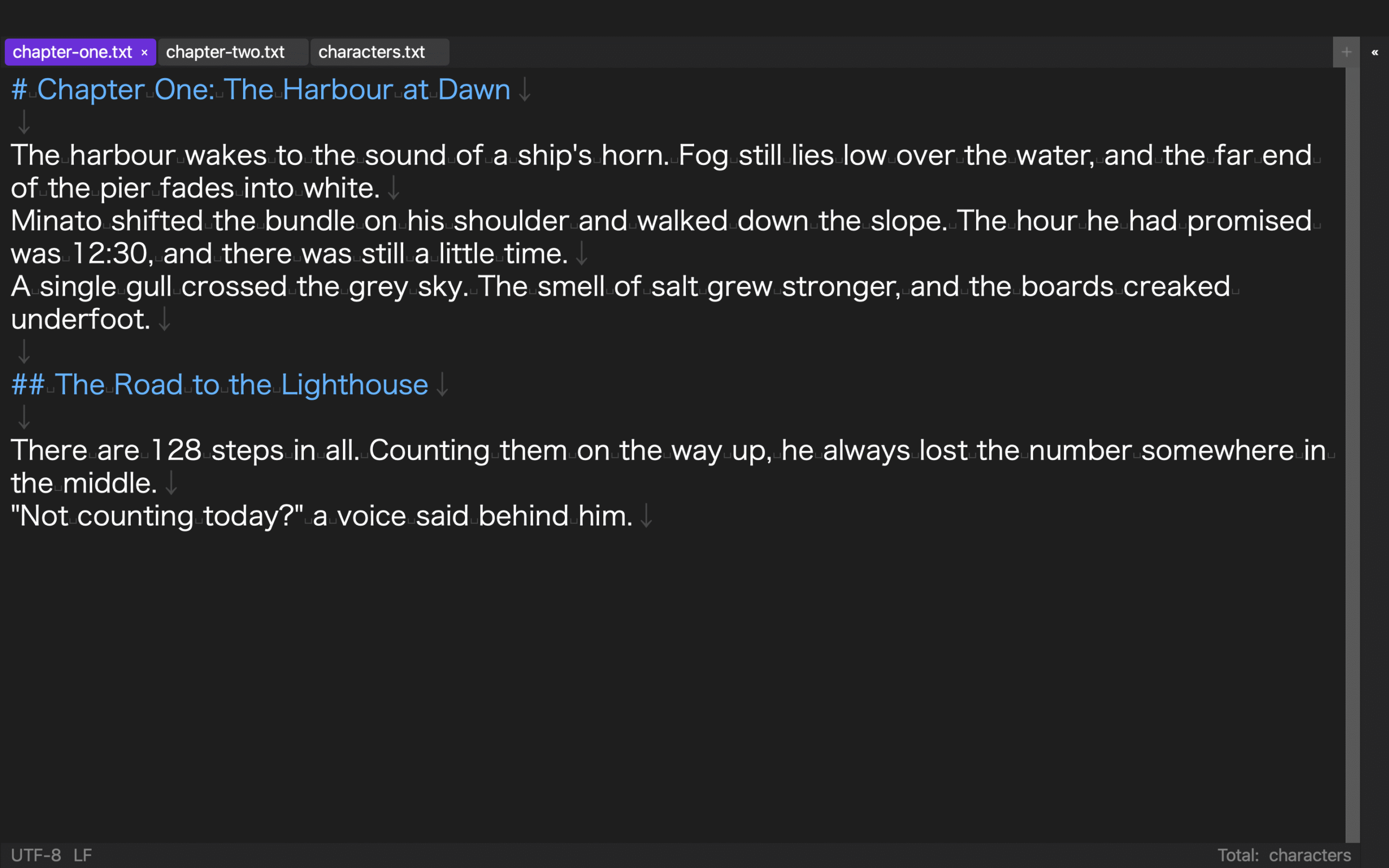
In a hands-on check with a disposable copy on August 14, 2026, a UTF-8/LF physical file was given a Shift_JIS tab selection. The selection metadata persisted after reopening, but the bytes remained UTF-8/LF. A displayed selection therefore cannot serve as proof of physical conversion or actual stored encoding.
The run did not verify a BOM file, a physical Shift_JIS file, physical CRLF conversion, red highlighting, a save warning, or automatic-save suspension. The three-copy, five-character specimen is an acceptance-test design, not a completed Rune Studio specimen.
The red state does not mean the application repaired the source. It marks a position where saving under the selected encoding could lose information. Use it to decide whether to choose another output encoding or revise a destination requirement. The documentation does not prove that a particular manuscript will pass or that an external publishing service will accept the result.
Finish with an explicit decision
Mark accepted only when the five characters, line count, paragraph boundaries, BOM requirement, and added line survive reopening. Mark pending when the source contains only ASCII, the creation environment is unknown, or the destination has not stated its BOM policy. Mark rejected when saving changes characters, alters line boundaries, or requires ignoring an unresolved representability warning.
Begin with the controlled three-copy sample rather than a valuable manuscript. Once one encoding has a documented reopened result, use that evidence to plan the next operation. Review the current macOS feature scope on the Rune Studio product page. This article does not cover every encoding, binary files, automatic repair of corrupted text, or the conversion procedure itself.
Compare all three candidates with the same fields
For the UTF-8 candidate, verify that all five characters return and that a save-as copy containing the emoji can be reopened. For UTF-8 with BOM, keep the character result separate from the BOM result because the visible text may be identical. For Shift_JIS, do not approve the file merely because the Japanese glyphs appear; record whether é and the emoji become unrepresentable or trigger a blocked save. Use the same four columns for every candidate: five-character result, BOM, line ending, and reopened copy.
If only the UTF-8 copy preserves all five characters, no BOM, LF, and an identical reopen, those observations support promotion. A red emoji under Shift_JIS is evidence that this manuscript is not representable in that encoding. Do not delete the character to force a save. Check the destination requirement and hand conversion to the dedicated workflow.
Add the destination requirement to the decision
The internal identification result does not decide whether BOM should be added or removed. Record the destination’s documented requirement beside the four test columns. If the destination says UTF-8 without BOM, a technically readable BOM copy is still not the delivery copy. If no requirement is available, preserve the promoted source and mark delivery formatting as pending rather than silently changing it.
Keep destination acceptance outside this test. A locally reopened file proves the local observation only; it does not prove that an EPUB tool, submission portal, or other service has accepted the bytes.
Values to verify on the promoted encoding copy
-
Keep the source read-only and distinguish it from all three test copies
-
Distribute the five revealing characters across beginning, middle, and end
-
Distinguish UTF-8 BOM state independently from visible text
-
Change encoding and line-ending mode in separate attempts
-
Close and reopen the saved-as artifact before acceptance
-
Never convert an unrepresentable Shift_JIS character to a question mark merely to finish
-
State which character, BOM, line-ending, and reopen evidence supported the decision
-
Mark destination requirements pending when they are unknown
Make the encoding decision reproducible
Start with three untouched copies. Open them as UTF-8, UTF-8 with BOM, and Shift_JIS; record the five representative characters and line endings; then close and reopen each copy. Promote only a reopened copy. Preserve any red warning or blocked save with the character position and selected encoding, then hand diagnosis or conversion to its dedicated guide. Check the supported encodings and save-stop boundary on the Rune Studio product page before opening the copies.